dynamics-crm , low-code , powerplatform , tips
Learning Dataverse Offline Mode (Canvas Apps) and Implement Concurrency

It's been a long time since I wanted to try the offline capability of Dataverse in the Canvas App (You can learn more in this official documentation). Again, the one that makes me curious is how the system behaves (in terms of managing concurrency and how we enforce strict concurrency) and not about how to set the offline capability. For those who want to know how to enable it, we already have the best tutorial by Matthew Devaney which you can read here. Without further ado, let's deep dive into it!
Default System Behavior
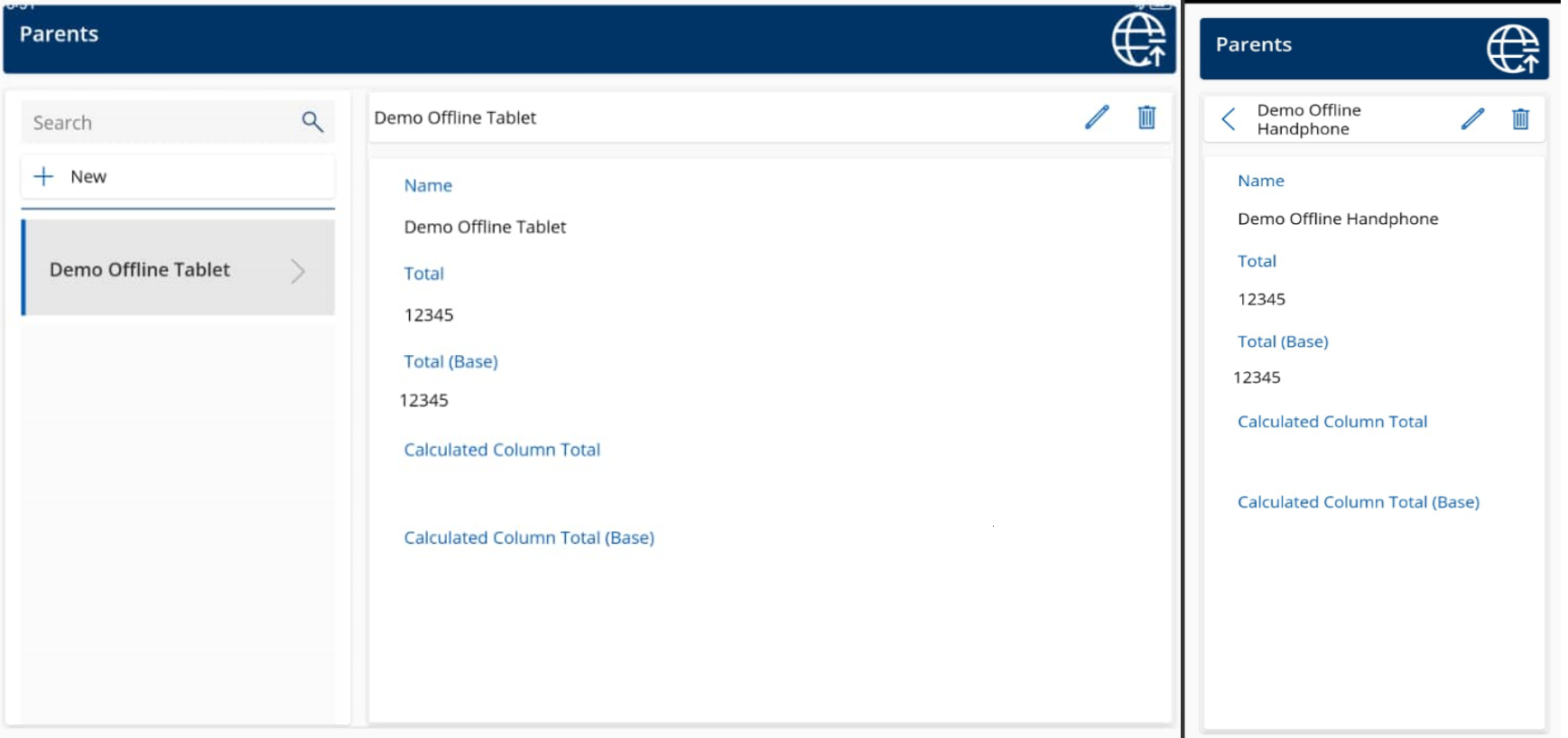
Once I set the table for offline mode, offline profile, enabled the Audit Log, and set up the Canvas App (all the logic is totally the same as what Matthew Devaney did in his blog post). I tried to open the same record on two different devices > retrieve the data (for offline usage) > disconnect both devices > make an update on the Name > and connect to the internet again:
Once the sync is done, via Model Driven App > I verified the Audit History:
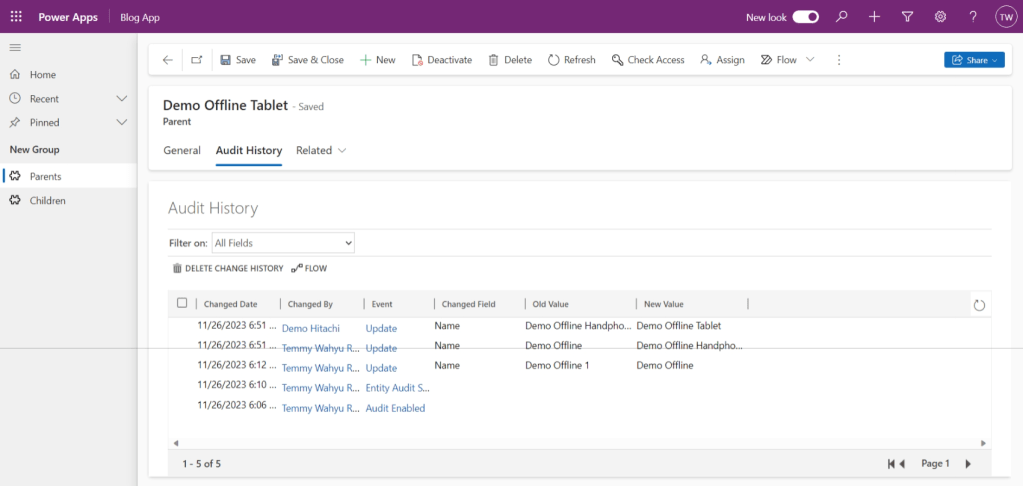
As you can see, in the above screenshot. The system is not blocking updates at the same time.
Create The Plugin
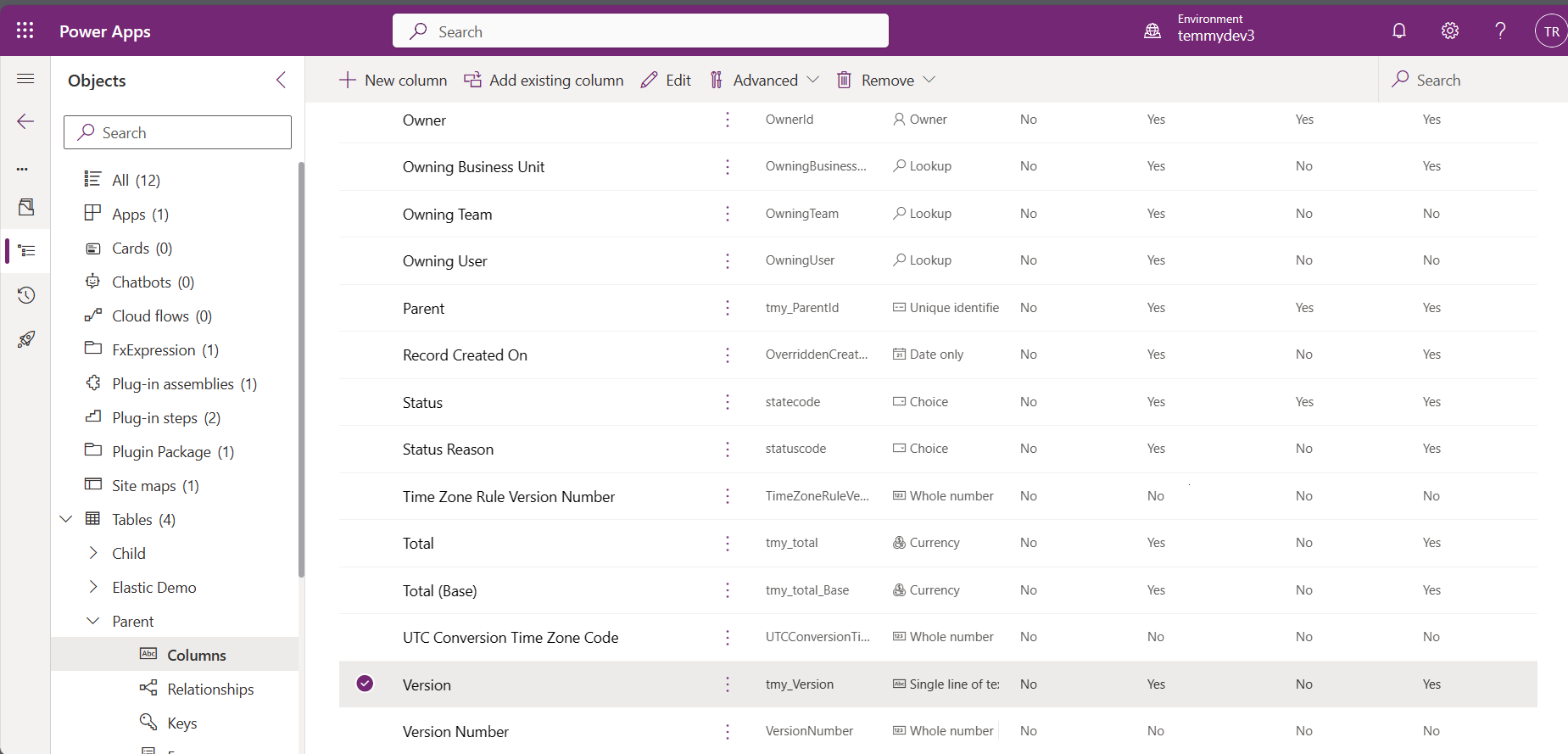
In the past, I already tried to settle a similar method that you can read here (before Canvas Apps became advanced). Basically, we will create a new text column to store the Row Version of the record. Here is the column that I created:
For the Canvas App itself, when clicking the Edit icon, I added the below command:
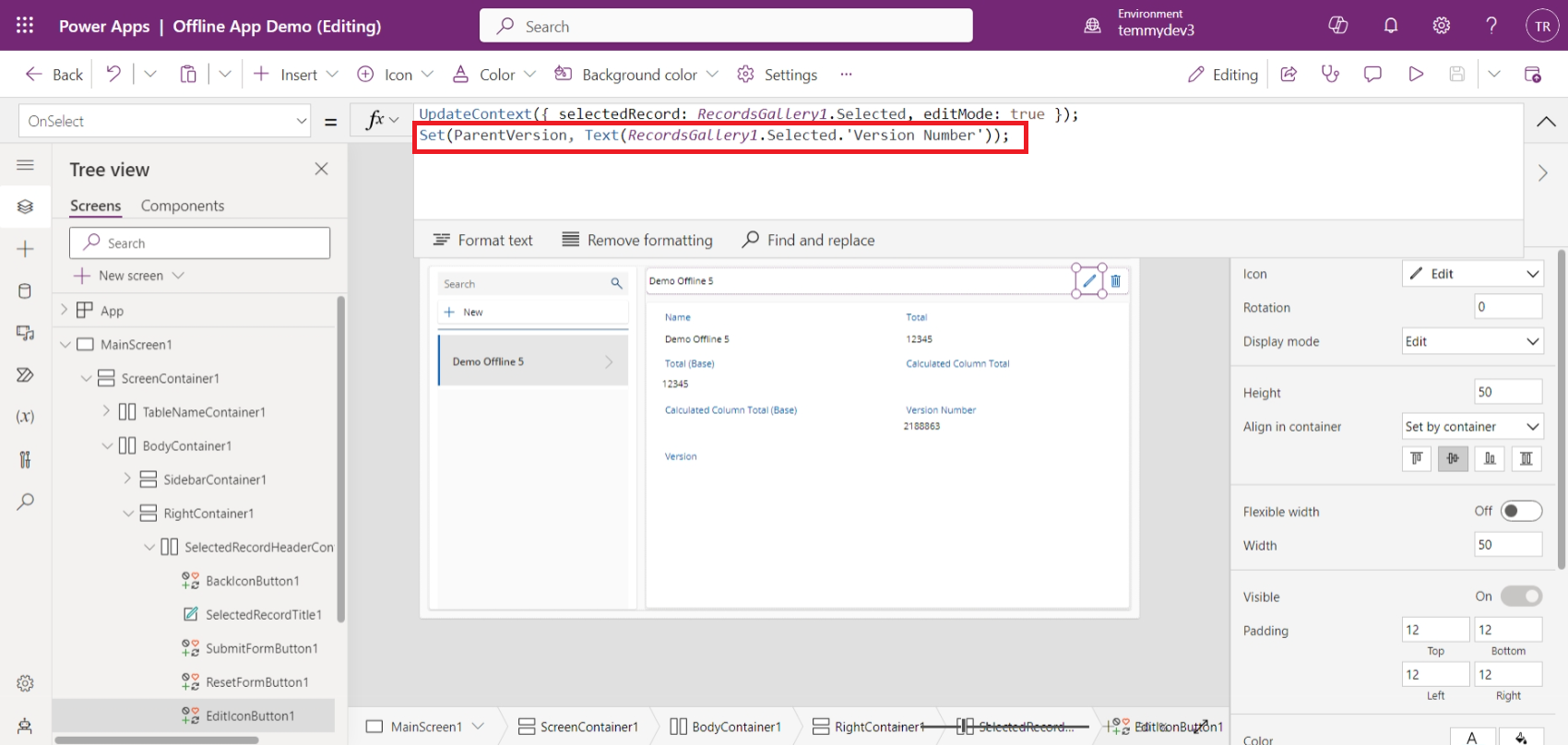
As you can see in the above screenshot, I created the "ParentVersion" variable and set it using the record."Version Number".
Next, we need to supply the "Version" with the "ParentVersion" value:
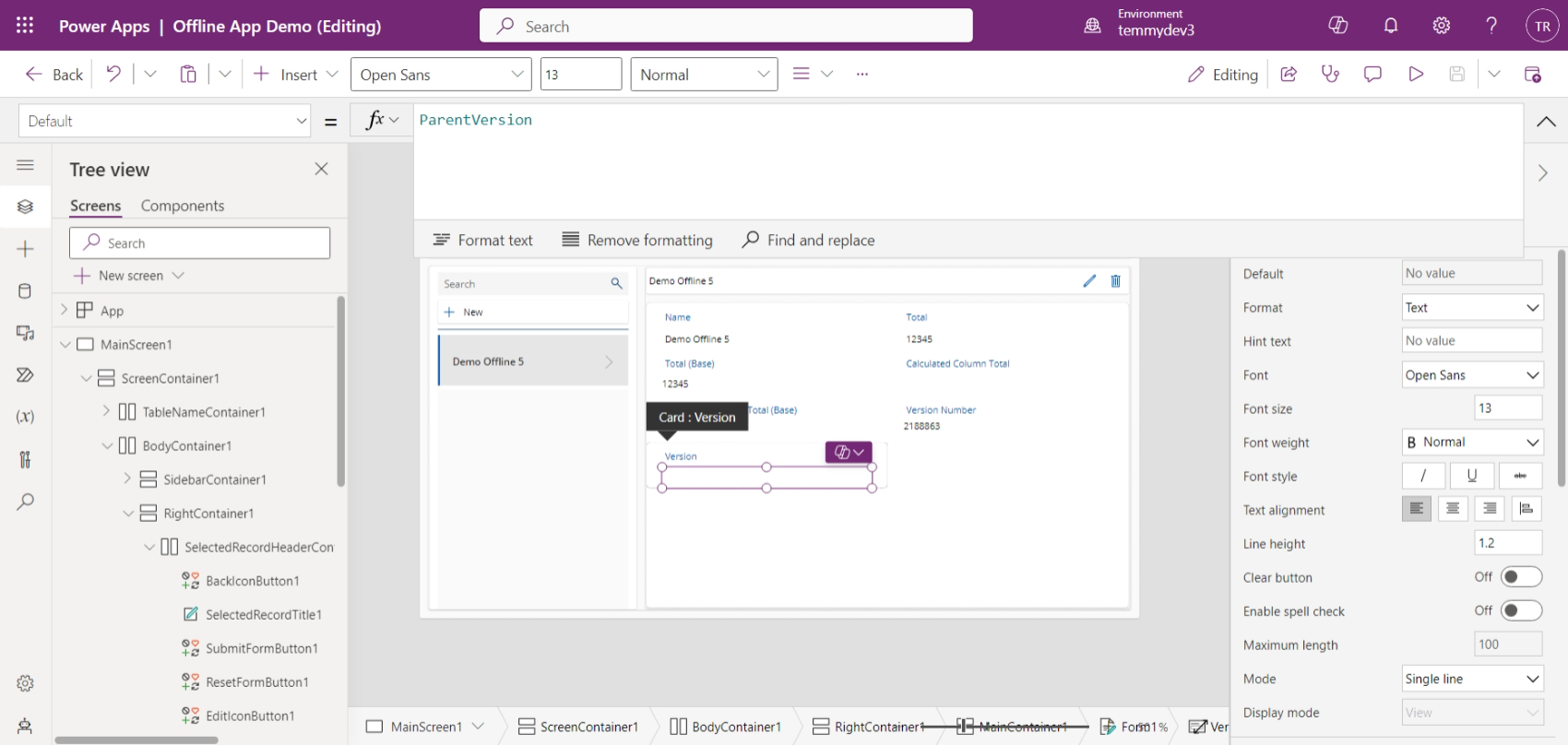
Then, in the plugin, we will validate if the value is correct or not (comparing the "Version" with the "Version Number"). But, before we go to the implementation, I want to log the values needed to know the system behavior:
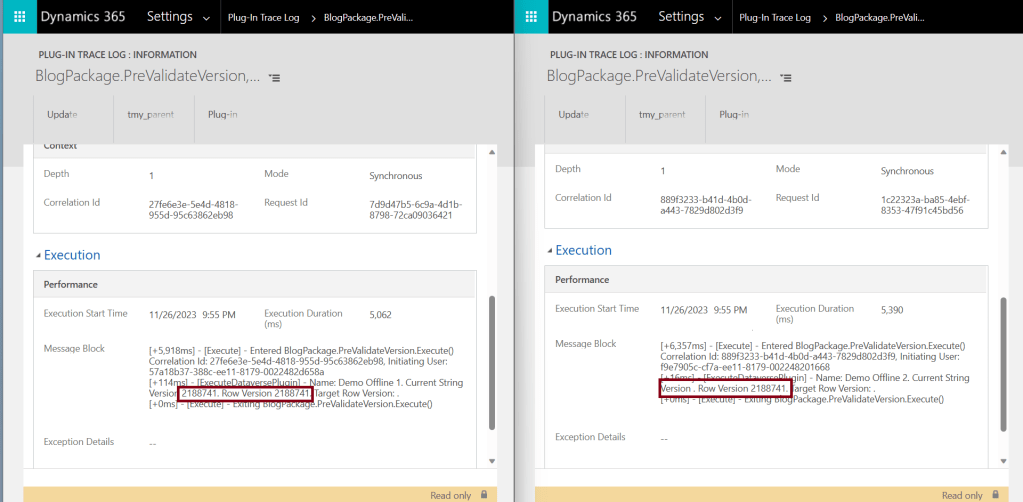
As you can see in the above screenshot, the first update (on the left) will have "Current String Version" which is equal to the "Row Version". On the second update (on the right), the "Current String Version" is empty. This behavior is totally the same with the MDA (Model Driven App) Front End. When we update a similar value, the MDA Front End will ignore the changes.
Based on that behavior, this is the code that I created for the plugin:
using Microsoft.Xrm.Sdk;
using Microsoft.Xrm.Sdk.Extensions;
using Microsoft.Xrm.Sdk.Query;
using System;
namespace BlogPackage
{
    public class PreValidateVersion : PluginBase
    {
        public PreValidateVersion() : base(typeof(PreValidateVersion))
        {
        }
        protected override void ExecuteDataversePlugin(ILocalPluginContext localPluginContext)
        {
            if (localPluginContext == null)
            {
                throw new ArgumentNullException(nameof(localPluginContext));
            }
            var context = localPluginContext.PluginExecutionContext;
            var target = context.InputParameterOrDefault<Entity>("Target");
            var preData = localPluginContext.PluginUserService.Retrieve(target.LogicalName, target.Id, new ColumnSet(false));
            var name = target.GetAttributeValue<string>("tmy_number");
            var versionString = target.GetAttributeValue<string>("tmy_version");
            var preDataRowVersion = preData?.RowVersion?.ToString();
            localPluginContext.Trace($"Name: {name}. Current String Version {versionString}. Row Version {preDataRowVersion}. Target Row Version: {target.RowVersion}.");
            if (string.IsNullOrEmpty(versionString)) throw new InvalidPluginExecutionException("Current String Version is empty or conflict detected!");
            if (versionString != preDataRowVersion)
            {
                throw new InvalidPluginExecutionException($"Submitted Version ('{versionString}') is not same with RowVersion ('{preDataRowVersion}')");
            }
        }
    }
}
In the above code, you can know that I will retrieve "preDataRowVersion" based on service.Retrieve to make sure we always get the "RowVersion". If the "versionString" is empty, we will throw "Current String Version is empty or conflict detected!". Again, we add additional validation if the **"versionString "**is not equal to "preDataRowVersion", meaning we also have conflict in place.
Here is the Plugin Step that I registered for the demo:
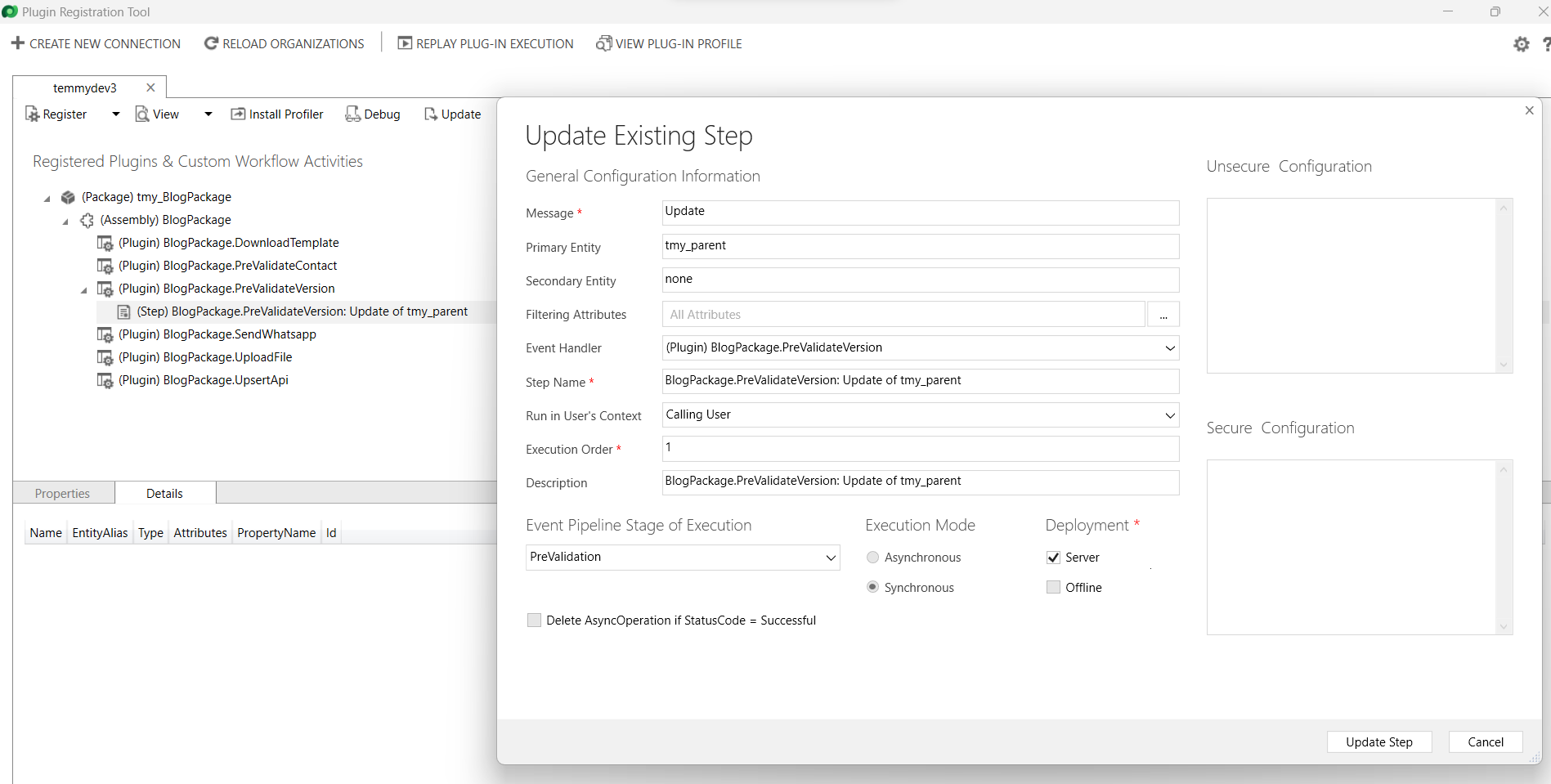
Once you already updated the plugin using the above code. I'm testing it again with the below scenarios:
- Open the same record in the 2 devices > disconnect the connection > make changes in the Name attribute> Save the changes > connect.
- Open the same record in the 2 devices > make an update in the Name > click Save (almost at the same time).
Both scenarios have the same result (only allowed for the first update):
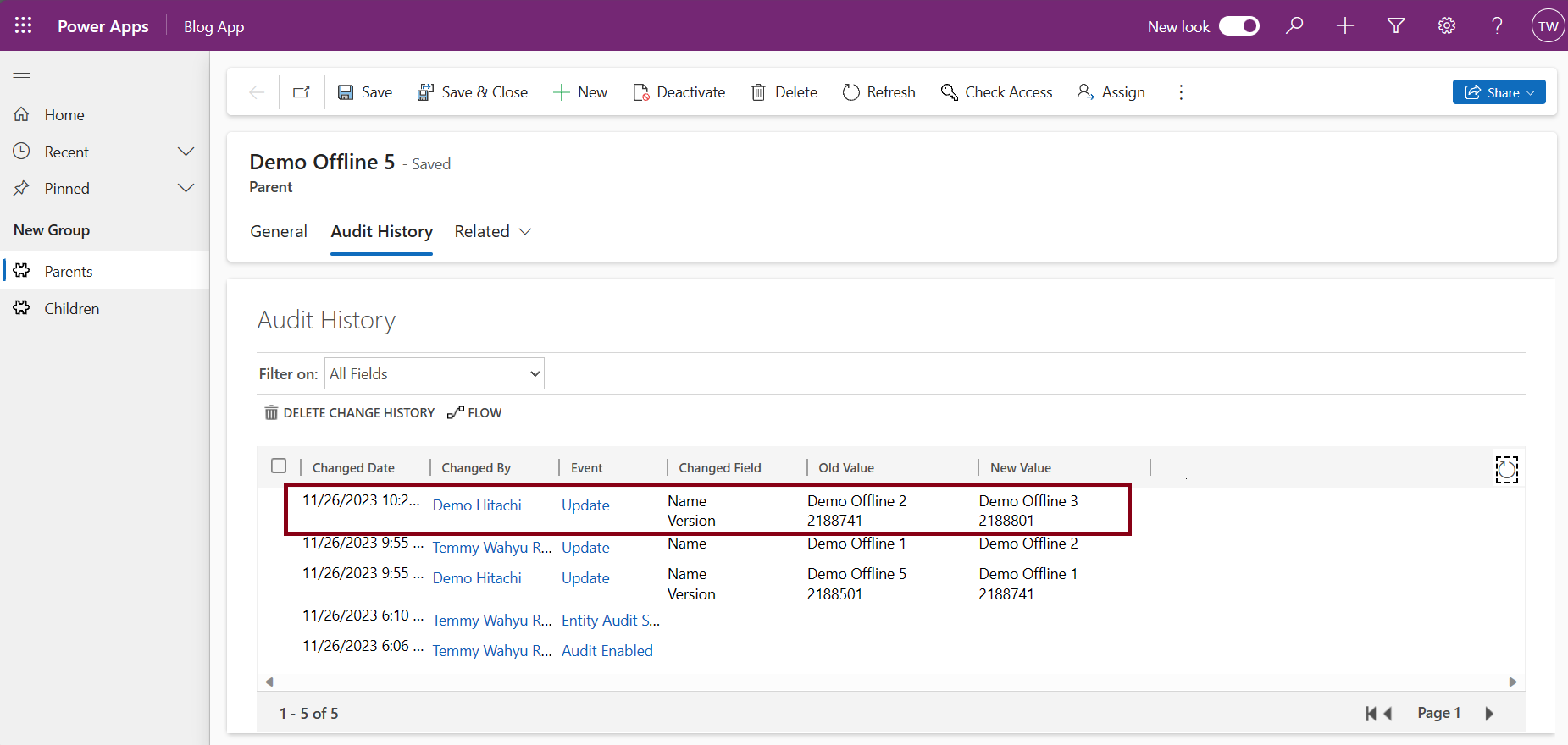
Here is the result on the log:
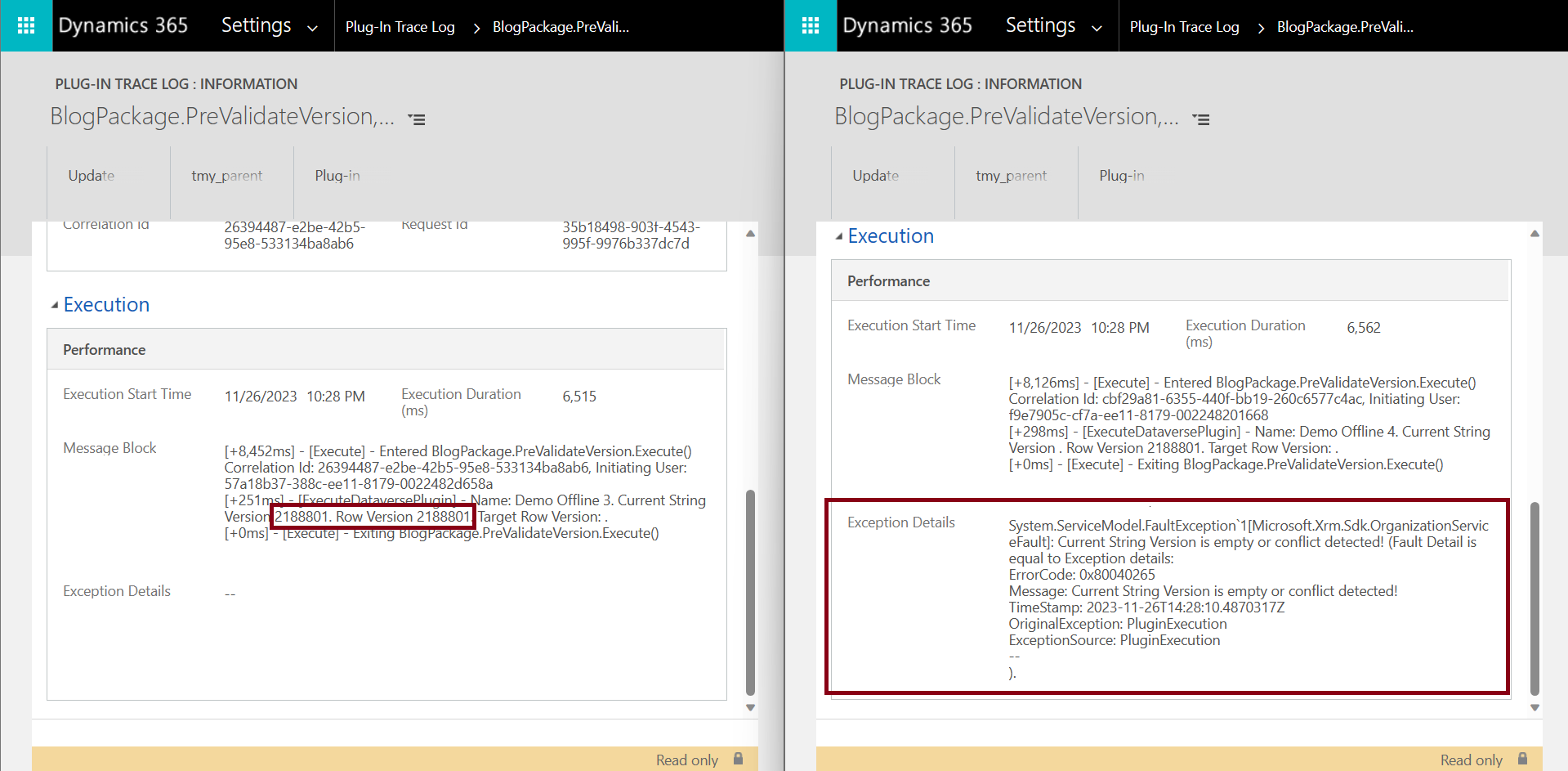
NB: When there are updates when offline and reconnect, even if there's an error > the system will not show it in the app (but we can verify there is an error on the Plugin Trace Logs).
Happy CRM-ing!
Leave a comment
Your comment is sent privately to the author and isn't published on the site.