dynamics-crm , Javascript , powerplatform , tips
MDA: Fixing Add Existing Button in Associated GridView!

Have you ever wondered why we can't change the default view when clicking Add Existing in the Subgrid area on Model Driven Apps and at the same time you need to implement business logic to limit users to select the record based on a specific view (similar with this thread)? Fear not as we can implement it with the JS that I provided! 😎🚀
JavaScript
Here is the JS snippet that we will use:
var associatedGrid = associatedGrid || {};

(function () {
    this.addExistingRecord = function (selectedEntityTypeName, selectedControl) {
        const primaryEntityName = selectedControl.formContext.data.entity.getEntityName();
        const primaryEntityId = selectedControl.formContext.data.entity.getId();
        const relationshipName = selectedControl.getRelationship().name;
        const defaultViewId = selectedControl.getViewSelector().getCurrentView().id;
        const lookupOptions = {
            allowMultiSelect: false,
            entityTypes: [selectedEntityTypeName],
            defaultViewId: defaultViewId,
            disableMru: true,
            viewIds: [defaultViewId]
        };
        var successCallback = function (result) {
            if (!result) return;
            if (result.length === 0) return;

            var associateRequest = {
                target: { entityType: primaryEntityName, id: primaryEntityId },
                relatedEntities: [
                    { entityType: selectedEntityTypeName, id: result[0].id }
                ],
                relationship: relationshipName,
                getMetadata: function () { return { boundParameter: null, parameterTypes: {}, operationType: 2, operationName: "Associate" }; }
            };

            Xrm.WebApi.execute(associateRequest).then(
                function success(_) {
                    selectedControl.refresh()
                }
            ).catch(function (error) {
                console.log(error.message);
            });
        };
        var errorCallback = function (error) {
            var alertStrings = { confirmButtonLabel: "Yes", text: error, title: "Error" };
            Xrm.Navigation.openAlertDialog(alertStrings);
        };

        Xrm.Utility.lookupObjects(lookupOptions).then(successCallback, errorCallback);
    };
}).apply(associatedGrid);
For the parameters of the function, basically, I'm just reusing the existing implementation in the CRM/Dataverse where we need to pass the selectedEntityTypeName and selectedControl. From there, in lines 5 - 8, we actually prepared the necessary parameters for the function to work (primaryEntityName, primaryEntityId, relationshipName, and defaultView).
Next, we prepare the lookupOptions where we only allow a single selection and set the associated entity that will be open with the default view that we get from the selectedControl. Please keep in mind that the purpose of the above JS is to open the view based on the configuration that you put in the Grid itself. Once the lookupOptions is ready, we have the successCallback function which will call the Associateaction through Xrm.WebApi.execute. If the record is successfully associated, then we will refresh the grid (line 31). Else, we will call Xrm.Navigation.openAlertDialog. Next, for the errorCallback itself, we also will call the Xrm.Navigation.openAlertDialog.
And, the last, to replace the functionality for opening the lookup selection, we will use Xrm.Utility.lookupObjects and our JS is ready to be used and you can deploy it!
Setup the Caller
Next, you need to open your XrmToolBox > Ribbon Workbench by the great Scott Durow > Select the solution and the table that you want to edit > customize the command button for the Add Existing button (in this case, I'm selecting the SubGridStandard) > then change the library to the WebResource that you deploy earlier and set the Function Name:
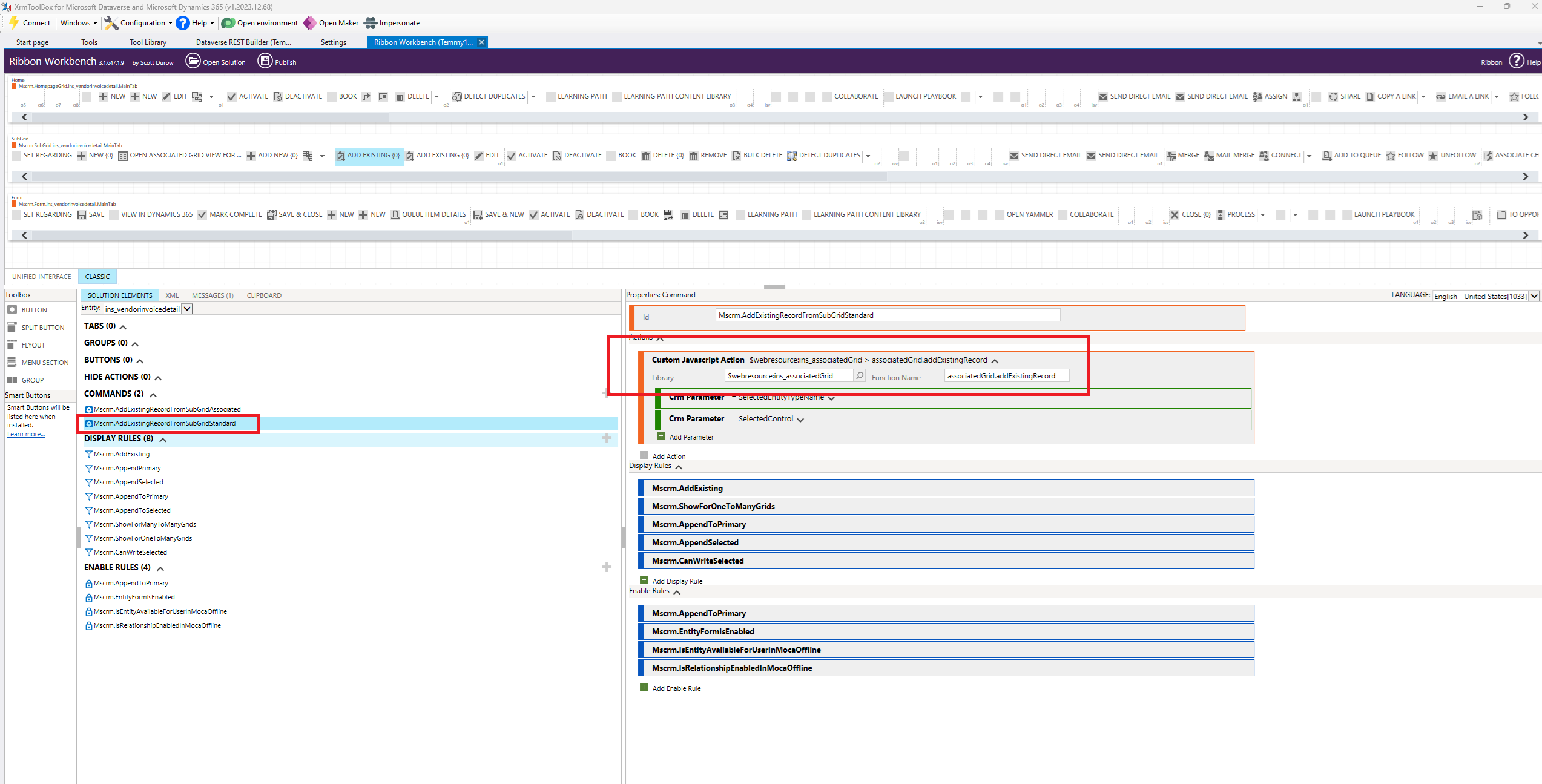
Replace the original web resource with new JS and the function
At this moment, you can prepare the View that will be set as the default view. For example, I created the below view:
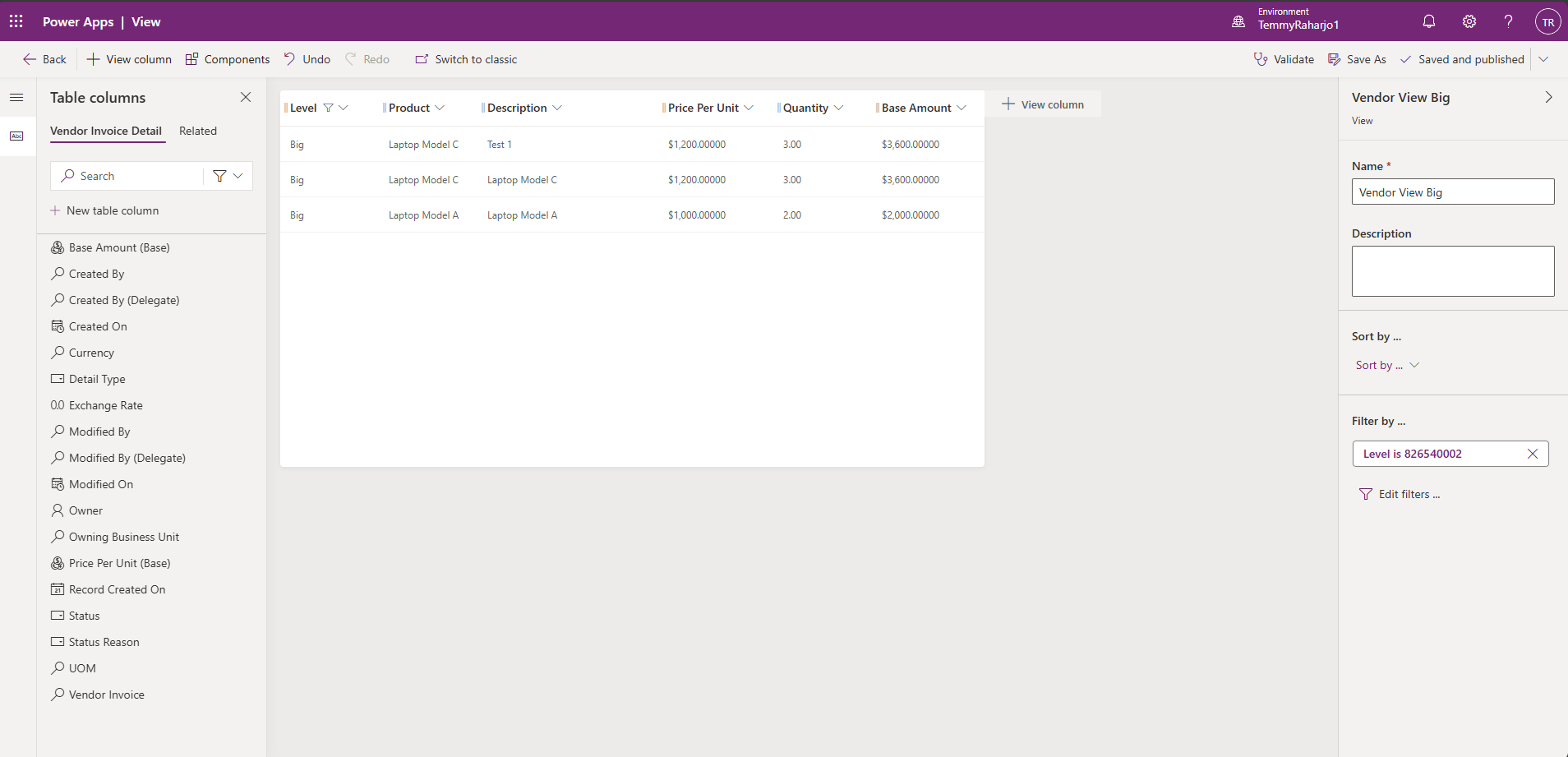
Prepare the View
Last, on the Primary Table - Form, you can select the Default View that you need:
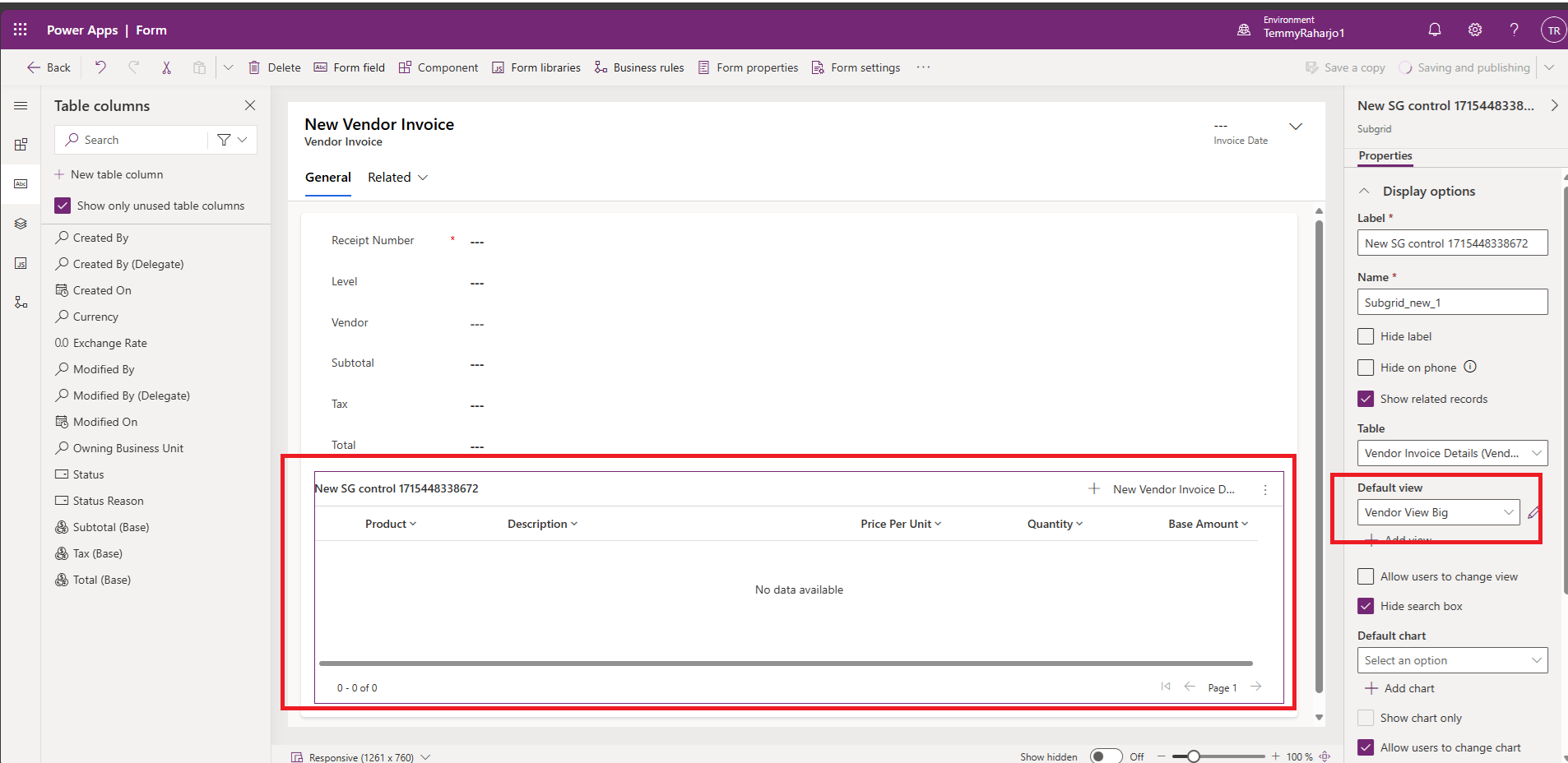
Set The Default View on the Subrid
Once you are done, you can publish all customization before you try it!
Demo
Here is the screenshot when I set the View to Level "Big":
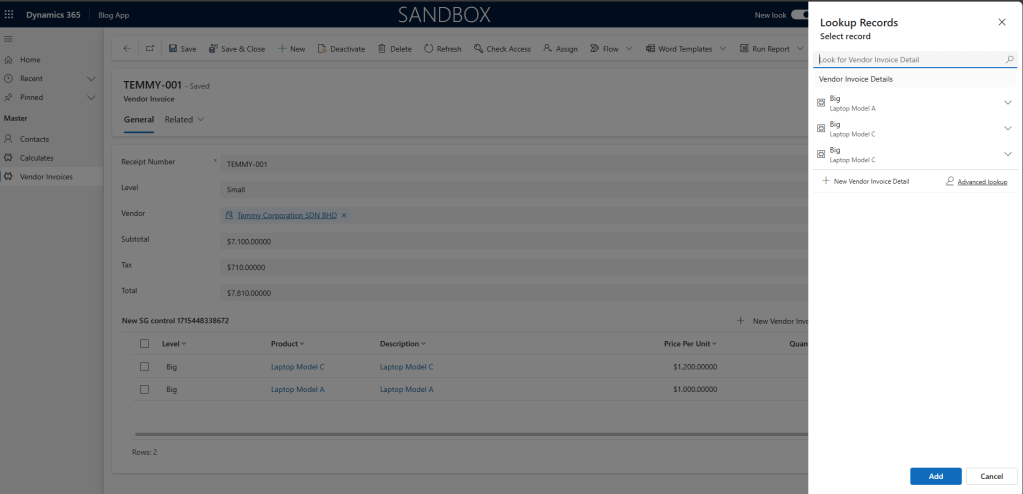
Only showing "Big" records
And, here is the result when I set the View to Level "Small":
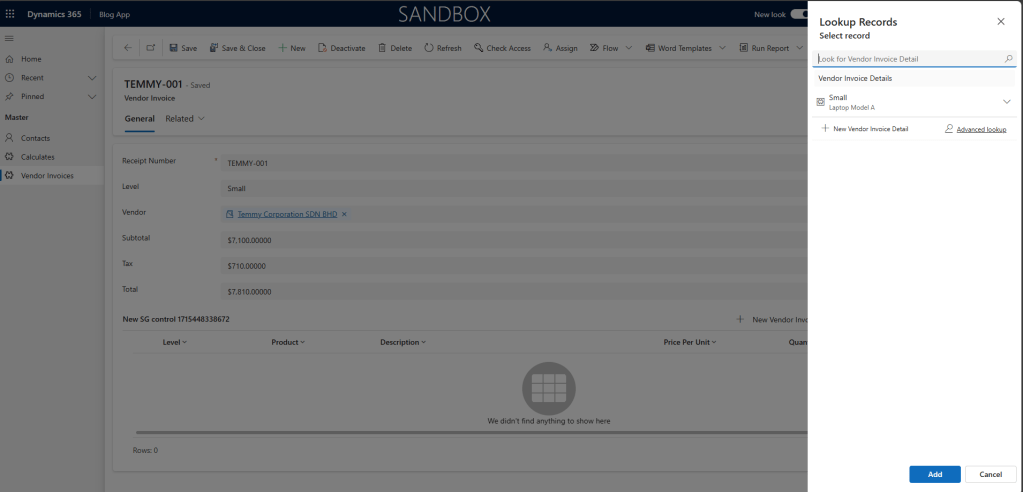
Only showing "Small" records
And here is the full demo:
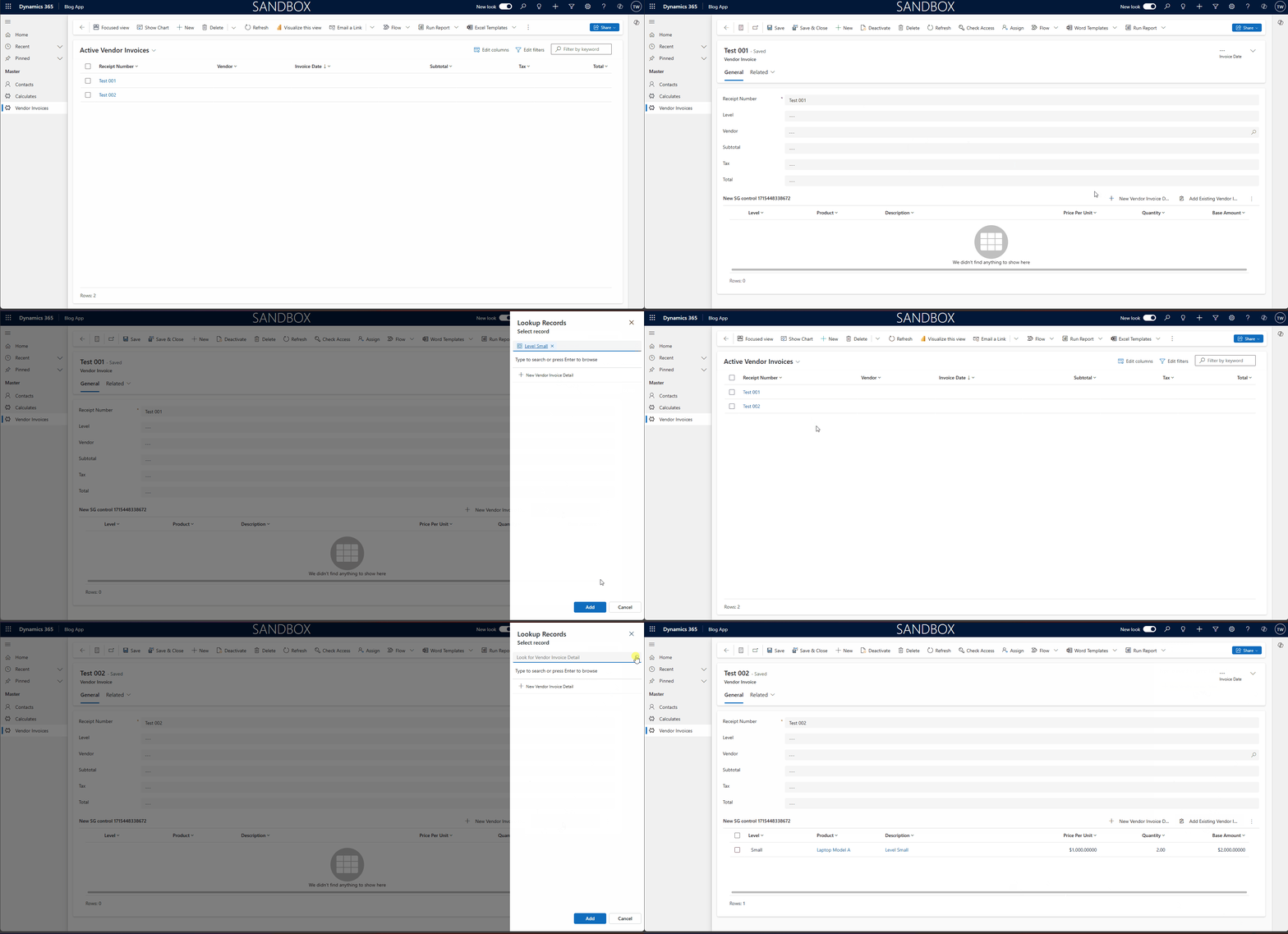
Full demo
Happy CRM-ing! 😁
Leave a comment
Your comment is sent privately to the author and isn't published on the site.