dynamics-crm , Javascript , powerplatform , tips
MDA: Add confirmation and validation async onSave

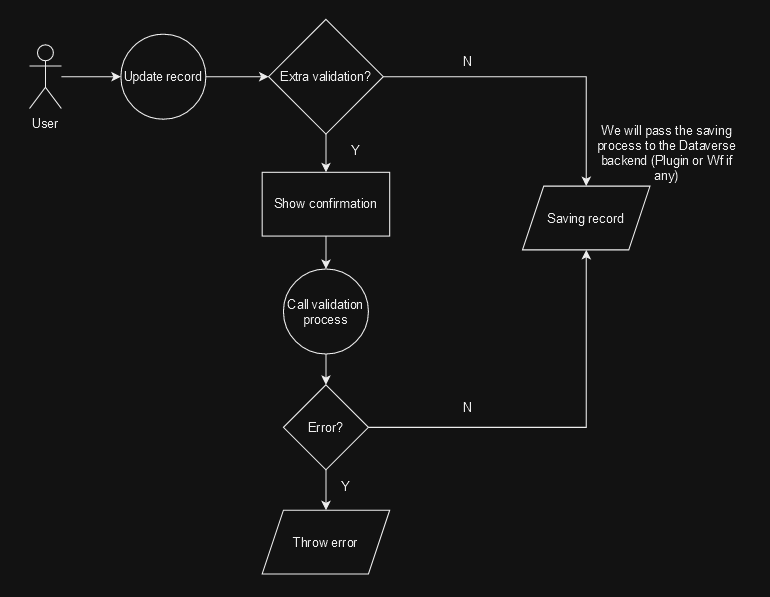
I just learned that in Model Driven Apps (MDA), we can enable async OnSave handlers. Why does it matter? The simple answer is the majority of the API(s) around it also changes to become async as well. For example, in certain conditions of the record, we want to show confirmation to the user and validate the data using other API calls (external or internal). Then, based on the response, we only allow the saving process or show an error. Here is a simple illustration of what we wanna achieve in this blog post:
Before we go to the solution, shout out to Benedikt Bergmann, Diana Birkelbach, and Mehdi El Amri for their blog post (you can check the blog posts by clicking the URL that I put in their names).
So without further ado, let's dive in 😎.
Enable Async OnSave
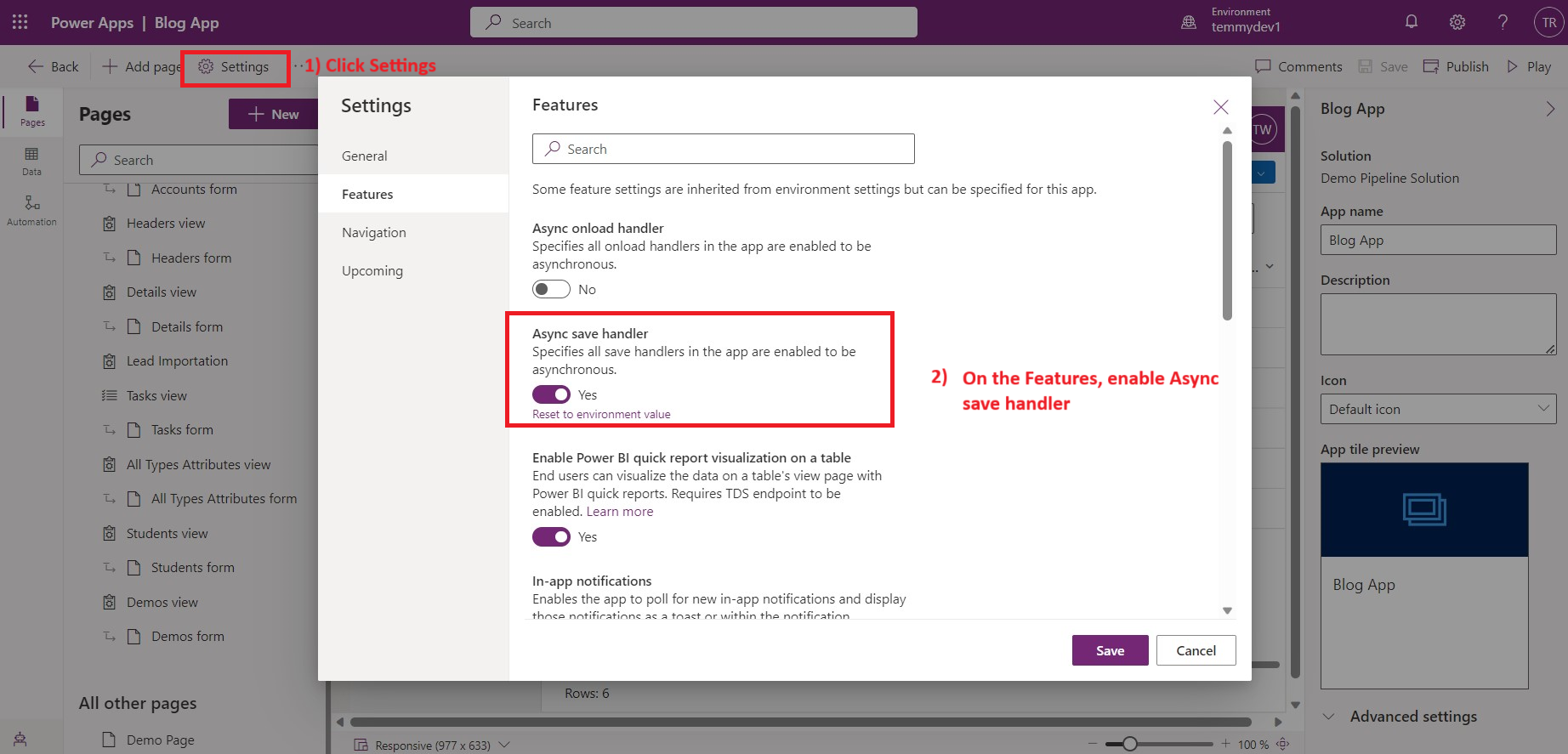
Open your MDA App component > click Settings > under the Features > search for Async Save handler and enable it. Don't forget to publish the changes.
JavaScript + Other Settings
Here is the JS function for this demo:
var demo = demo || {};
(function () {
    this.onSave = async function (executionContext) {
        executionContext.getEventArgs().disableAsyncTimeout();
        executionContext.getEventArgs().preventDefaultOnError();

        const formContext = executionContext.getFormContext();
        const name = (formContext.getAttribute('tmy_name').getValue() || '').toLowerCase();
        	// if name has 'async', then we will do the validation process
        if(name.indexOf('async') === -1) return;
        var confirm = await Xrm.Navigation.openConfirmDialog({ text: "Are you sure you want to save?" });
        if (!confirm.confirmed) executionContext.getEventArgs().preventDefault();
        return new Promise((resolve, reject) => {
            try {
                // Validation logic. Can calling web api (internal/external), etc.
                if (name.indexOf('error') > -1) {
                    throw new Error('Error');
                }
                resolve();
            }
            catch (error) {
                reject(error);
            }
        });
    };
}).apply(demo);
Because we need to raise a confirmation dialog, we need to call executionContext.getEventArgs().disableAsyncTimeout(). The purpose of it is to force the system to wait for the response. Then, to enable the feature to stop the saving process if there's an error, we need to call executionContext.getEventArgs().preventDefaultOnError(). In this demo to raise the confirmation and validation, it will triggered if the name contains "async". For the validation logic, I simply check if the name contains the "error" word, it will throw an error. But you can replace this logic with whatever logic suits your needs. To let saving/error, we just need to call the resolve/reject function.
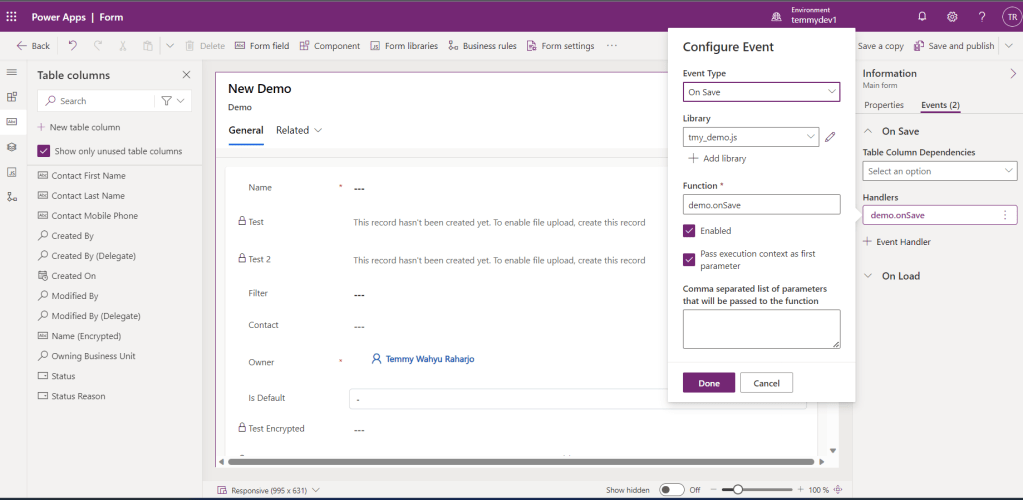
Once this is finished, you can upload the JS and register it into your form:
Demo
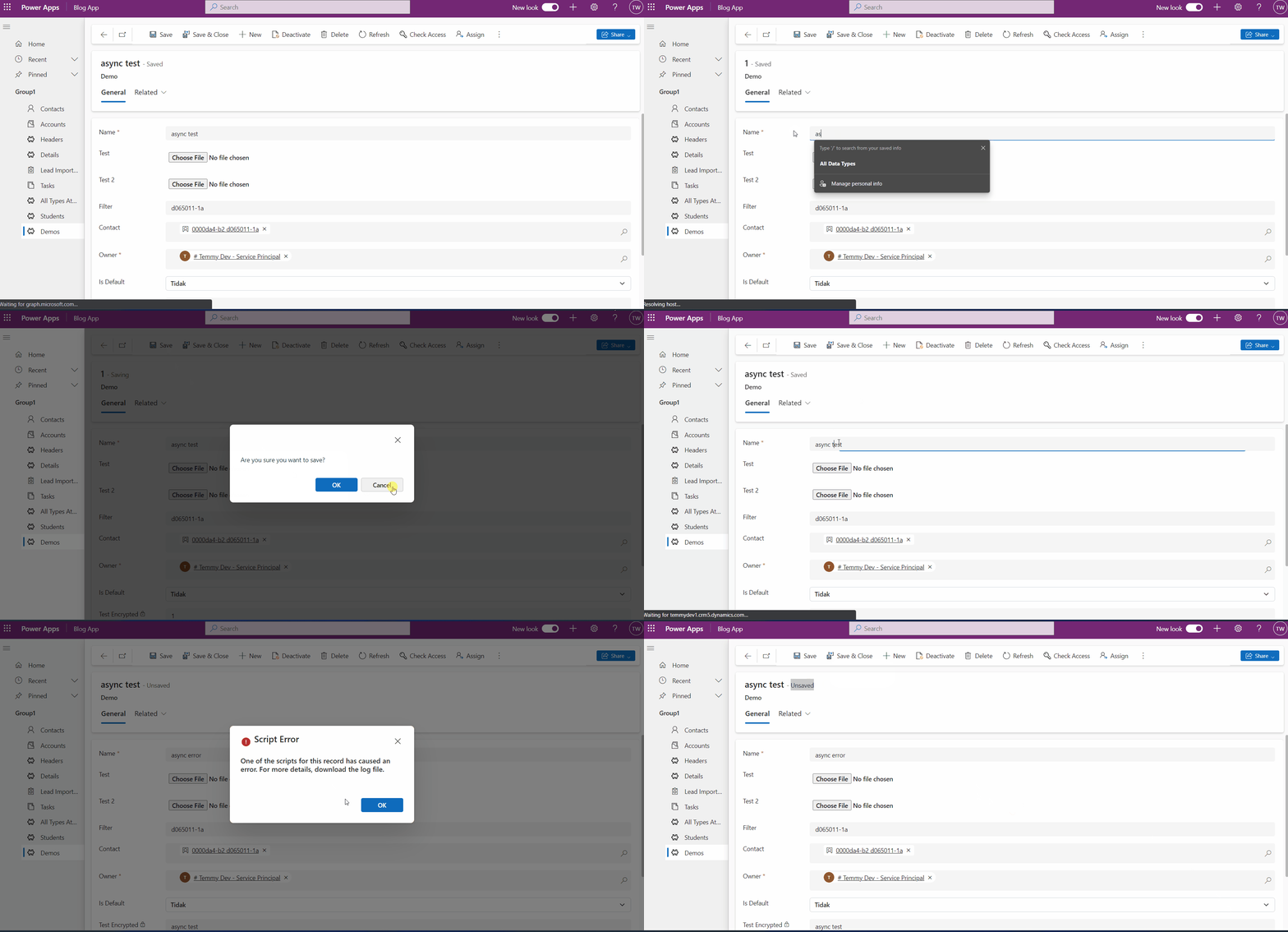
Here is the result:
Happy CRM-ing!
Leave a comment
Your comment is sent privately to the author and isn't published on the site.