dynamics-crm , Javascript , powerplatform
Dynamics CRM Client Scripting: Passing Custom Value when using Xrm.Navigation.openForm

When I check on the official documentation about Xrm.Navigation.openForm, I am interested in attribute formParameters. Where in the docs, stated that we can pass custom value from caller to the form that we want to open. The scenario of it is let's say we want to open dialog (from custom web resource) or something that temporary (not depend on field value). But when I trying it, I can't make it work on the UCI app.
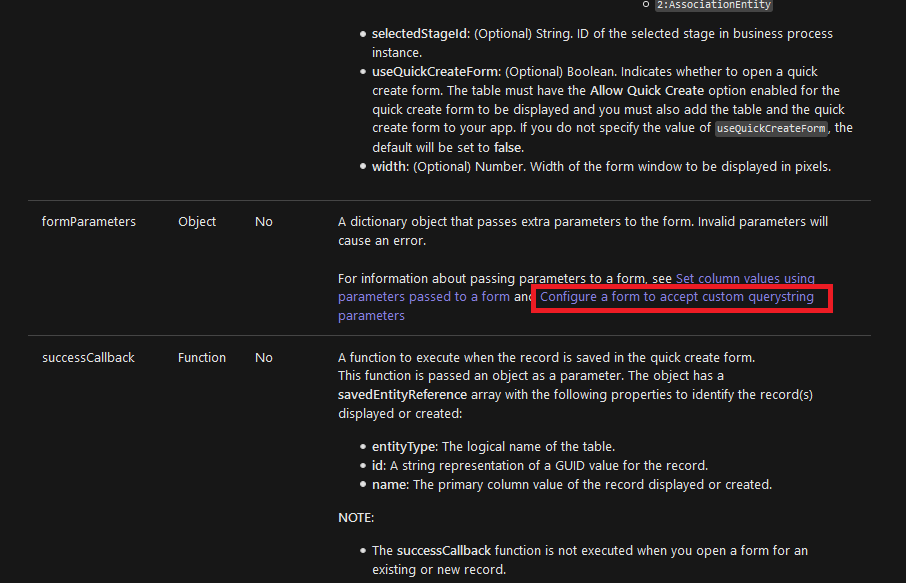 In the doc, it stated that we can pass custom query string on form parameters
Before we go to the implementation code. The requirement of it is to set the custom parameter first (to avoid error). Here is the parameter that I set (from Form > Form Properties > Parameters):
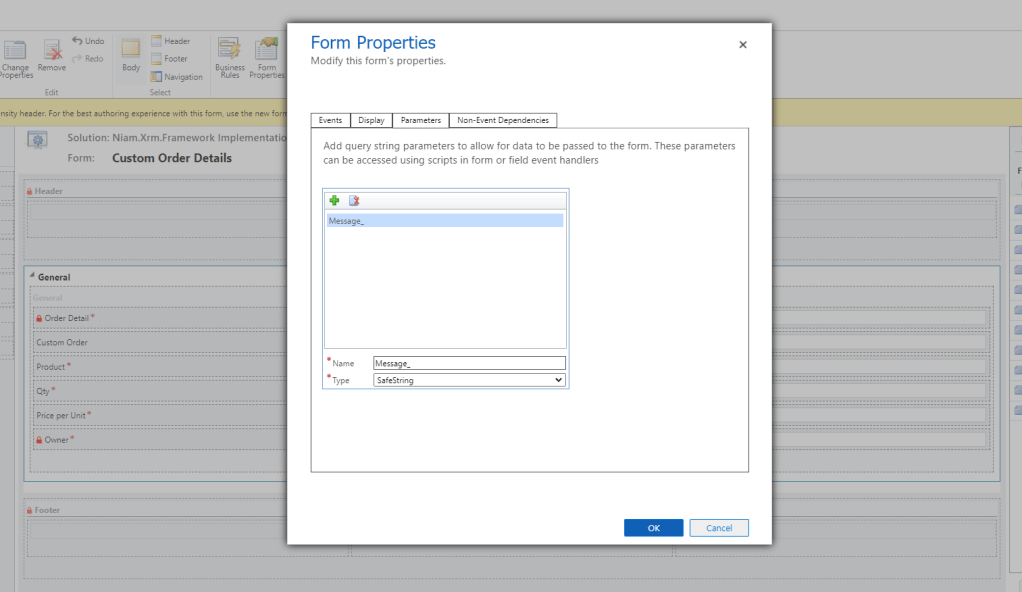 Set Custom Query String Parameter in the Target Form
Here is the code for opening a custom entity and passing the custom parameters:
var form = {
  'entityName': 'new_orderdetail'

};
var formParameters = {
  'Message_': 'hello world!'
};

Xrm.Navigation.openForm(form, formParameters)
When the code is successfully executed, the form reloads but if we inspect the query string, it will show you nothing:
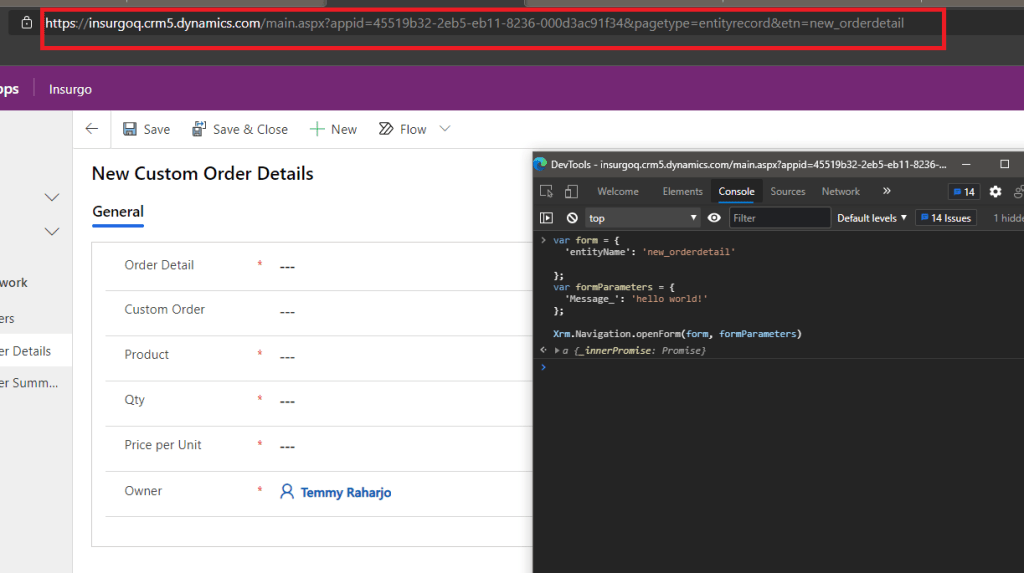
Then I try to find is there any documentation to get custom query string parameters in the Client Scripting area. But I found none of them except an article from Inogic that you can find here. Using the code snippets from the article which gets query string value from the browser, I already predict it will not work either because CRM did not pass anything in the query string after we invoke the Xrm.Navigation.openForm even though we already pass the form parameters.
Solution To Pass Custom Value
The solution that I can think of is using either localStorage/ sessionStorage. As long as we can dispose of the object after we use it. It will be okay. So the code in the above (because of the form parameter not working), I change to this:
var form = {
  'entityName': 'new_orderdetail'
};
// Or localStorage
sessionStorage.setItem('message', 'hello world!');
Xrm.Navigation.openForm(form);
Then don't forget to delete it with sessionStorage/localStorage.removeItem after we use it on the Target form onLoad event:
function formOnLoad(context) {
  ...

  if(sessionStorage.getItem('message')){
    // Do your business logic
    sessionStorage.removeItem('message');
  }

  ...
}
The other solution is to use attribute value. Because by default we still can pass attribute value. Then on the form onLoad event, instead of relying on the query string, we rely on the new_orderdetail attribute in this example:
var form = {
  'entityName': 'new_orderdetail'
};

var formParameters = {
  'new_orderdetail': 'New Record'
};
Xrm.Navigation.openForm(form, formParameters);
Here is the original result after you execute the above code:
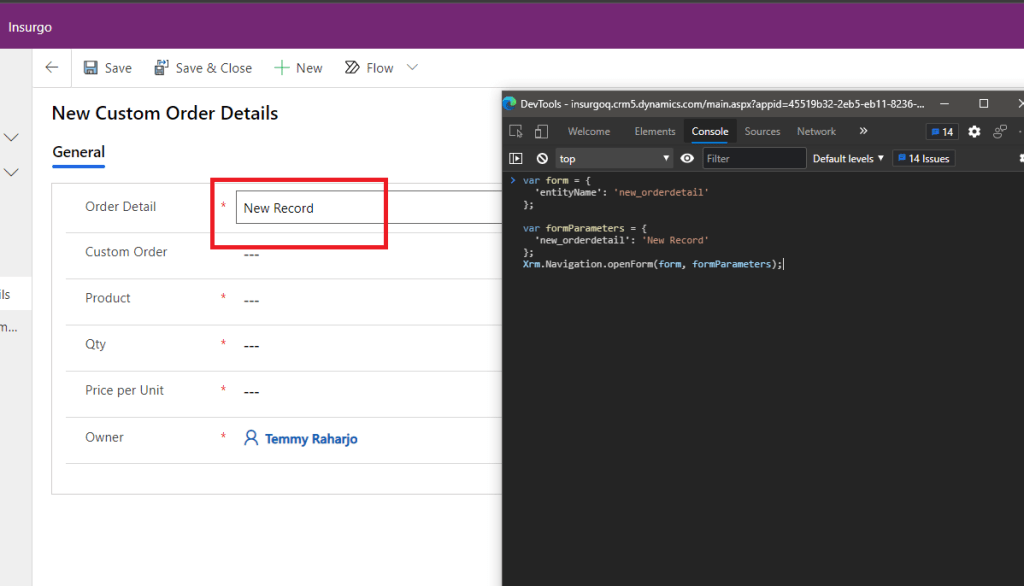 Use existing record + working API
Then on the formOnLoad event, you can change the value of that field to another and do whatever you want to do:
function formOnLoad(context) {
  var formContext = context.getFormContext();
  ...

  if(context.getAttribute('new_orderdetail').getValue() === 'New Record'){
    context.getAttribute('new_orderdetail').setValue('helo world');
    // Do your business logic
  }

  ...
}
What do you think?
Leave a comment
Your comment is sent privately to the author and isn't published on the site.