dynamics-crm , kingswaysoft , powerplatform
Debunking: Dynamics CRM Destination - How Text Lookup Works

When we want to push data to Dataverse/Dynamics CRM using SSIS - KingswaySoft, usually there are relationships (lookup) that we need to settle. In KingswaySoft, there are multiple ways to handle the Lookup:
- Do not use TextLookup (Input values are provided in GUID Format)
- Use Primary Field
- Choose Target Field(s)
Let's inspect how things work using Fiddler - Classic!
For the testing, I created a scenario to read data from a CSV and push data to CRM:
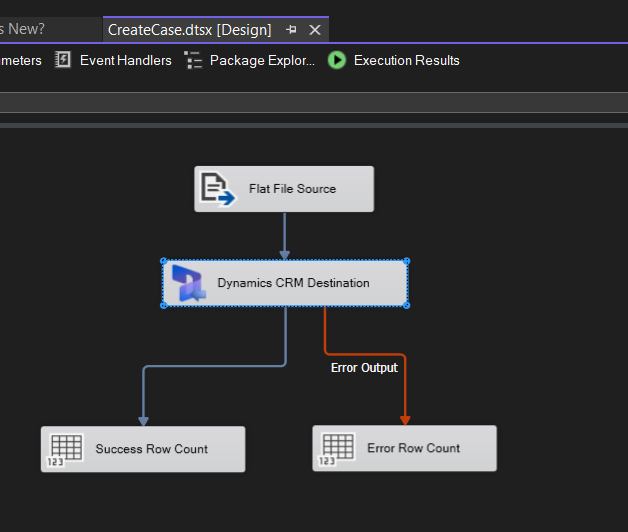
Read data from CSV and push it to CRM
Here is a sample of the file that I prepared:
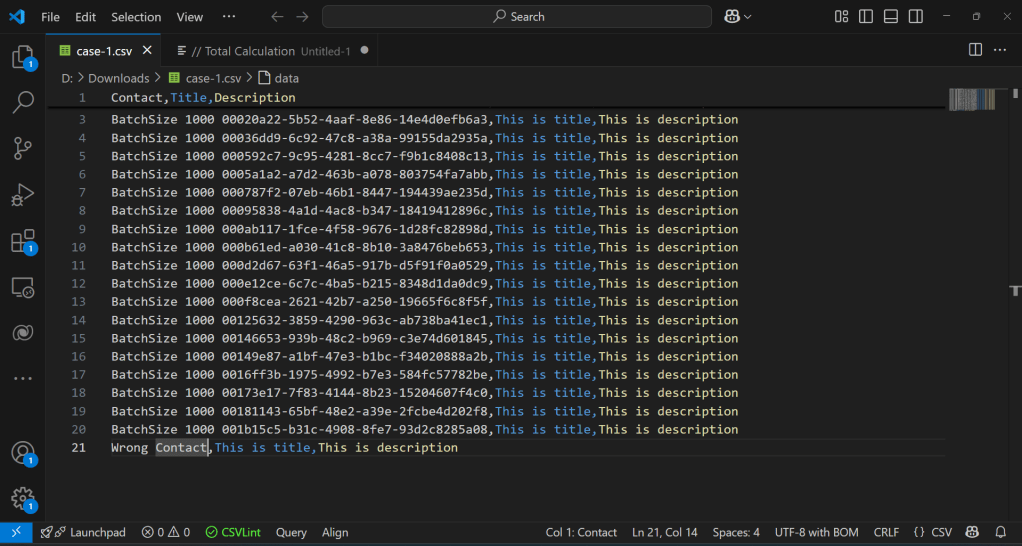
Here is the mapping:
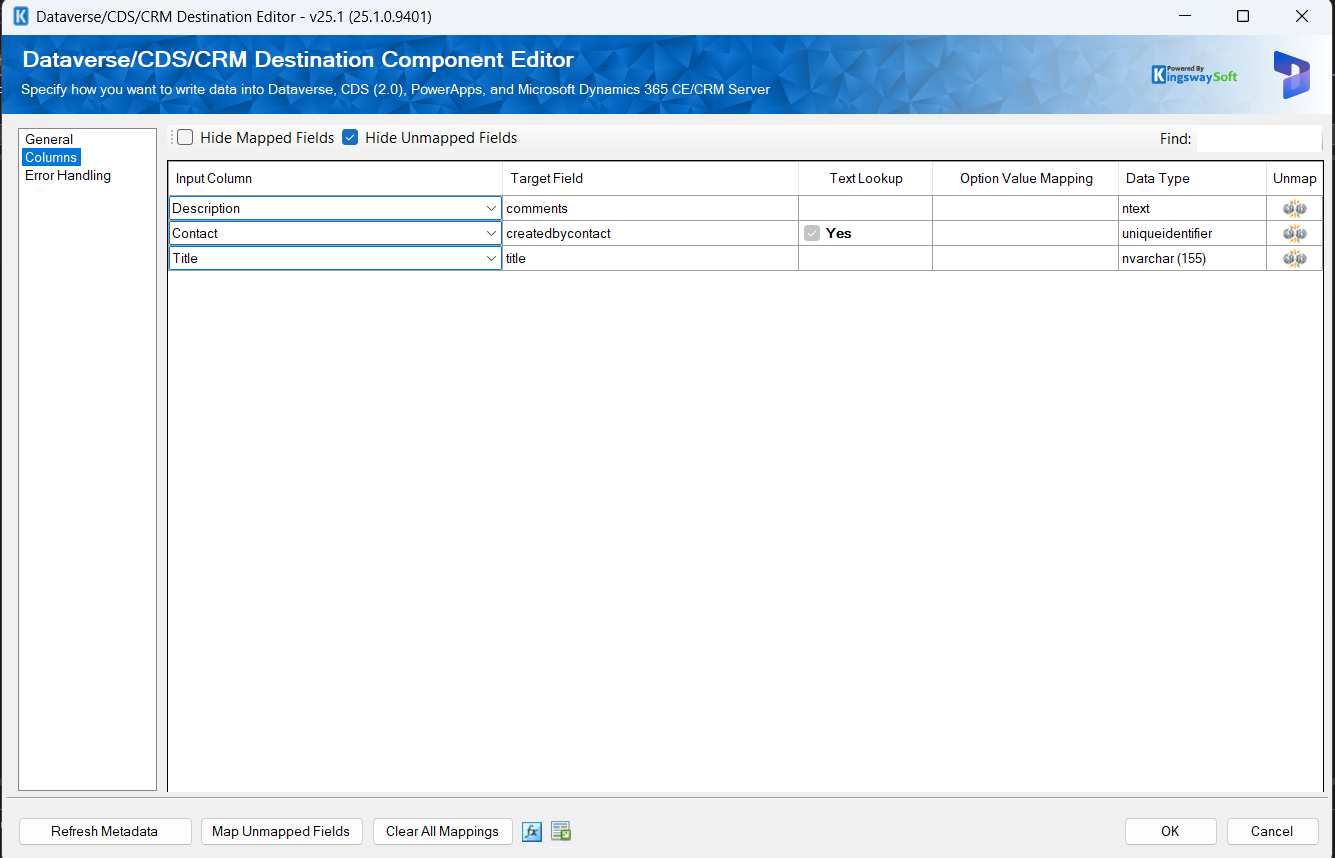
Dataverse Destination component mapping
Provide GUID
This is the best (performance) method (if you can populate the source data to the Entity GUID):
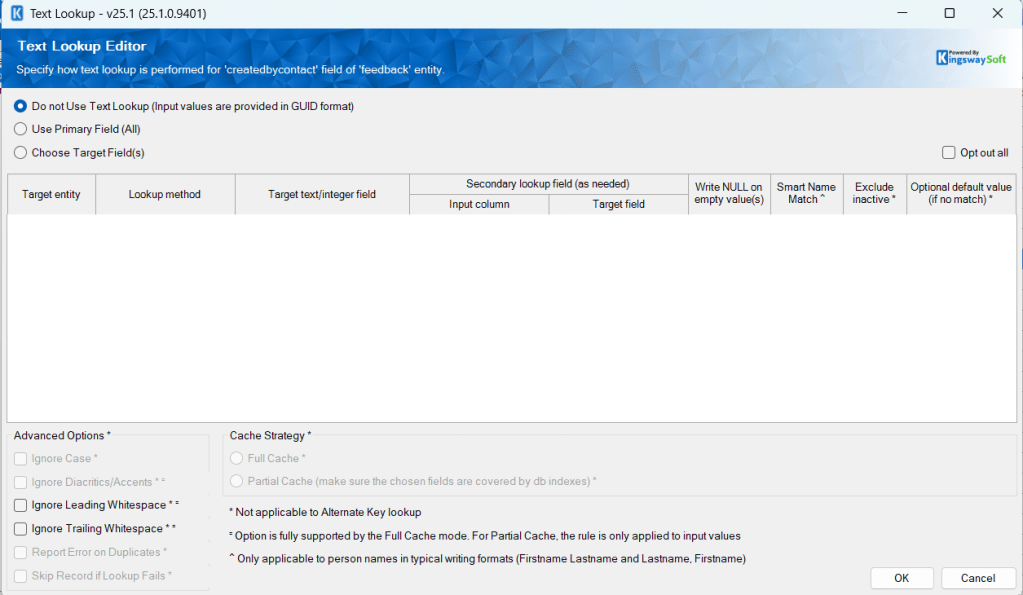
Provide the GUID format
Here are the steps generated in Fiddler:
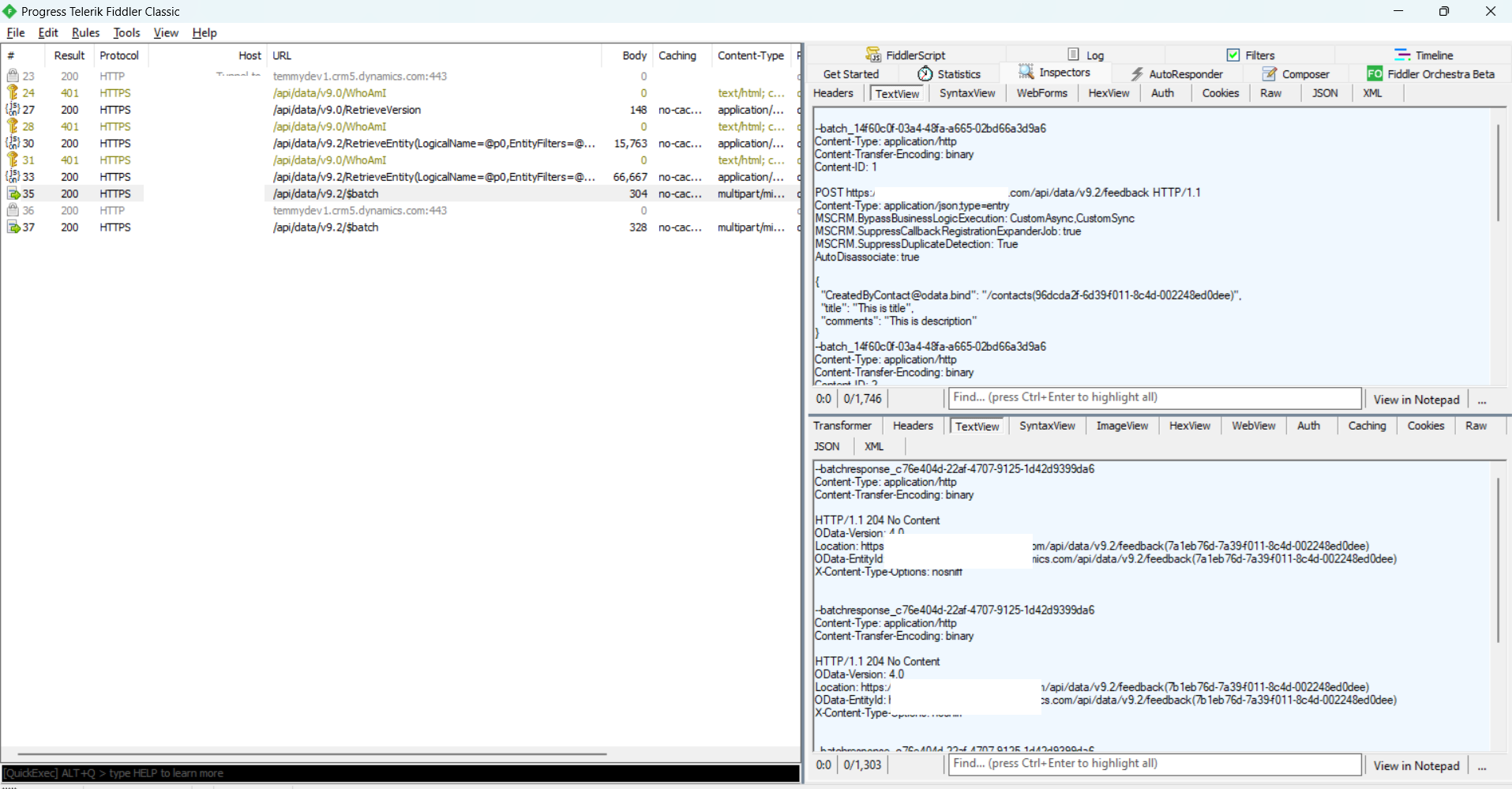
Lookup using GUID
Primary Field
Full Cache
For the target field createdbycontact, we change to "Use Primary Field (All)":
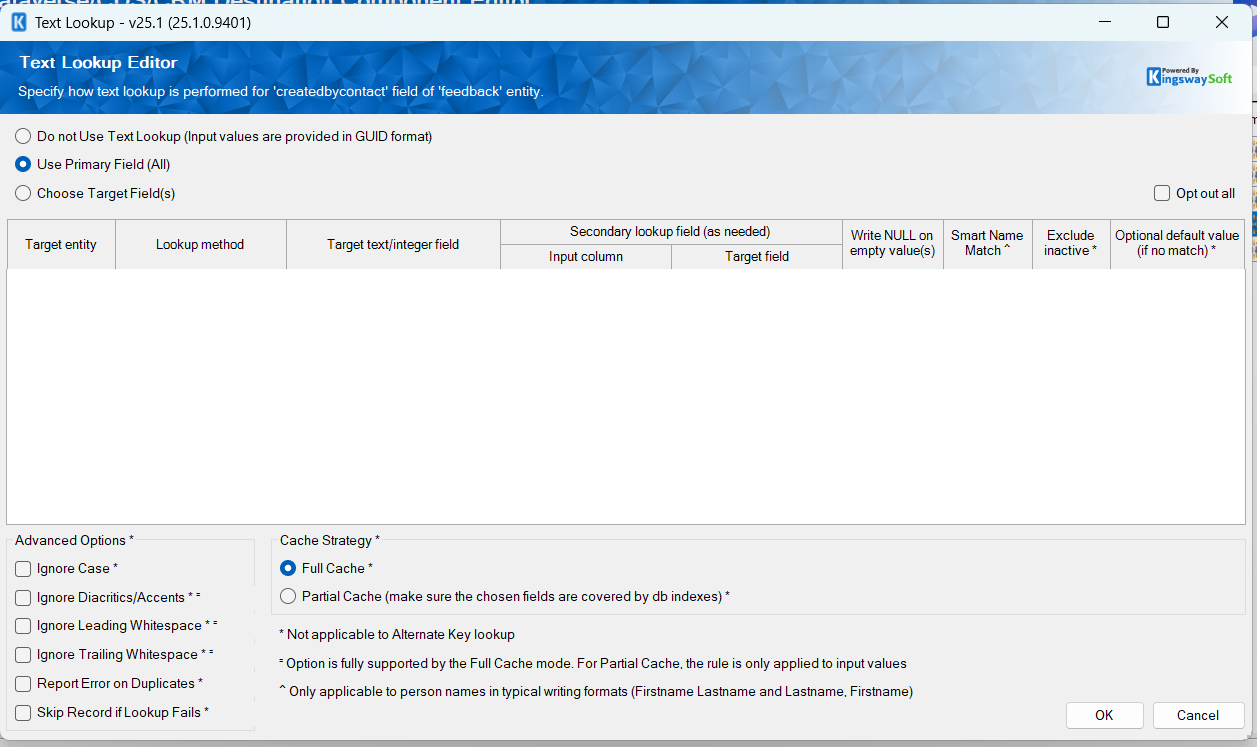
Set the Text Lookup to "Use Primary Field(All)"
When executing the data, here are the steps recorded from Fiddler:
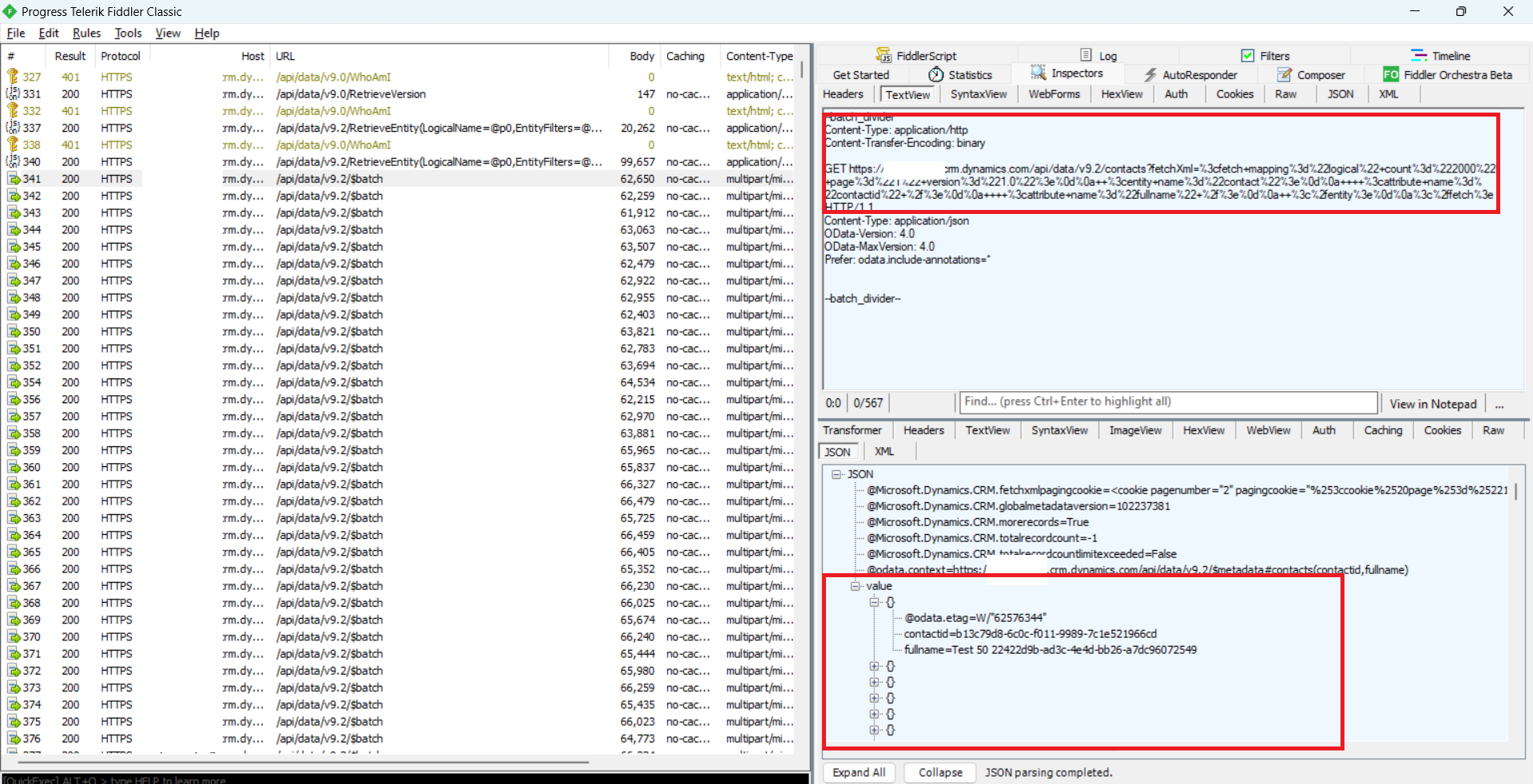
Steps recorded in Fiddler
As you can see in the above, the System first will ***RetrieveEntity***information (I believe it will check what the targeted Entity is and get the Primary Field name for the Entity).
Next, we can see in the above that the system starts to retrieve Contact and get the fullname (which is the Primary Field of Contact). Because we set it as "Full Cache", the system will retrieve all the contacts in the instance and keep them in memory. Meaning, if the data is pretty huge, then this process will take time too.
Last, once the retrieval process is done, the system will start pushing data into Dataverse:
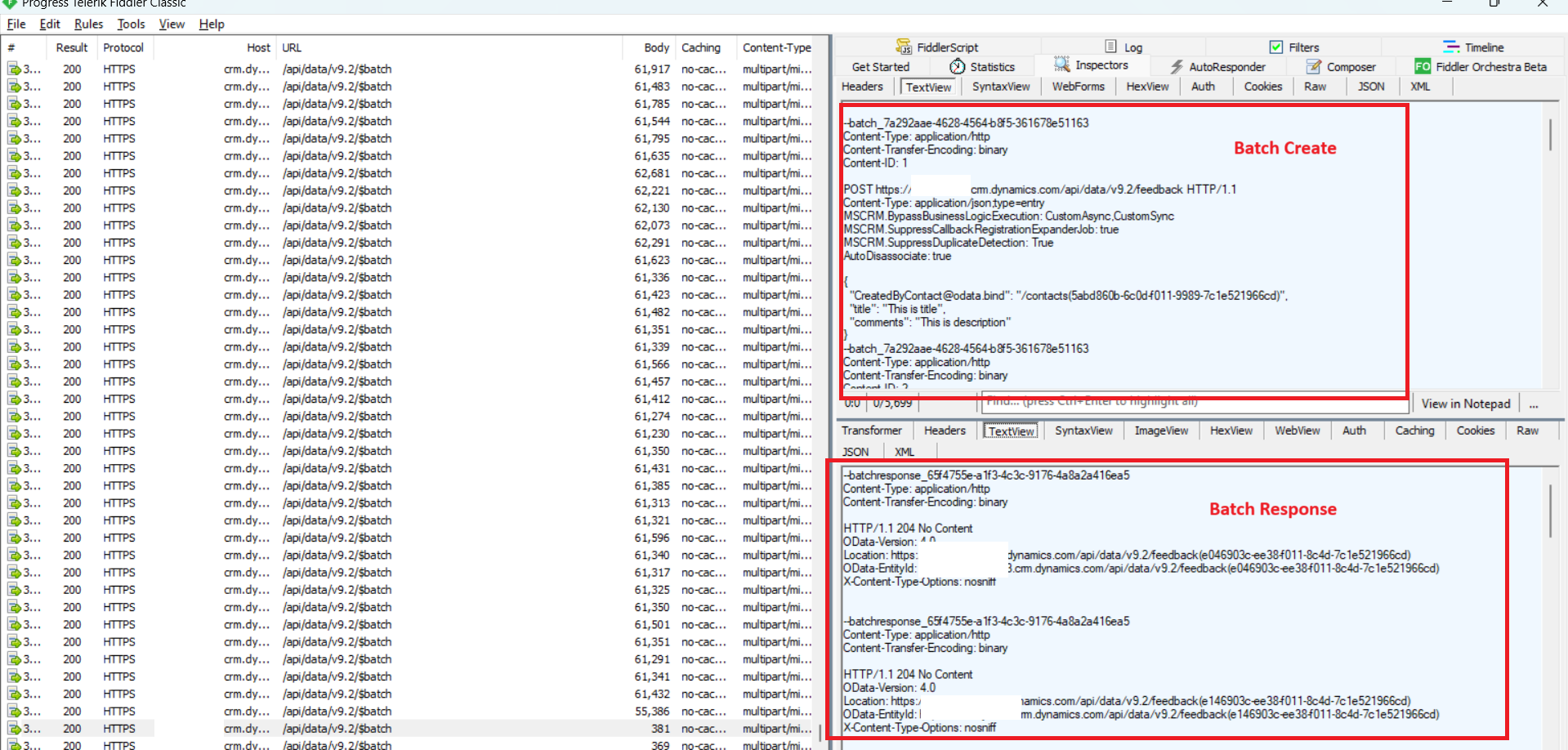
Batch Create - Batch Response
Partial Cache
For the partial cache, it will retrieve the contact where the fullname is equal to the data that we are passing (other than that, all the steps are the same).
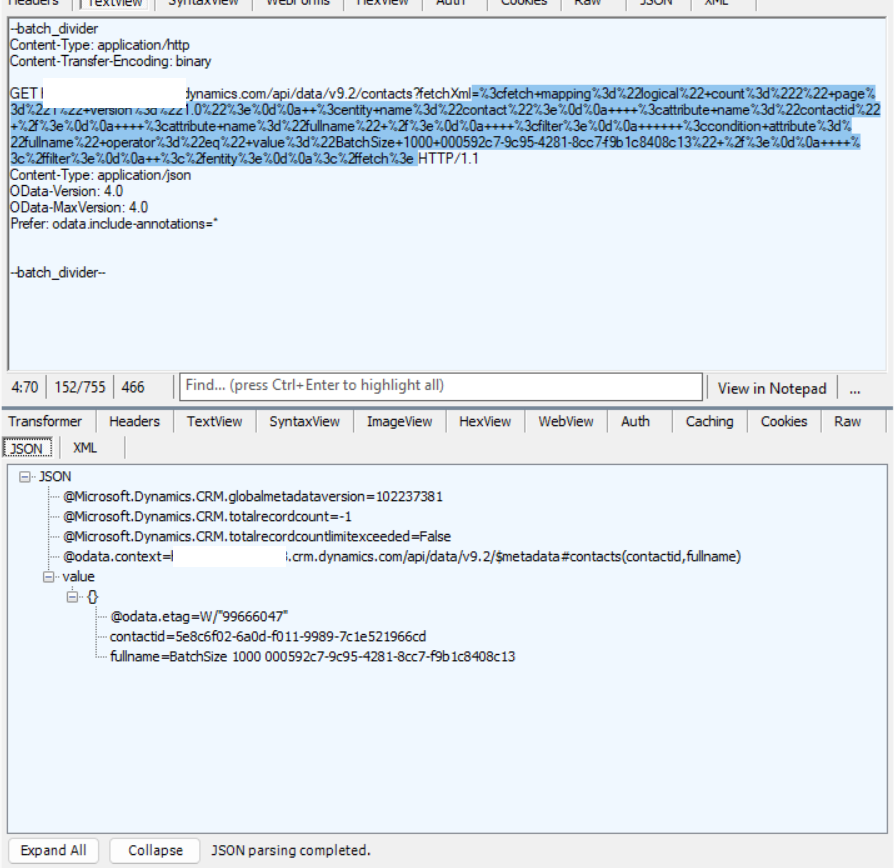
Retrieve the contact one by one
Choose Target Field(s)
For this testing, I changed the CSV a bit to look like this:
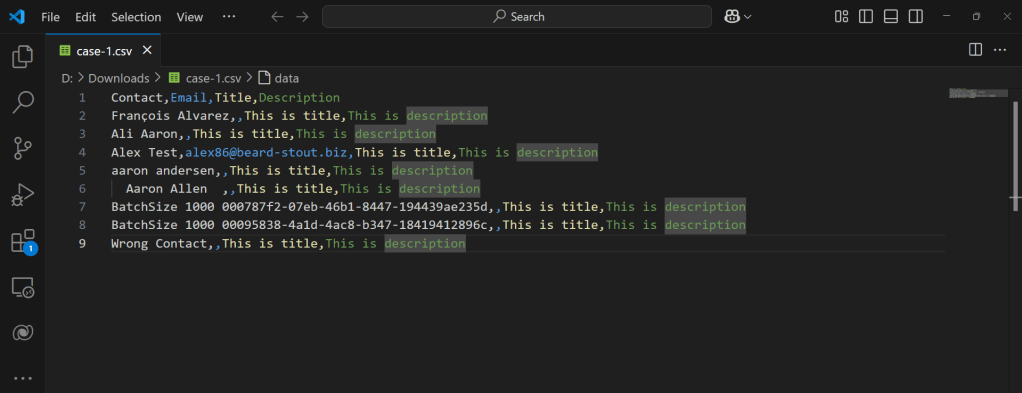
Added Email column
Then, for the setting of the Text Lookup Editor:
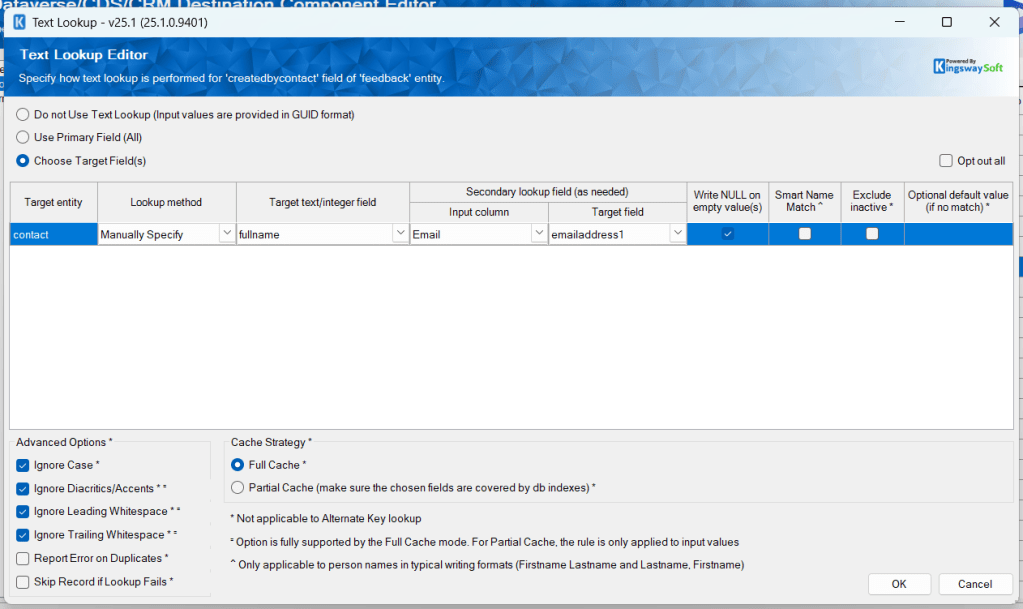
Choose Target Field(s) setting
This time, we enabled the Advanced Options like Ignore Case, Ignore Diacritics/Accents, Ignore Leading Whitespace, and Ignore Trailing Whitespace.
For the Secondary lookup field (as needed), we enable the Input column based on Email and set the Target field emailaddress1. By enabling this setting, we request that KingswaySoft filter the data more based on this condition.
And here is the distinctive step recorded in Fiddler:
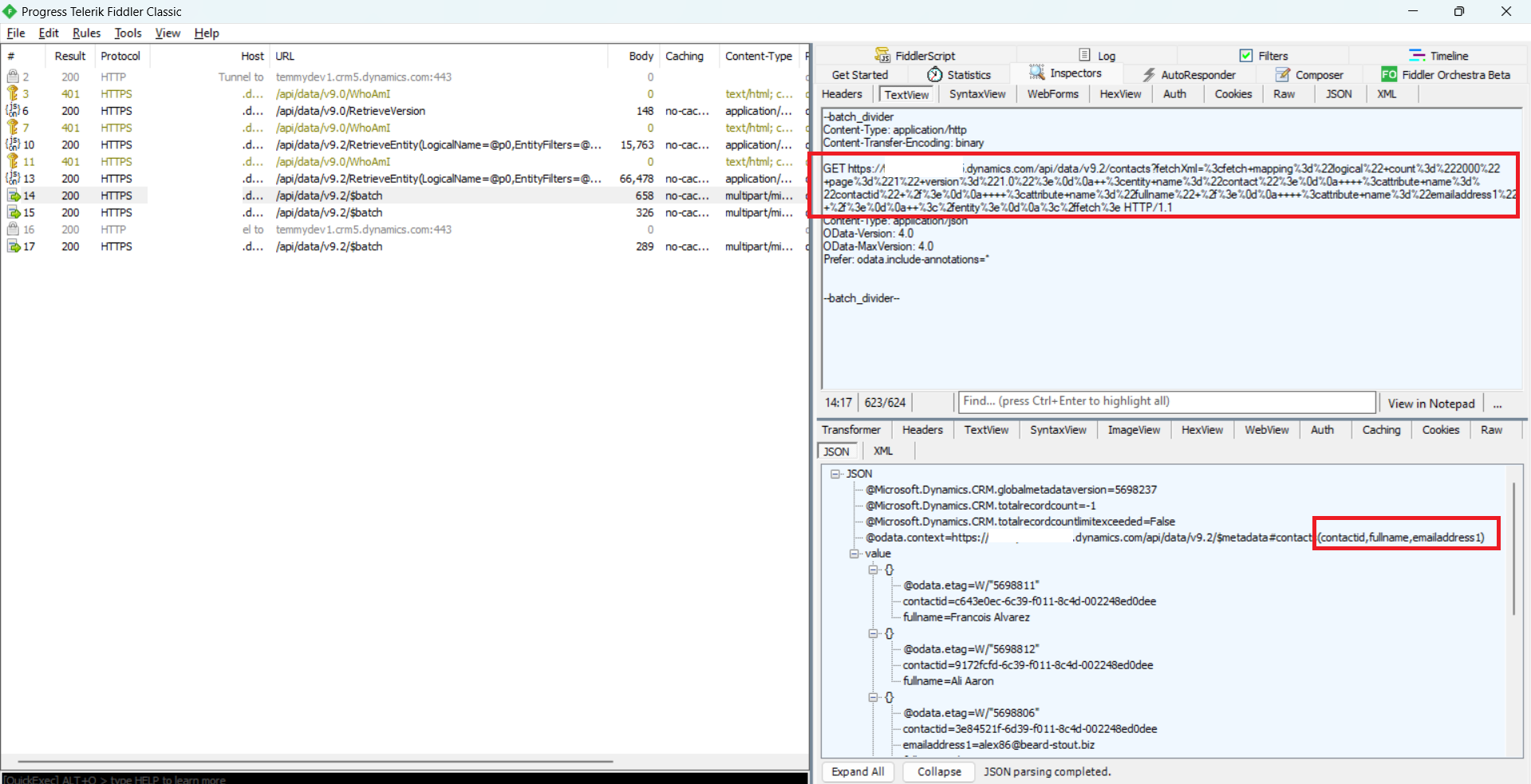
Retrieve Contact by FullName and EmailAddress1
And based on the data submitted (on the right), here are the created feedback:
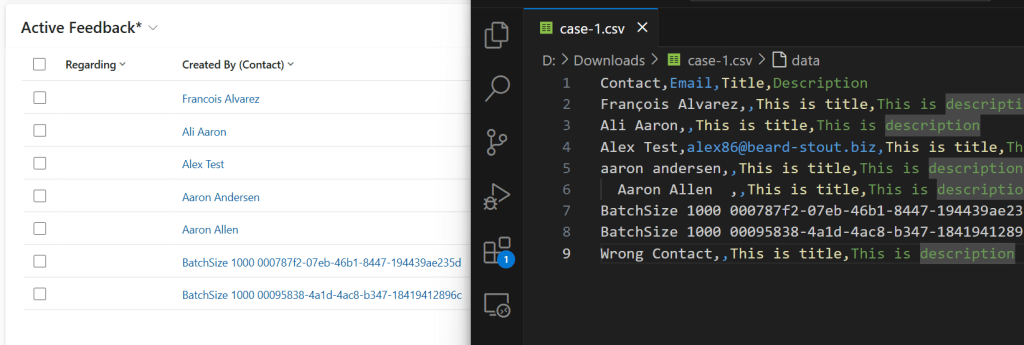
Data submitted + the result in Dataverse
As you can see, all the options for Ignore Case, Ignore Diacritics/Accents, Ignore Leading Whitespace, and Ignore Trailing Whitespace are all working!
Partial Cache
Because the Advanced options mostly do not work for Partial Cache, we need to change a bit of the source data:
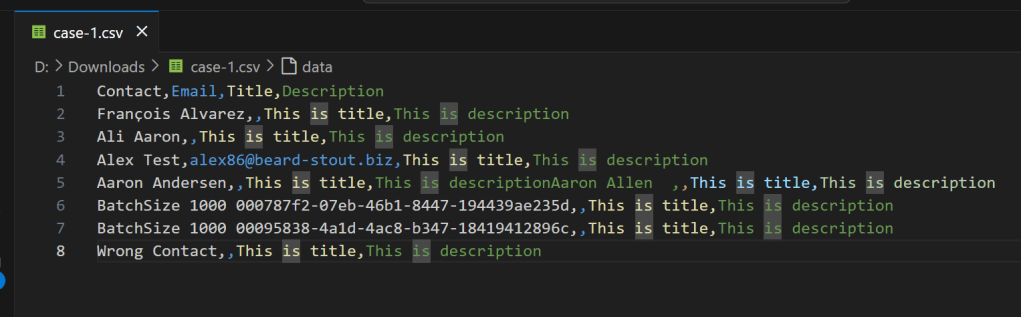
And here is the lookup setting:
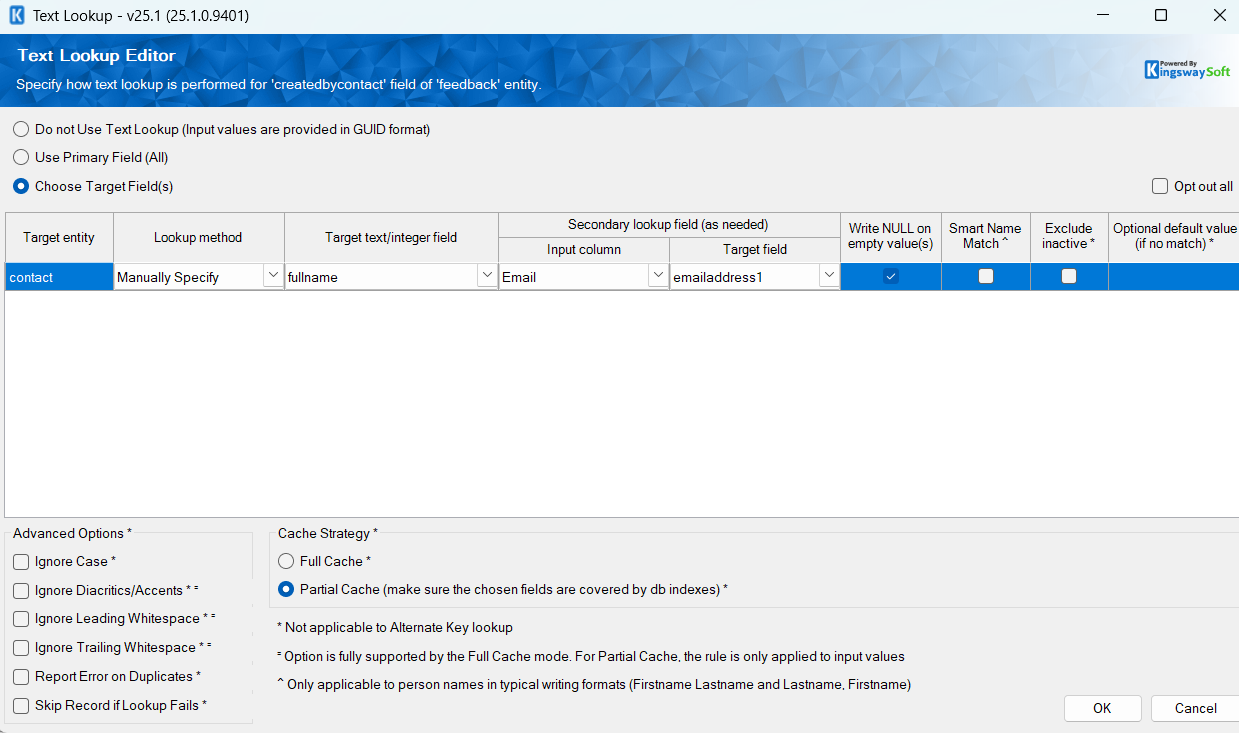
Partial Cache + Manual Specify settings
KingswaySoft will retrieve contact using the below query (for each data):
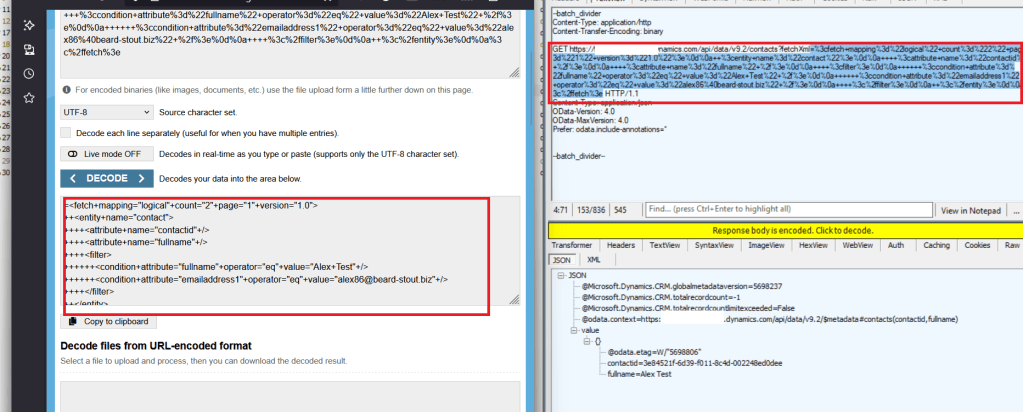
Query contact by fullname and emailaddress1
If you are wondering what happens if the emailaddress1 for the source data is empty, the system will query where the emailaddress1 is null.
Once all the data is populated, it will push the data using the batch method (similar to the others).
Alternate Key
For this method, I created an Alternate Key in the contact table:
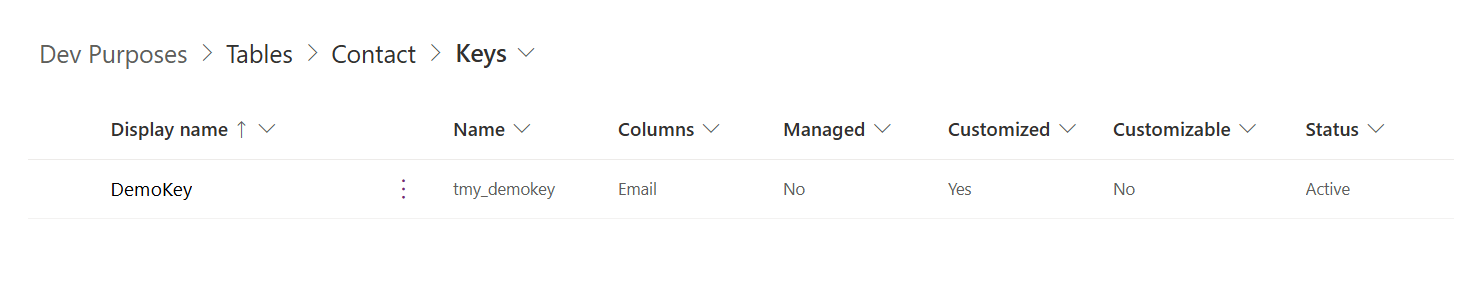
Alternate Key
If we set up the Alternate Key, the system will directly send the batch request to Dataverse:
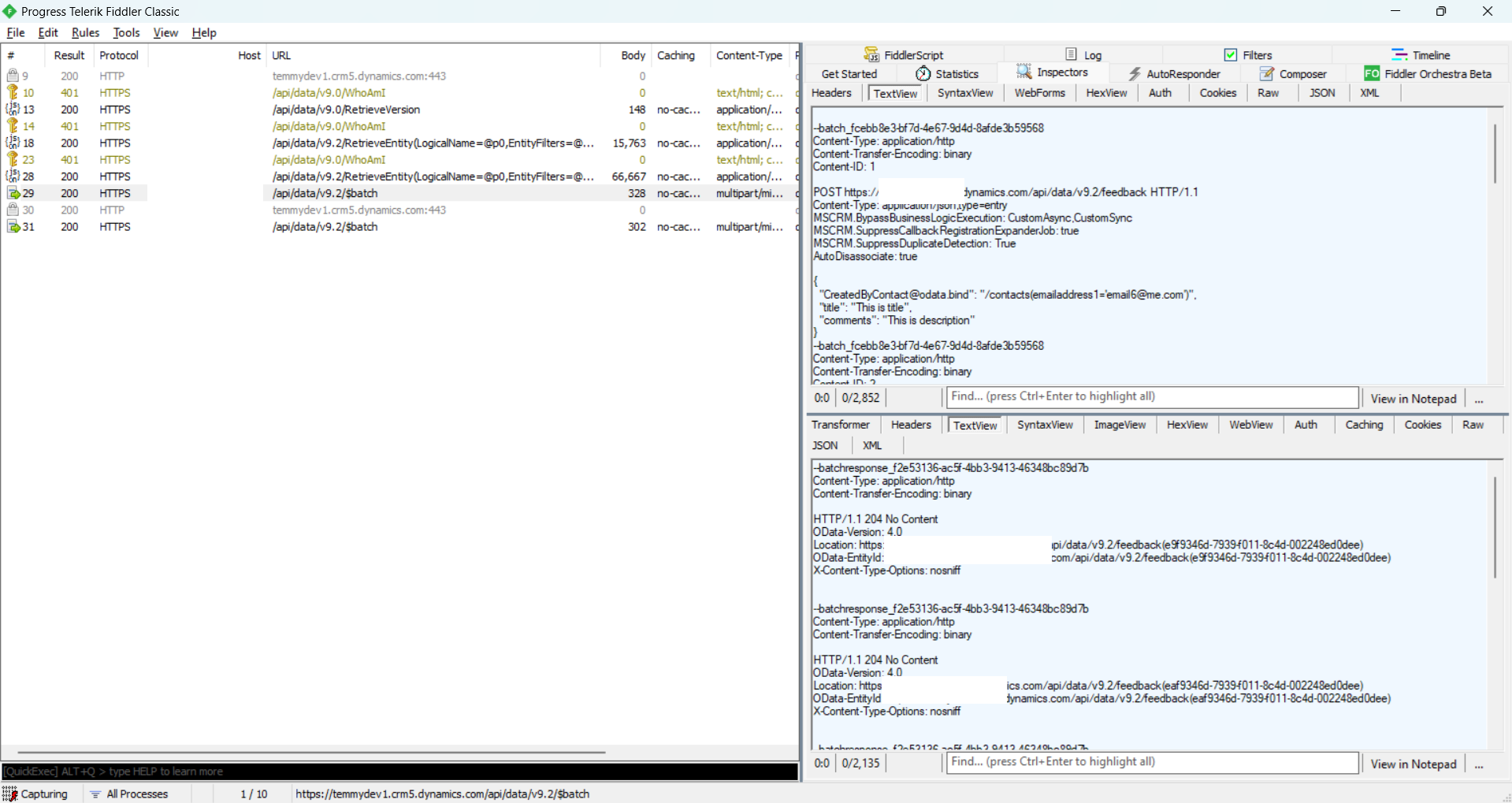
Send the batch request using emailaddress1=xxx
Summary
| Method | Description |
|---|---|
| GUID | The best performance 🔥. But hard to achieve in a real-world scenario (if the data comes from another source system). |
| Primary Field/Manual Specify | KingswaySoft will retrieve the information needed to build the cache. For full cache, it will depend on the total size of the records (can be longer to populate the cache). For partial cache, it will depend on the source data. |
| Alternate Key | The system will let Dataverse populate the lookup. For me, this is the second-best in the performance. |
Summary table
Happy CRM-ing 🚀!
Leave a comment
Your comment is sent privately to the author and isn't published on the site.