dynamics-crm , powerplatform , customer-insights
Customer Insights - Triggers Type Debunking

Customer Insights - Journeys offers two types of triggers: When a record related to a customer is created or updated and When a customer interacts with a website/app. What is the difference, and when might you choose one over the other? Let's explore both options and a proposed architecture for keeping a queryable record of interactions.
When a customer interacts with a website/app
First, let's create a trigger by selecting When a customer interacts with a website/app. Fill in the required information, such as the title and description. Under Customer Data, we can choose either the Contact or Lead table. We can also add custom attributes with types such as text, number, Boolean, date/time, and entity reference.
These attributes define the data passed to the trigger. In my investigation, I did not find a Dataverse history table that I could query directly for these interactions. That does not necessarily mean Customer Insights provides no interaction history or other ways to use the attributes.
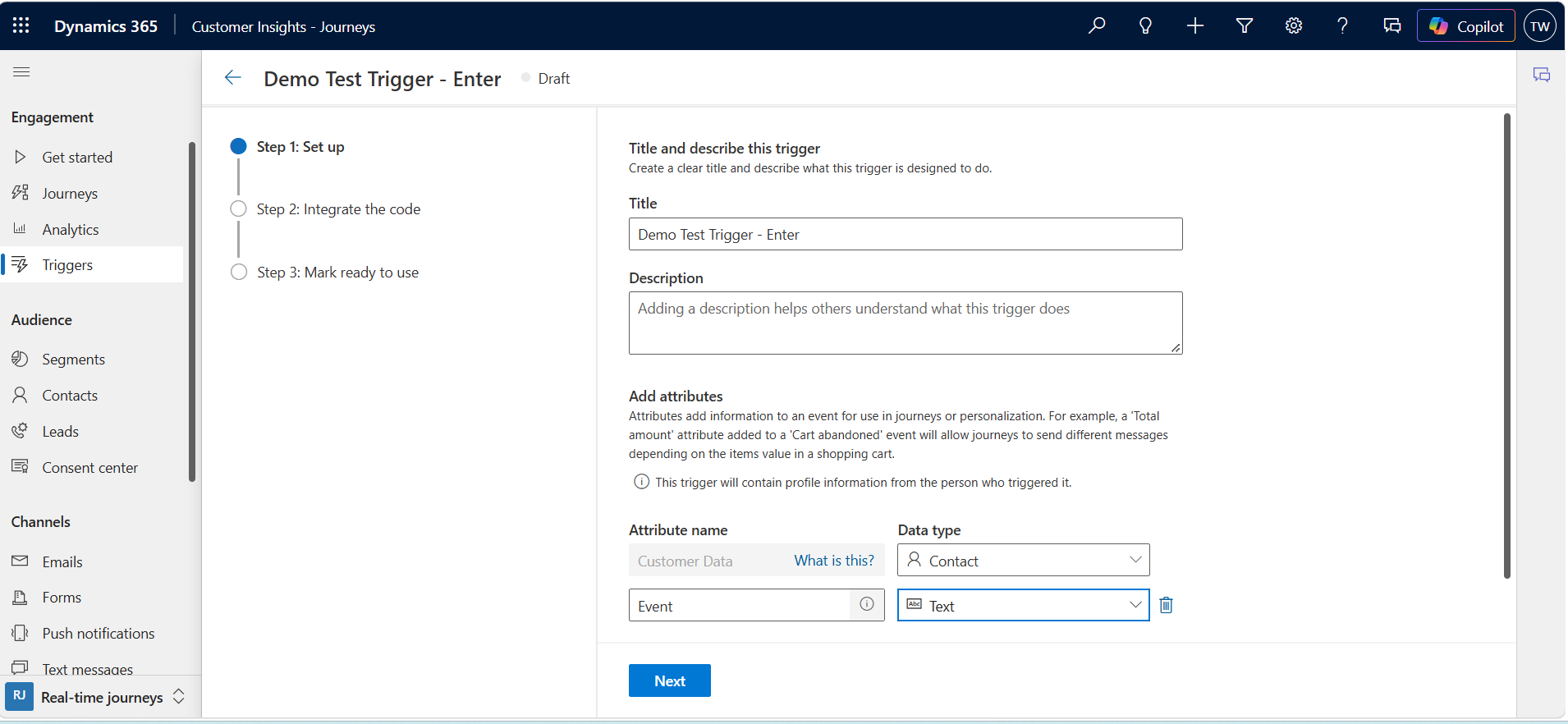
After clicking Next, we get a code snippet for invoking the trigger:
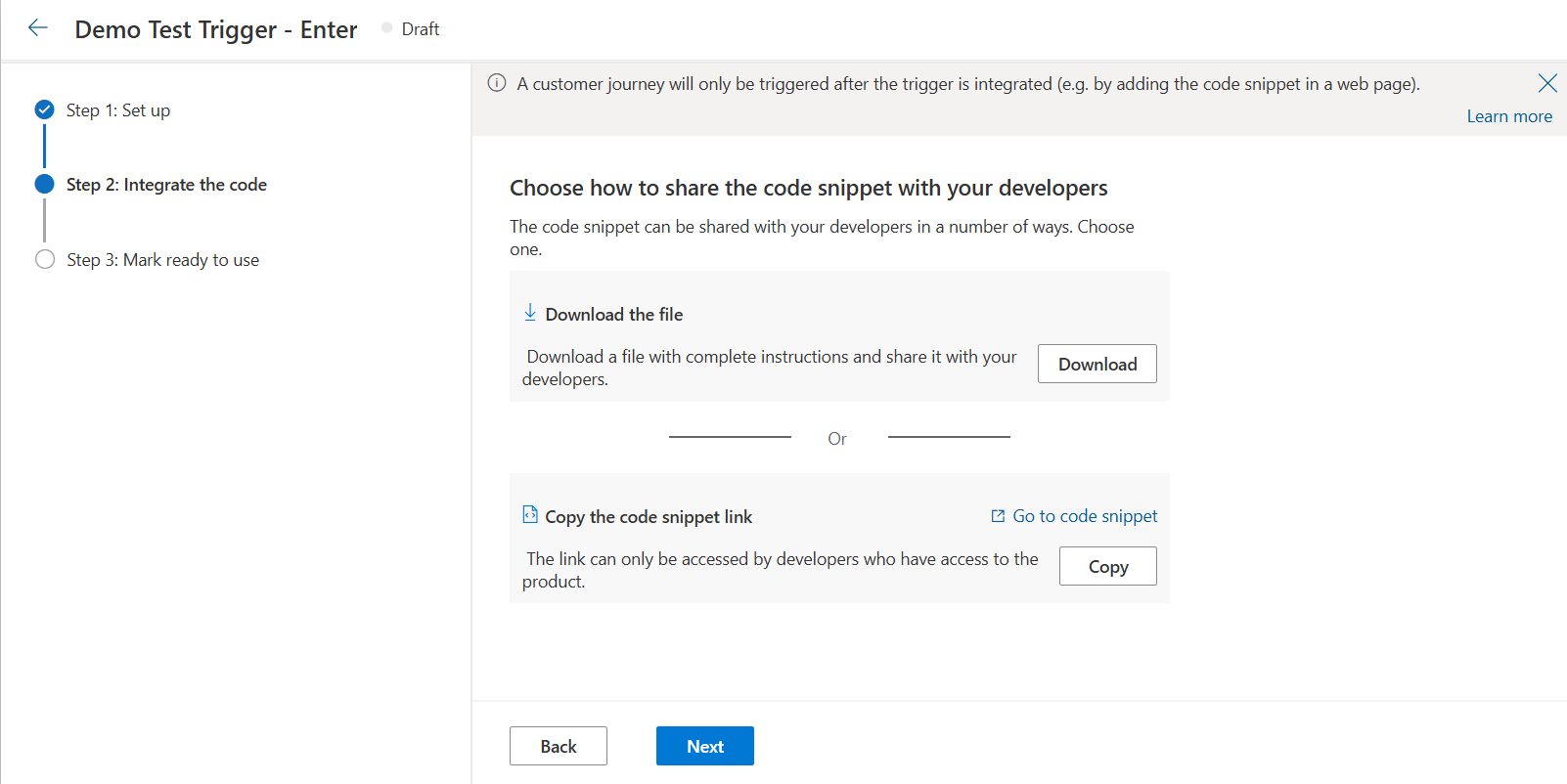
Publish the trigger before using it in a journey.
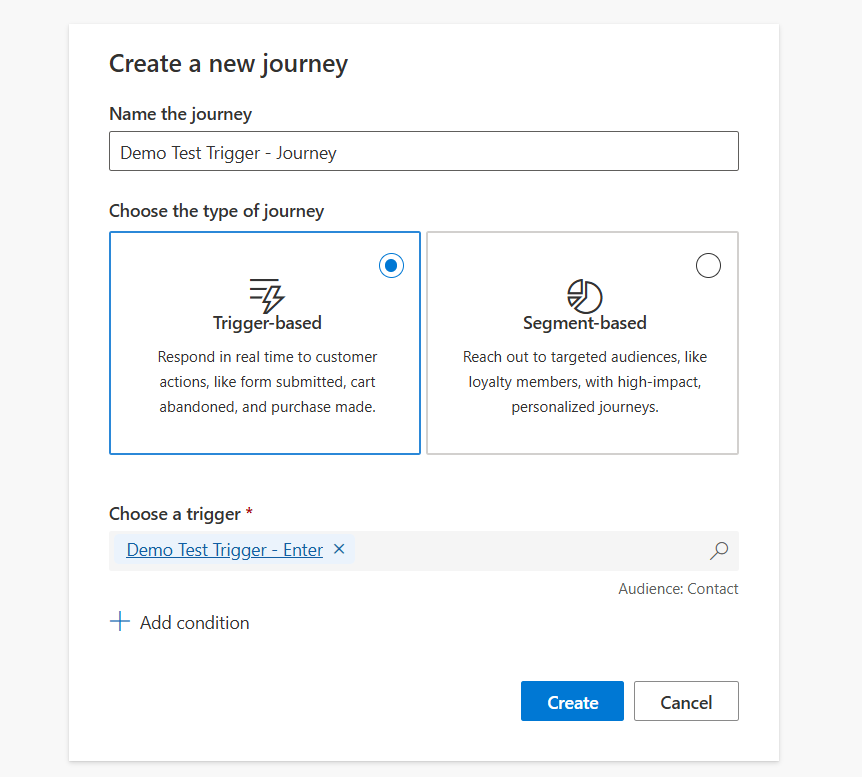
I then created a journey and selected Demo Test Trigger as its trigger:
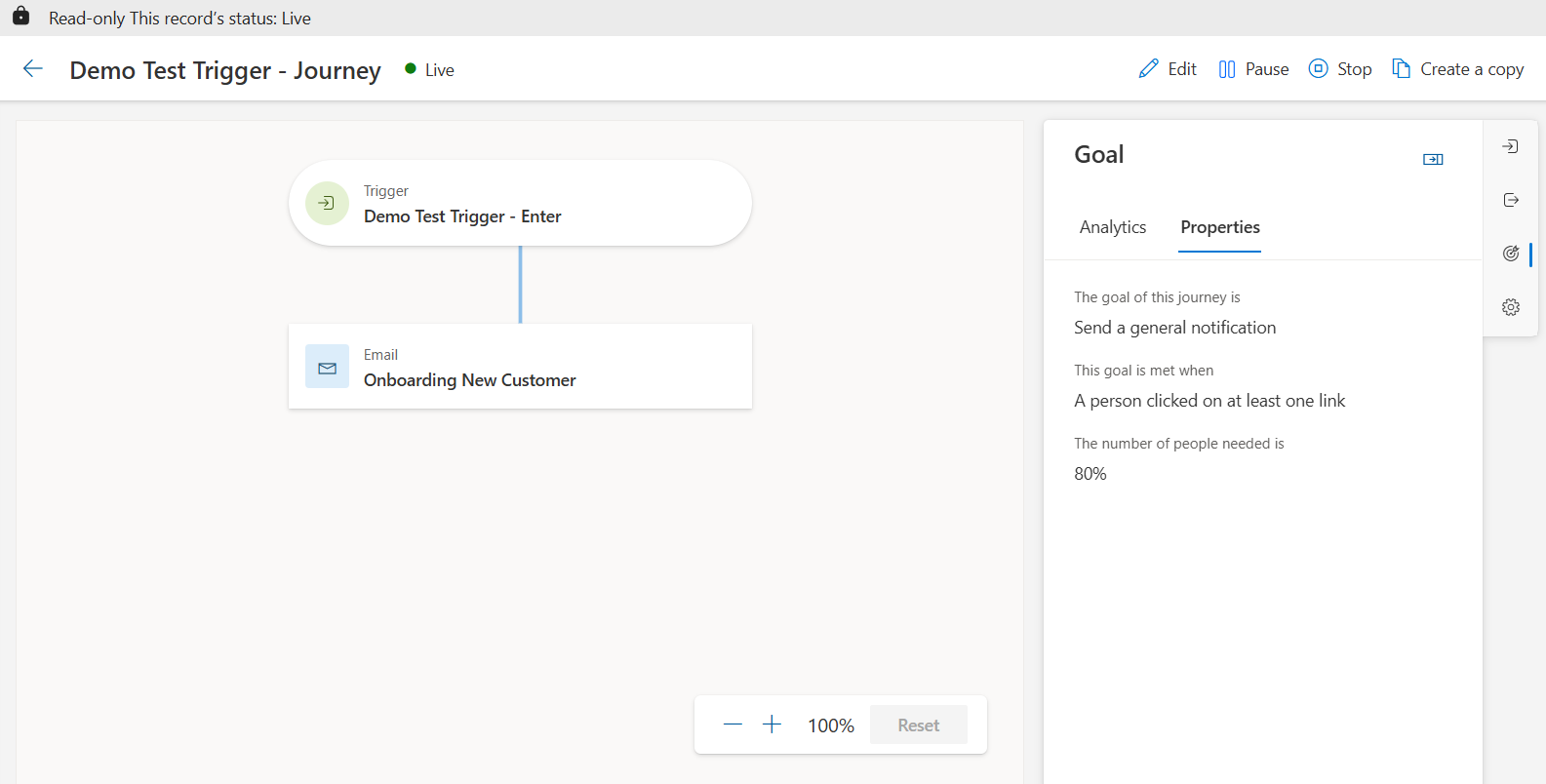
For this example, the journey sends an on boarding email to the customer:
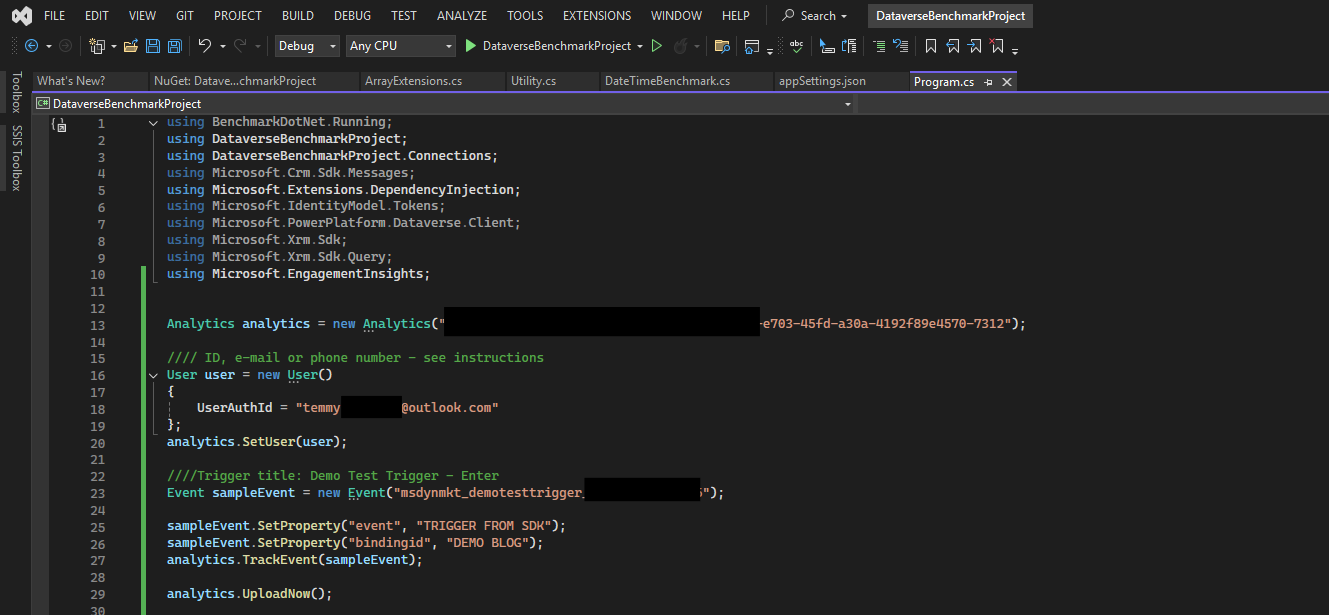
I used C# code based on the generated snippet to invoke the trigger:
After a short wait, the email arrived in my inbox:
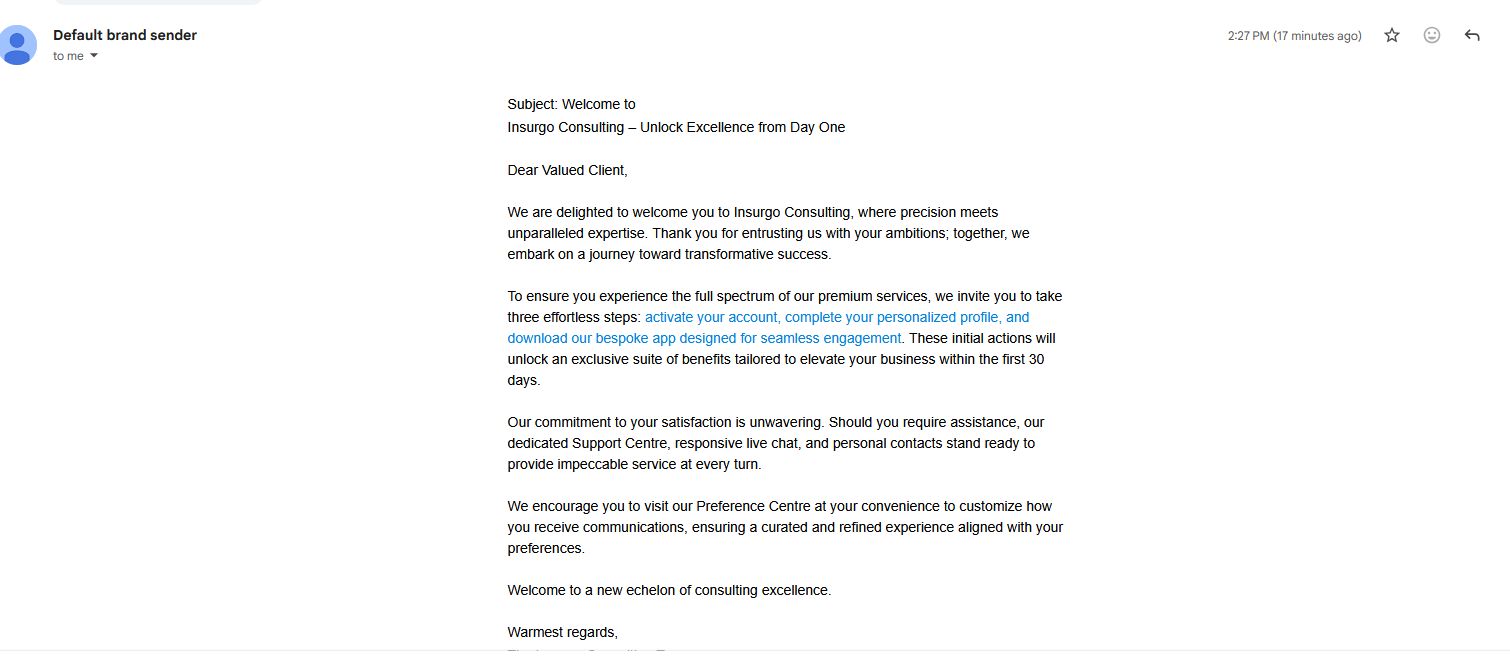
The trigger successfully started the journey. However, I also want a record that my own application can query and report on. One option is to create a Dataverse record for each interaction and use a trigger based on that record. This requires an integration to create the records; a custom API is one possible approach, but it is not required.
When a record related to a customer is created or updated
With this option, the trigger reacts when a record in the selected table is created or updated and meets the configured conditions. For example, a trigger configured for new leads can start a journey when a lead is created.
For this demo, I created an elastic table to explore a high-volume scenario. Elastic tables are designed for high throughput, but whether a standard table is sufficient depends on the workload and should be validated with testing. Elastic tables also have different consistency and transaction characteristics, which matter for the proposed design.
In my environment, creating a lookup to the Contact table through the UI was a blocker, so I created the table and relationship using code:
using Microsoft.Xrm.Sdk;
using Microsoft.Xrm.Sdk.Messages;
using Microsoft.Xrm.Sdk.Metadata;

public static class ElasticTableSetup
{
    public static void CreateCustomerInsightsInterractionElasticTable(IOrganizationService service)
    {
        // 1) Create elastic table
        var createEntityRequest = new CreateEntityRequest
        {
            Entity = new EntityMetadata
            {
                SchemaName = "new_customerinsightsinterraction",
                DisplayName = new Label("Customer Insights Interraction", 1033),
                DisplayCollectionName = new Label("Customer Insights Interractions", 1033),
                Description = new Label("Stores customer insight interaction data", 1033),
                OwnershipType = OwnershipTypes.UserOwned,
                TableType = "Elastic",
                IsActivity = false,
                CanCreateCharts = new BooleanManagedProperty(false)
            },

            // Required primary name column
            PrimaryAttribute = new StringAttributeMetadata
            {
                SchemaName = "new_name",
                DisplayName = new Label("Name", 1033),
                Description = new Label("Primary name", 1033),
                RequiredLevel = new AttributeRequiredLevelManagedProperty(AttributeRequiredLevel.None),
                MaxLength = 200,
                FormatName = StringFormatName.Text
            }
        };

        service.Execute(createEntityRequest);

        // 2) Add new_data (text 6000) as multiline text
        var createDataAttributeRequest = new CreateAttributeRequest
        {
            EntityName = "new_customerinsightsinterraction",
            Attribute = new MemoAttributeMetadata
            {
                SchemaName = "new_data",
                DisplayName = new Label("Data", 1033),
                Description = new Label("Interaction payload data", 1033),
                RequiredLevel = new AttributeRequiredLevelManagedProperty(AttributeRequiredLevel.None),
                MaxLength = 6000,
                Format = StringFormat.TextArea
            }
        };

        service.Execute(createDataAttributeRequest);

        // 3) Create lookup new_contactid -> contact with Cascade.None
        var createRelationshipRequest = new CreateOneToManyRequest
        {
            Lookup = new LookupAttributeMetadata
            {
                SchemaName = "new_contactid",
                DisplayName = new Label("Contact", 1033),
                Description = new Label("Related contact", 1033),
                RequiredLevel = new AttributeRequiredLevelManagedProperty(AttributeRequiredLevel.None)
            },
            OneToManyRelationship = new OneToManyRelationshipMetadata
            {
                SchemaName = "new_contact_new_customerinsightsinterraction",
                ReferencedEntity = "contact",
                ReferencingEntity = "new_customerinsightsinterraction",
                AssociatedMenuConfiguration = new AssociatedMenuConfiguration
                {
                    Behavior = AssociatedMenuBehavior.UseCollectionName,
                    Group = AssociatedMenuGroup.Details,
                    Label = new Label("Customer Insights Interractions", 1033),
                    Order = 10000
                },
                CascadeConfiguration = new CascadeConfiguration
                {
                    Assign = CascadeType.NoCascade,
                    Delete = CascadeType.NoCascade,
                    Merge = CascadeType.NoCascade,
                    Reparent = CascadeType.NoCascade,
                    Share = CascadeType.NoCascade,
                    Unshare = CascadeType.NoCascade
                }
            }
        };

        service.Execute(createRelationshipRequest);
    }
}
After running the code, the table is available for selection when creating the trigger:
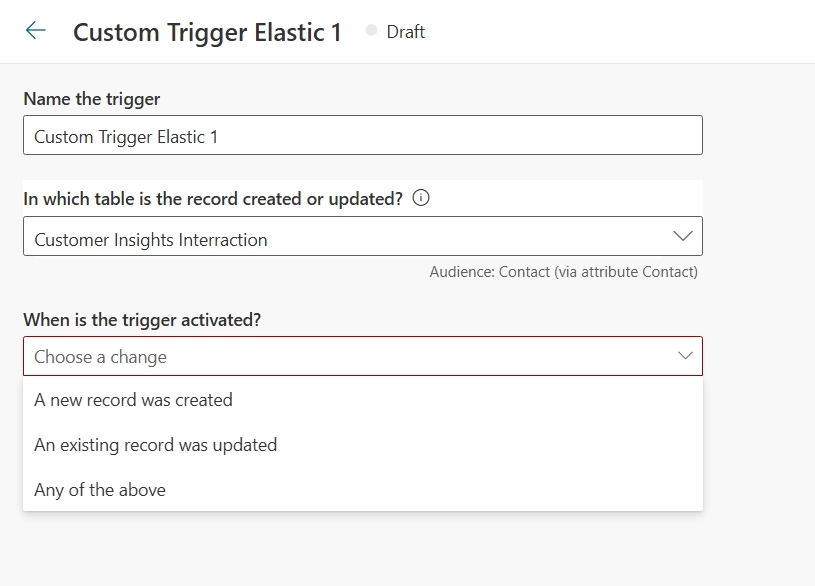
After defining the trigger, click Ready to use at the top right.
Next, create a journey that uses the new trigger:
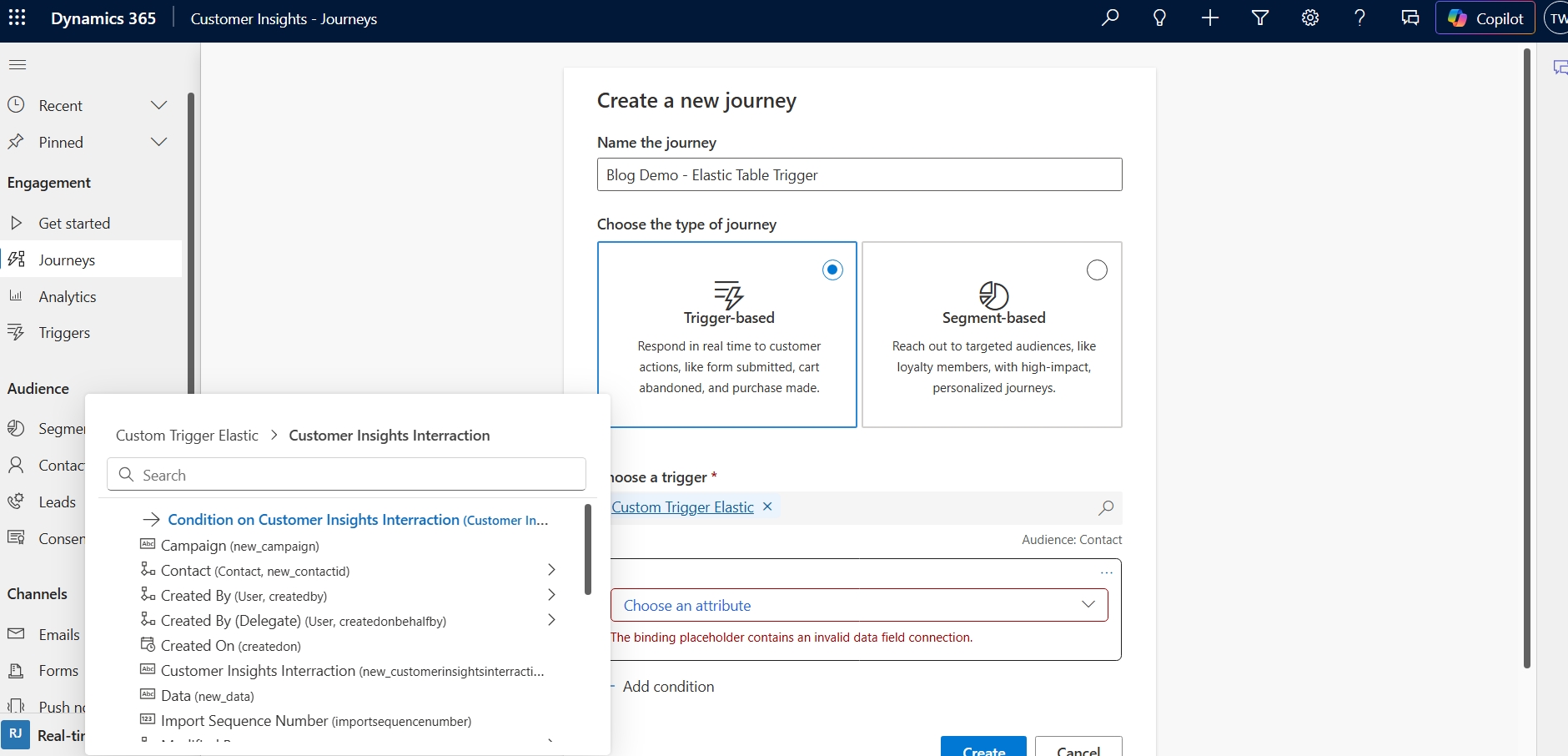
As shown above, we can also add a filter based on the selected table, for example to match a specific attribute value. For this demo, I won't add a filter, and I'll use the same journey settings as before:
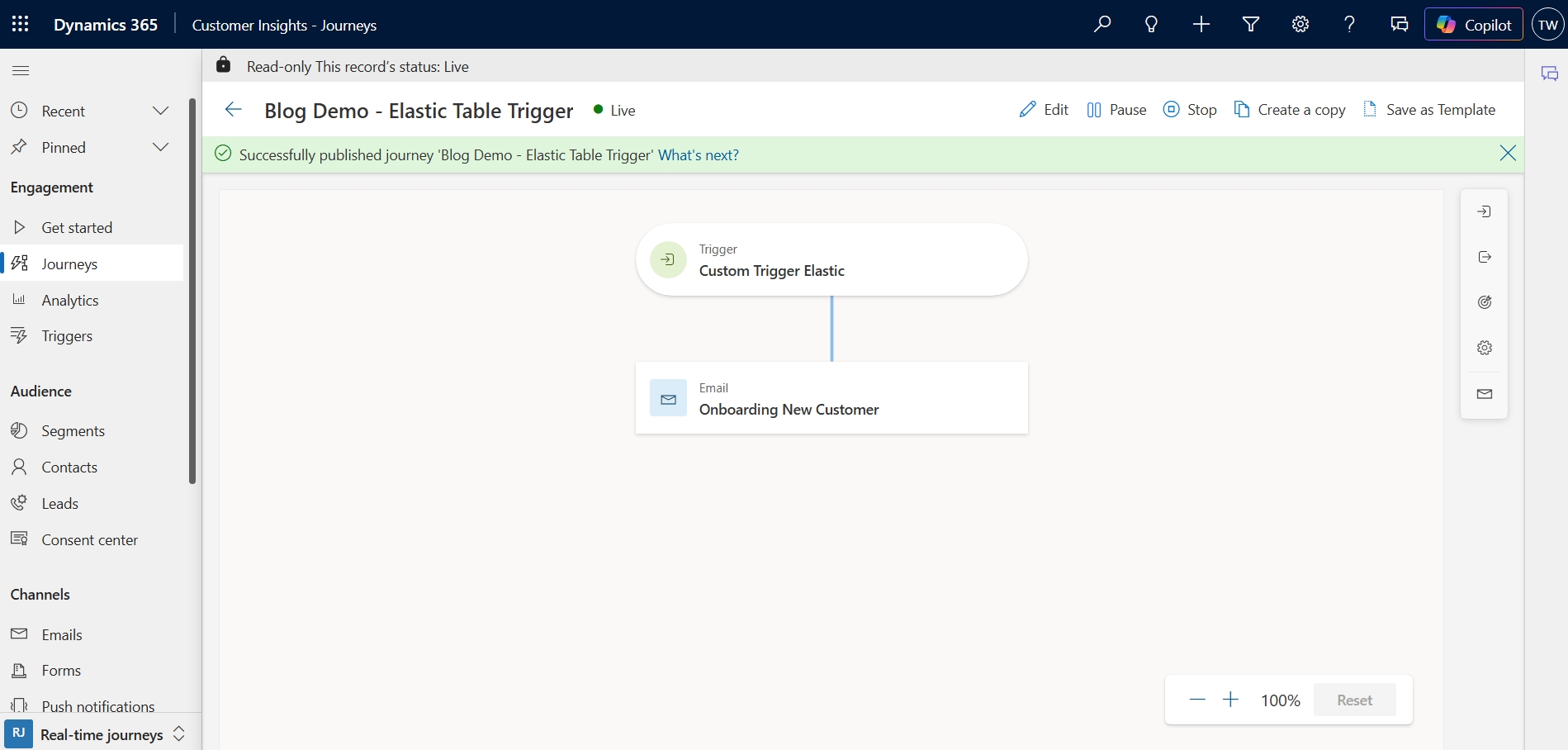
Finally, I created a record through the UI to invoke the trigger:
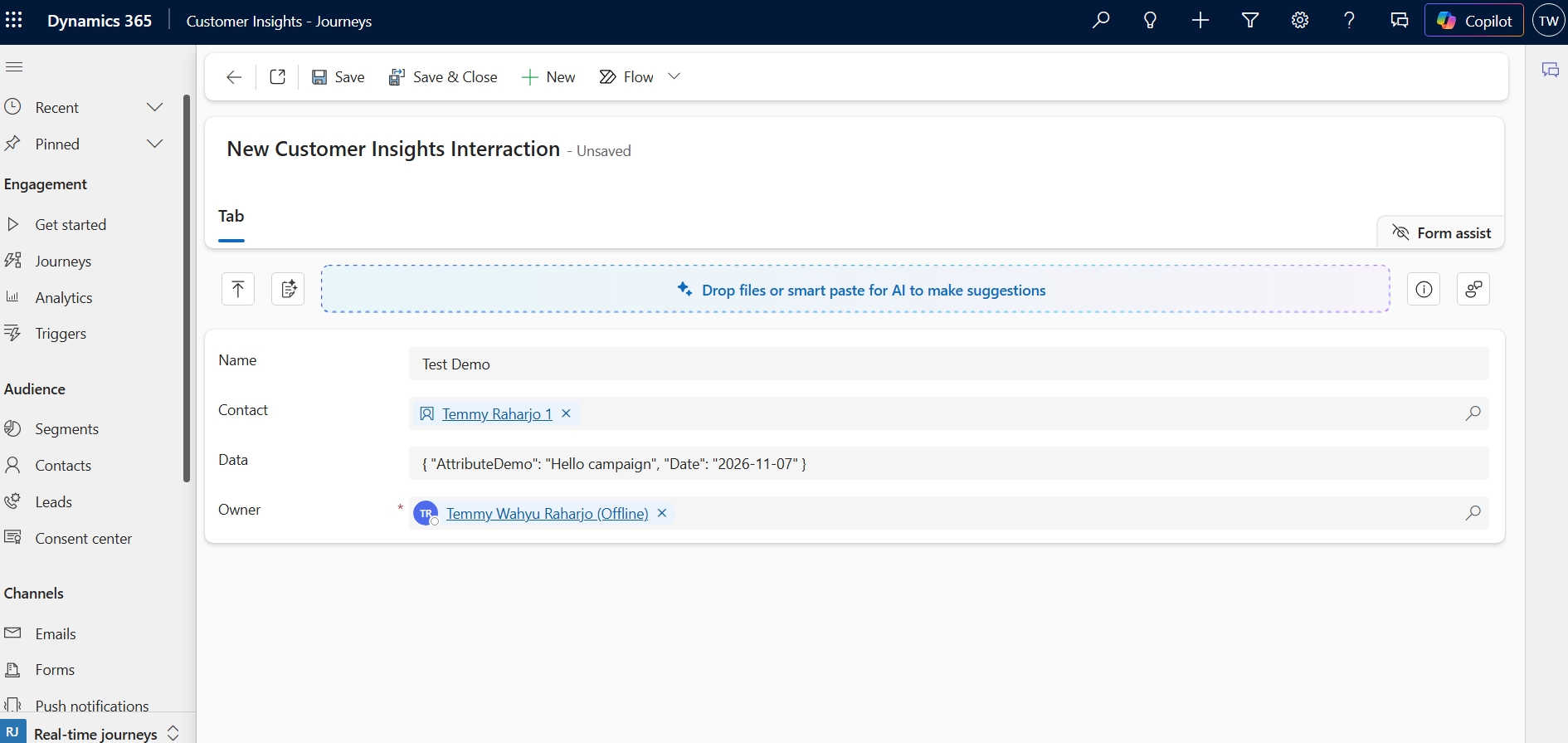
After a short wait, I received the same email as in the previous demo.
Summary
The two approaches both start journeys, but they offer different integration and visibility options:
| Aspect | When a customer interacts with a website/app | When a record related to a customer is created or updated |
|---|---|---|
| Effort | Use the provided integration snippet | Build an integration that writes Dataverse records |
| How it is called | The application invokes the trigger | The integration creates or updates a row in the selected table |
| Interaction history | Customer Insights provides its own insights; I did not find a directly queryable Dataverse history table in this demo | The application-created record provides a history that can be queried and reported on |
| Visibility | Use the visibility provided by Customer Insights and the calling application | Inspect the records created by the integration, alongside Customer Insights journey insights |
| Customization | Use the trigger's supported attributes and capabilities | Define the table and integration to suit the use case |
| Extensibility | Extend the calling application and journey using supported capabilities | Extend record processing with supported plug-ins or automation |
| Best fit | Simple behavior triggers using the provided integration | Business interactions that need an application-owned record for control and reporting |
For scenarios where I need an application-owned interaction record, I prefer When a record related to a customer is created or updated with a custom integration. Here is my proposed architecture:
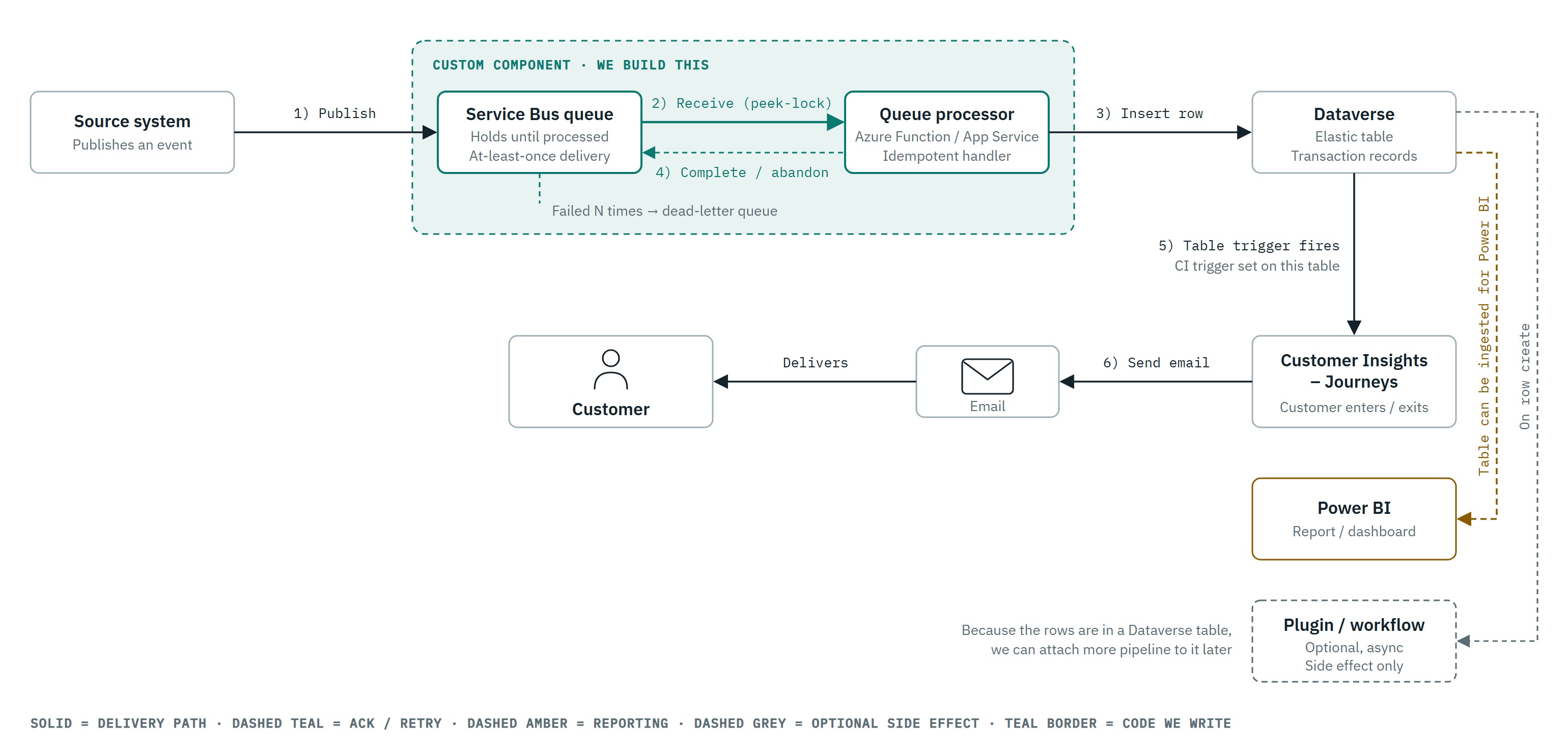
How the Proposed Solution Works
The idea is to place Azure Service Bus between the applications publishing interactions and the component that creates Dataverse records:
- Publish an interaction. A publisher sends a message to Service Bus using a shared message contract, including a stable event ID, the customer reference, the interaction type, and any required data. The publisher does not need to know how the Dataverse table or the Customer Insights trigger is implemented.
- Process the message. A consumer reads the message, validates it, and creates the corresponding interaction record in Dataverse. Using a stable event ID allows the consumer to recognize retries of the same interaction.
- Start the journey. Creating the record invokes the configured Dataverse-based trigger. If the record meets the trigger and journey conditions, Customer Insights can start the journey for the associated customer.
- Extend the processing. The record can also be used by supported Dataverse plug-ins or automation to implement additional business logic. Check the capabilities of the chosen table type and automation before relying on them.
- Report on interactions. Because the interaction record remains in Dataverse, we can query it and build reports on the data we store. The record shows what the integration recorded; it does not, by itself, prove that a customer entered a journey or that an email was delivered. Use Customer Insights journey insights for those outcomes.
What do you think with my proposed solution? Happy CRM-ing 🚀🚀!
Leave a comment
Your comment is sent privately to the author and isn't published on the site.