About Dataverse Environment Variable Export-Import

Today we will learn in-depth about Dataverse Environment Variable. Basically, Environment Variable is a table where we can store a value that we will use for our customizations. Where the popular way to do it in the past is creating a custom table (e.g [your_prefix]_configuration/[your_prefix]_generalsetup), now we have the official way to store those data. The benefit of using it is that the record can be put in a solution (Solution Aware) which makes our life easier in terms of ALM (moving the component from 1 environment to another). It also supports multiple data types (String, Number, Boolean, JSON, Data Source, and Secret). For now, I never tried the data type Data Source and Secret. But maybe in the future, I'll try those 😊.
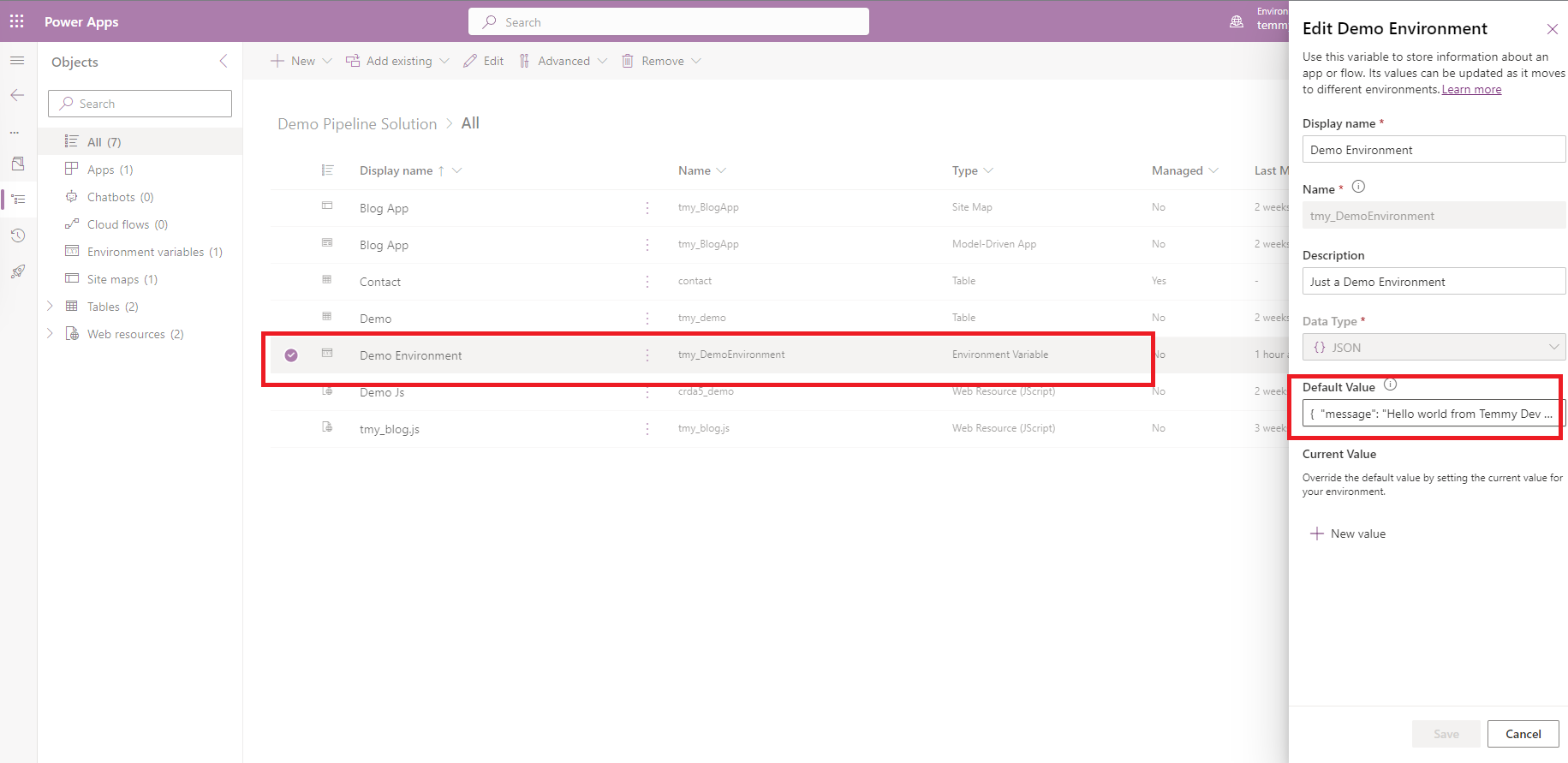
To show in detail, I have 2 environments (temmydev1 for the Dev environment, and temmydev2 for SIT environment). We will move "Demo Pipeline Solution" from temmydev1 > temmydev2. In the below screen, you can see where I define the Environment Variable named "Demo Environment" where the Default Value is '{ "message": "Hello world from Temmy Dev 1 - Current Value" }':
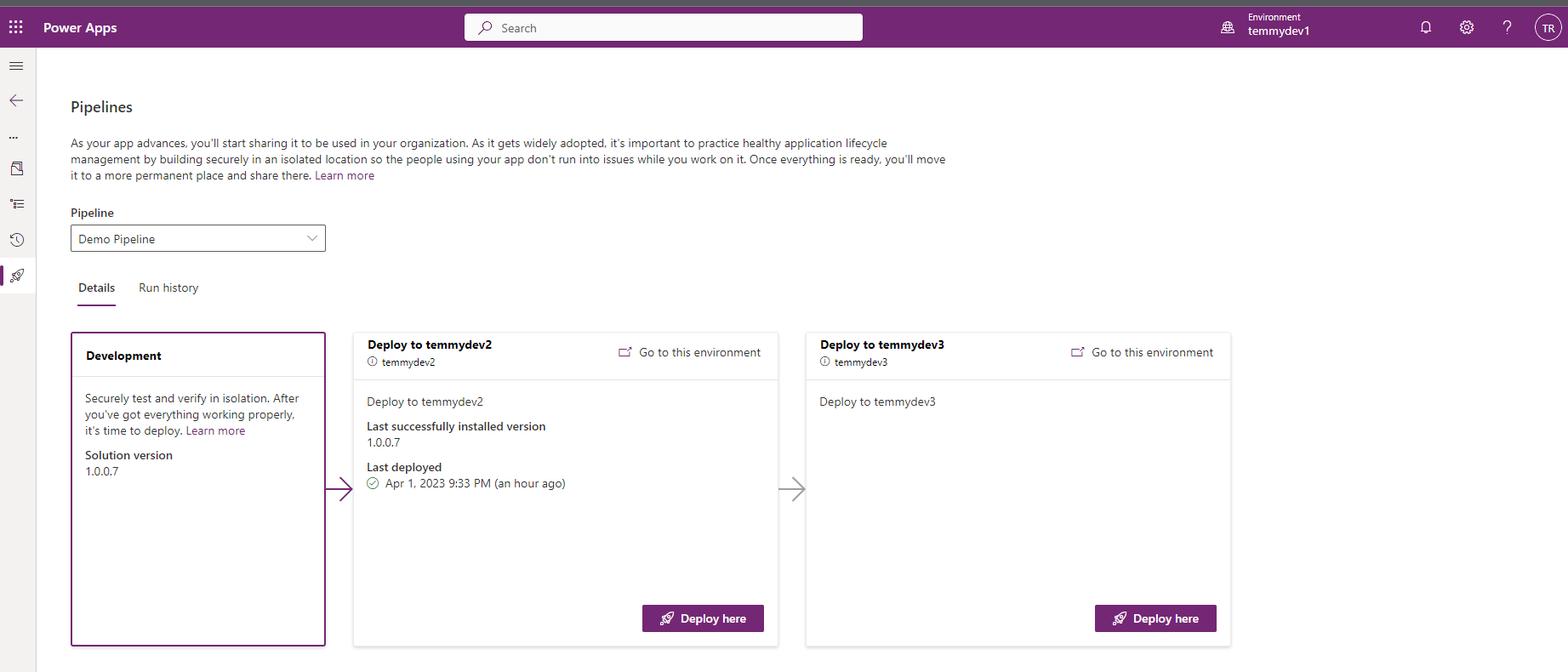
Next, we will import this solution to temmydev2 using Power Platform Pipeline (you can see the details here):
If you are curious, Power Platform Pipeline - import mode is using "Update a solution":
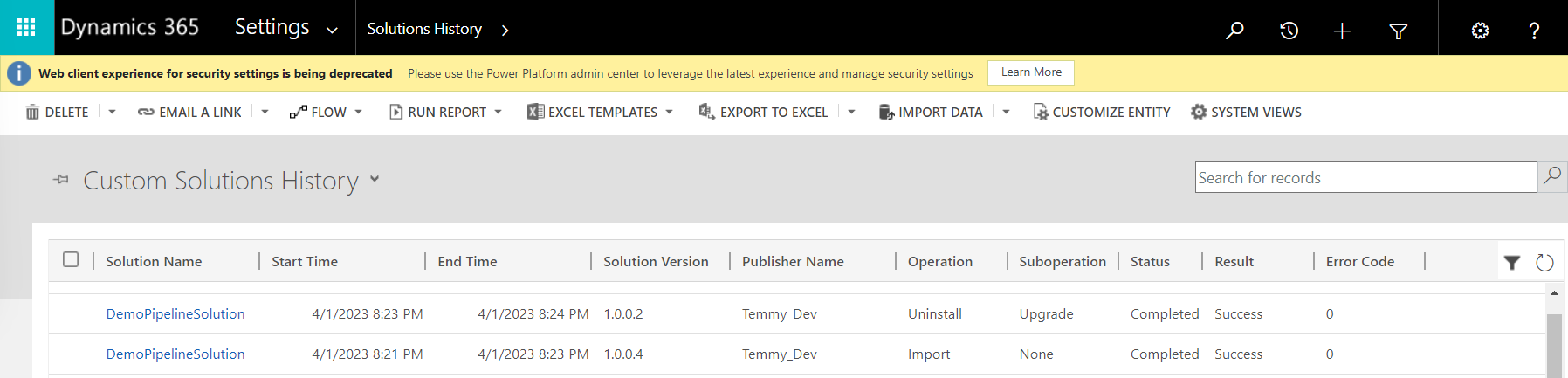
From the source, "Update" means:

Then in the temmydev2, I created the below Environment Variable Value to replace the existing value:
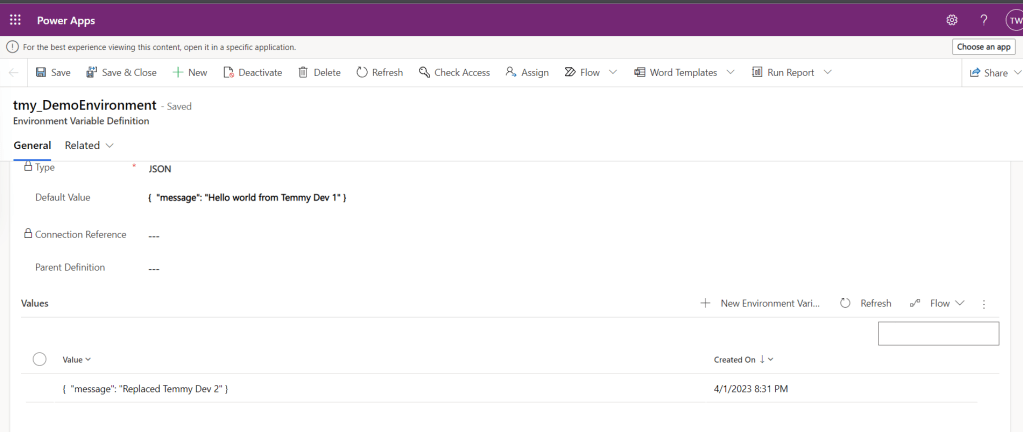
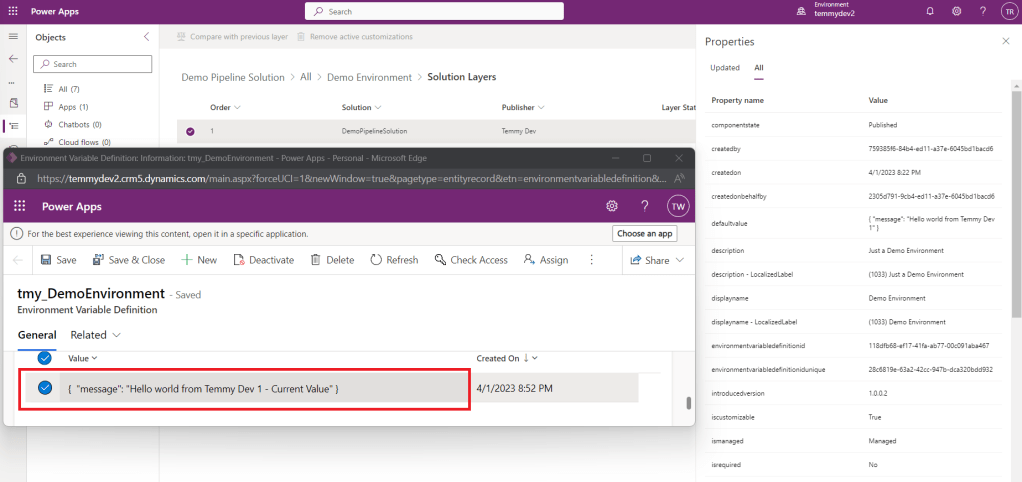
Because I'm curious about the state of my component I'm checking the state of the Environment Variable Definition and it is still under "managed" and no customization applied:
I go back to temmydev1, and here I created Environment Variable Value to replace the Current Value of the Environment Variable:
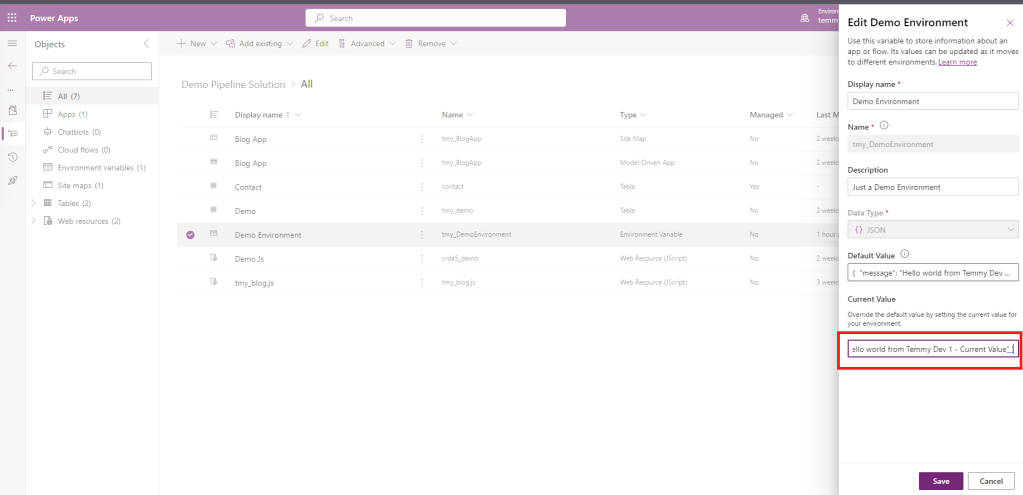
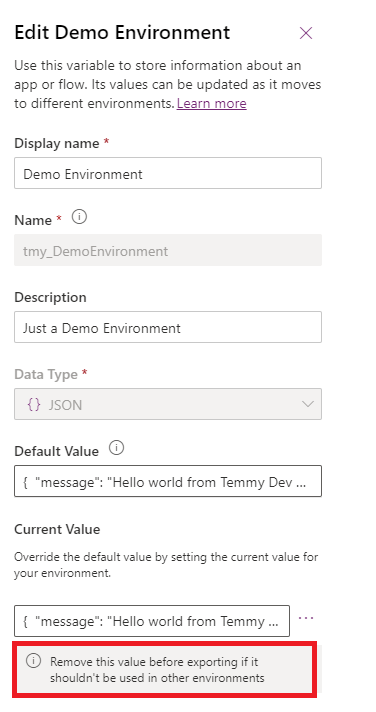
After you click Save and re-open, you can see there is warning stating "Remove this value before exporting if it shouldn't be used in other environments":
If you proceed and import this solution to temmydev2, the one I created before will be replaced with the value from temmydev1:
Summary
So what is the takeaway from this? If you are thinking to use Environment Variable, just make sure to always use "Default Value" when in Dev (if you need to change the value in Dev, always use the "Default Value"). While in the higher environment, just create a new Environment Variable Value to replace the value from Dev.
If in your Dev environment, you are creating Environment Variable Value, and this component is imported to a higher environment. You will get a problem as the value from a higher environment will be replaced by the value from Dev. To solve this, you need to delete the current value in Dev > re-import to the target Environment > the Current Value of the Target Environment will be gone and you are safe to create a new value.
Happy CRM-ing!
Leave a comment
Your comment is sent privately to the author and isn't published on the site.