Clean Code , dynamics-crm , Javascript , powerplatform , tips
Tips Model-Driven Apps Javascript: How to trigger Custom Method After Saving

Have you ever had a scenario that needs to disable all the controls in the UI after data is successfully saved? Let's say after the document State is changed to Approved, then we need to disable some of the attributes in the form? If yes, then this post is about my simple tips to achieve that scenario.
Do you know when CRM successfully saves data in the back-end, then it will push those attributes that are being changed (in the process) to the UI and if you register a JavaScript event on that attribute, it will trigger the changed event? For a simple demonstration, let's make a JavaScript like this:
var Blog = Blog || {};
Blog.Form = Blog.Form || {};
(function () {
    this.modifiedOnChange = function(context) {
        console.log('hi from javascript');
    };
}).apply(Blog.Form);
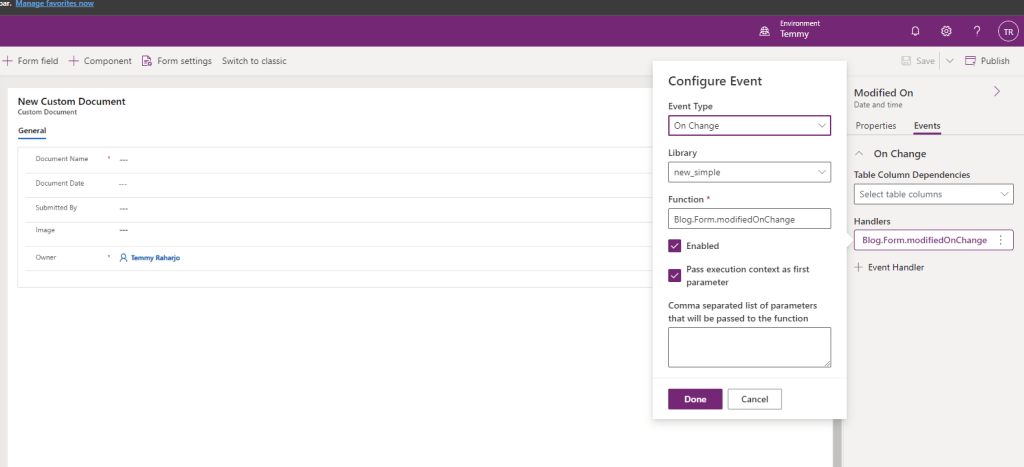
For this demonstration, I registered this JavaScript in the attribute Modified On Changed events like this:
This is the result if we save the data:
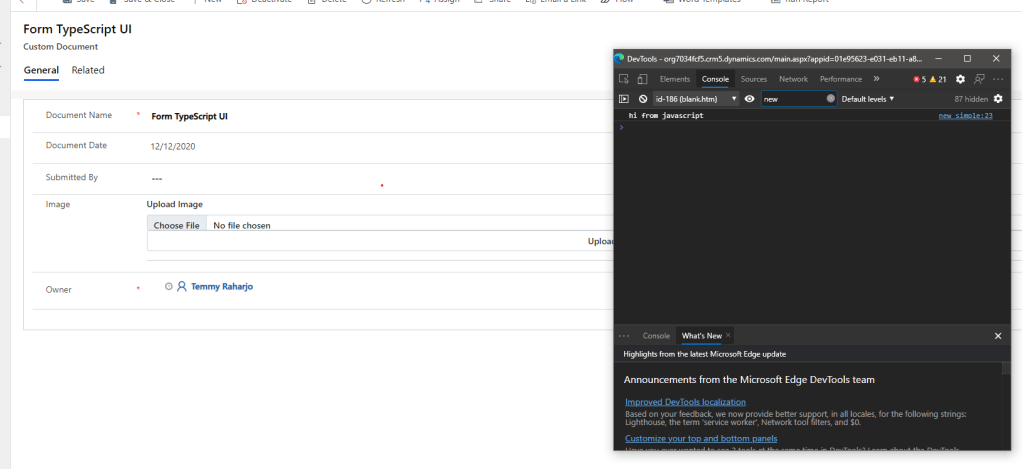 After successfully saved CRM will trigger the method that we register in ModifiedOn attribute
With this logic, we can do that scenario (call formOnLoad method/other methods after successfully saving) more elegantly. This is my sample of the code:
var Blog = Blog || {};
Blog.Form = Blog.Form || {};
(function () {
    var disabledAll = function(context) {
        var formContext = context.getFormContext();

        formContext.ui.controls.forEach(control => {
            if(control.setDisabled) {
                control.setDisabled(true);
            }
        });
    };

    this.formOnLoad = function (context) {
        var formContext = context.getFormContext();
        var name = formContext.getAttribute('new_name').getValue()
        if(name === 'Disabled') {
            disabledAll(context);
        }
    };

    this.modifiedOnChange = function(context) {
        Blog.Form.formOnLoad(context);
    };
}).apply(Blog.Form);
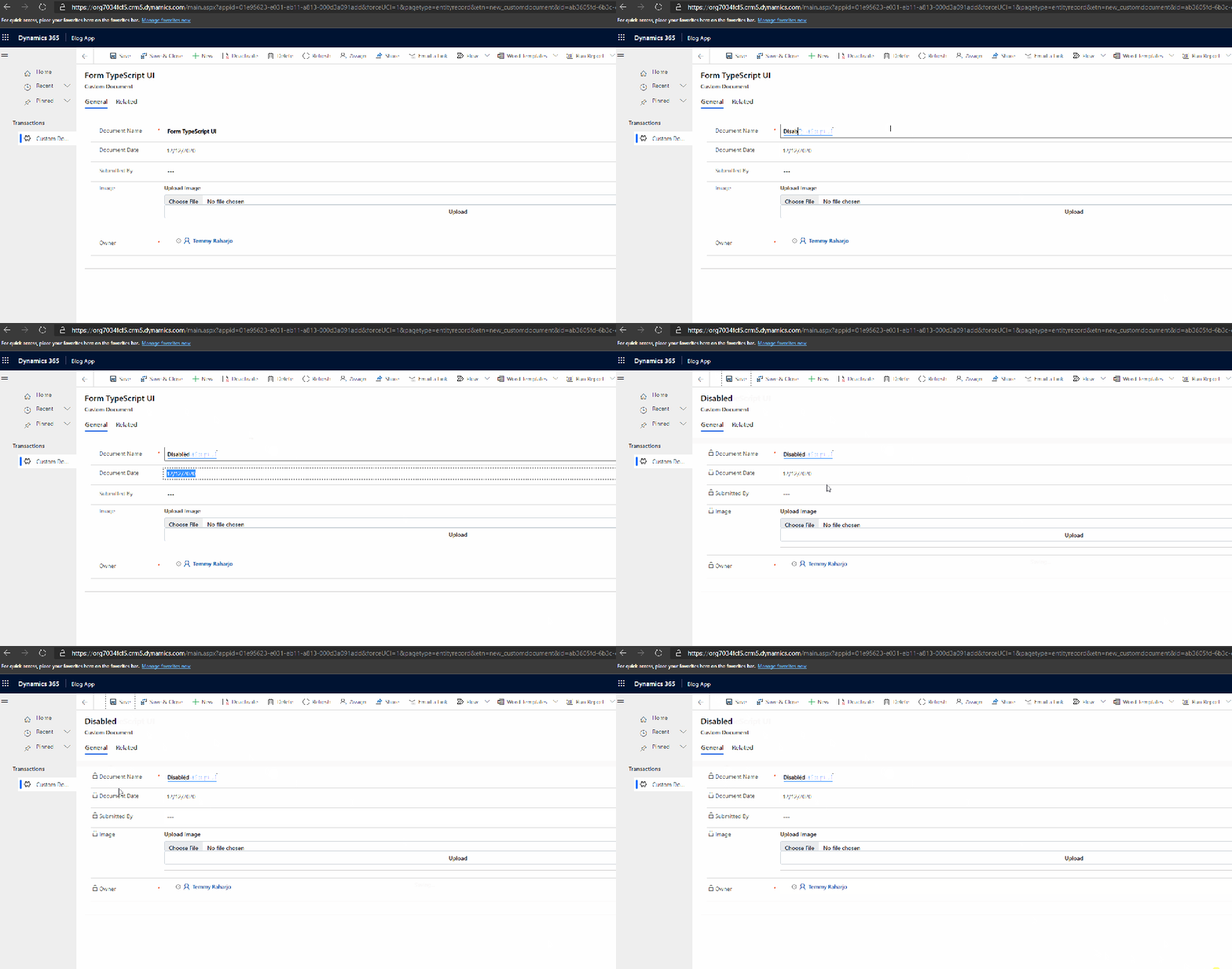
If the name of the record is "Disabled" then I will lock all the attributes on formOnLoad (you can change this logic with statecode/statuscode).
This is the demonstration for it:
Hope you enjoy it!
Leave a comment
Your comment is sent privately to the author and isn't published on the site.