Merging Javascript for Dynamics CRM Development

SOC (Separation of Concerns) is one of the best Design Patterns that I love so much. Using this design pattern, I found it easier for me to identify bugs in my code.
When developing Javascript code on Dynamic CRM, I will separate my concerns into three parts:
- Events: Bridge from Dynamic CRM event to our Javascript Business Logic.
- Business Logic: Business logic related to your application.
- Data Access: Handling data access.
The goal of this blog post is to show you how we can merge multiple JavaScript files into a single file.
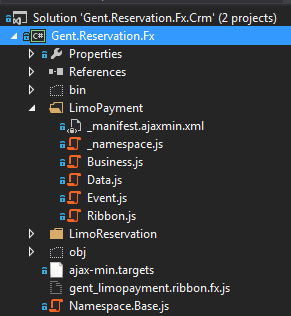
After the build, the content will merge into one file like this:
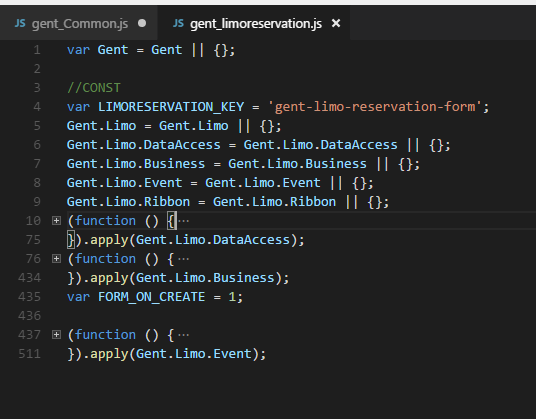
There is the steps that you need to do:
- On your project, add a reference to the AjaxMin NuGet. After installing the Nuget reference on your project, put <Import Project="ajax-min.targets" /> on your .csproject

- After installing the reference, create a new file with the name ajax-min.targets on your root project. (Change the output folder to your Solution Directory folder to find the result) [gist https://gist.github.com/temmyraharjo/528806c102aeac2f0a2ea0d6858b65a8 /]
result-directory-folder is a folder that contains finished files. So you need to change this configuration to the Folder that you want (Folder is just inside the Solution Folder).
- The next step is to make a configuration file. For instance, in my example, I want to merge all javascript in the LimoPayment folder, and then I will create _manifest.ajaxmin.xml in the root of that folder. [gist https://gist.github.com/temmyraharjo/3d793cb98ce262e0b6ca4363a0c4beba /]
Use this method, when you want to get the result. You only need to build and open your result folder to see the result.
Benefits of using this method:
- More focus when developing a feature.
- Reduce scrolling if your Javascript is very long (we break it into three functions: DataAccess, Business, and Events).
Leave a comment
Your comment is sent privately to the author and isn't published on the site.