dynamics-crm , Javascript , tips
MDA: Open Lookup Record In SidePane

I've got a request from my friend about how to implement opening a lookup in the side pane. For this requirement, we must implement the addOnLookupTagClick, the createPane, and the navigatefunctions. Without further ado, let's see how to do it!
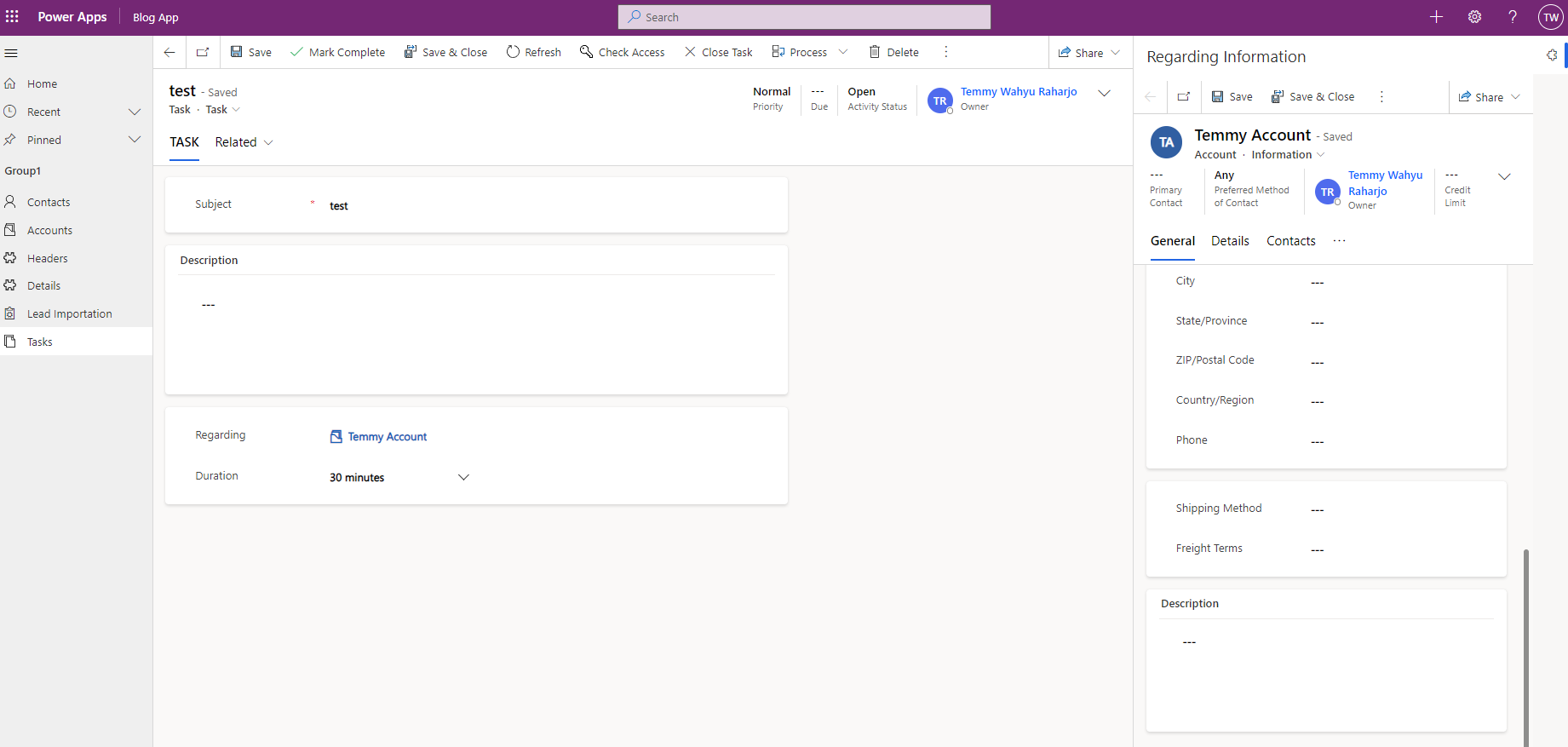
First, we will use the Task table for this (when click regarding, we will open the side pane):
For the above scenario, I created this JS:
var task = task || {};
(function() {
    var navigate = function (pane, entityReference) {
        pane.navigate({
            pageType: "entityrecord",
            entityName: entityReference[0].entityType,
            entityId: entityReference[0].id
        });
    };
    var onRegardingObjectIdClick = function(context) {
        var eventArgs = context.getEventArgs();
        // Disabled the original open form
        eventArgs.preventDefault();
        var paneId = 'RegardingView';
        var panes = Xrm.App.sidePanes.getAllPanes();
        var formContext = context.getFormContext();
        var regardingObjectId = formContext.getAttribute("regardingobjectid").getValue();

        if (panes && panes._collection && panes._collection[paneId]) {
            var selectedPane = panes._collection[paneId];
            // Refresh the content
            navigate(selectedPane, regardingObjectId);
        } else {
            Xrm.App.sidePanes.createPane({
                title: "Regarding Information",
                paneId: paneId,
                canClose: false,
                width: 500
            }).then((pane) => navigate(pane, regardingObjectId));
        }
    };
    this.formOnLoad = function(context) {
        var formContext = context.getFormContext();
        formContext.getControl("regardingobjectid").addOnLookupTagClick(onRegardingObjectIdClick);
    };
}).apply(task);
From the above code, the onRegardingObjectIdClick function will prevent the default function which is to open the record. Next, the implementation is quite simple we will reuse the pane (if already there), or create the pane if empty. Then the last part is to use the pane.navigate (function navigate), to open the entity record.
Once the JS is ready, you just need to add in the form and register the event on the form on load:
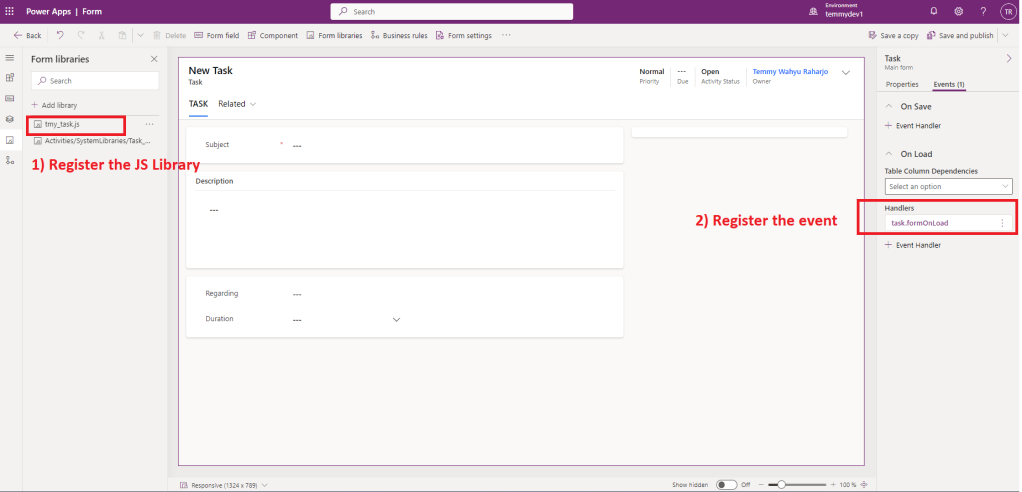
Next, don't forget to publish all the changes and you are ready to test it!
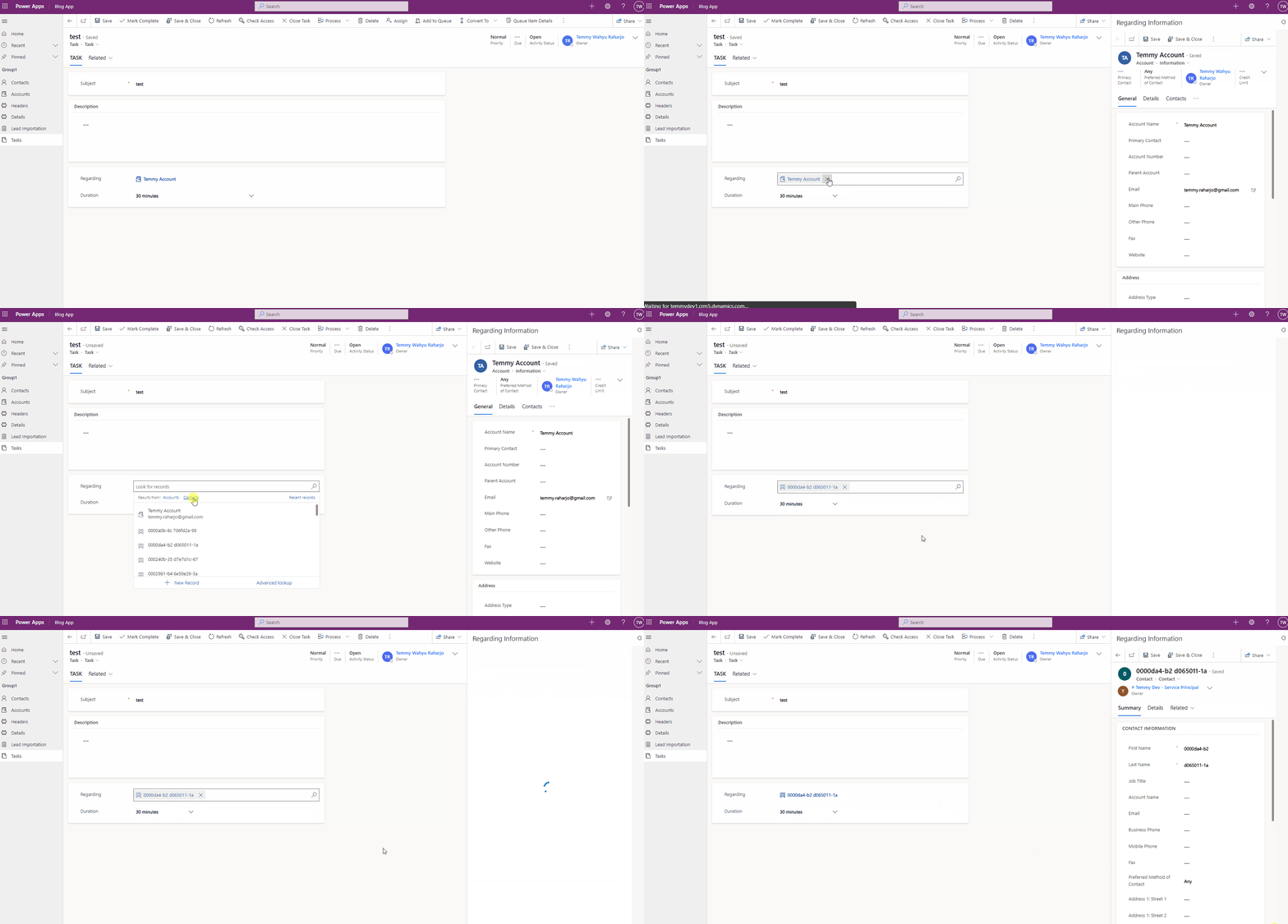
So here is the demo:
Happy CRM-ing!
Leave a comment
Your comment is sent privately to the author and isn't published on the site.