AI , dynamics-crm , low-code , powerplatform , tips
Low + Pro Code: Create Dataverse Invoice Record based on Power Automate Extract Invoice Information

Hello! For today's scenario, we will learn how to automate the process of creating a Vendor Invoice record in Dataverse using an uploaded Vendor Invoice PDF file that comes to OneDrive's company folder. To be exact, we will learn how to utilize Power Automate to simplify the trigger point, supply the information needed using Extract Information from invoices action, and pass it to Dataverse Custom API. But, FYI, the solution I provided will not be generic and needs to be amended based on the document format that you have (especially in the Custom API part). Without further ado, let's deep dive into the solution!
First, here is the sample Vendor Invoice PDF that I will process for today's demo:
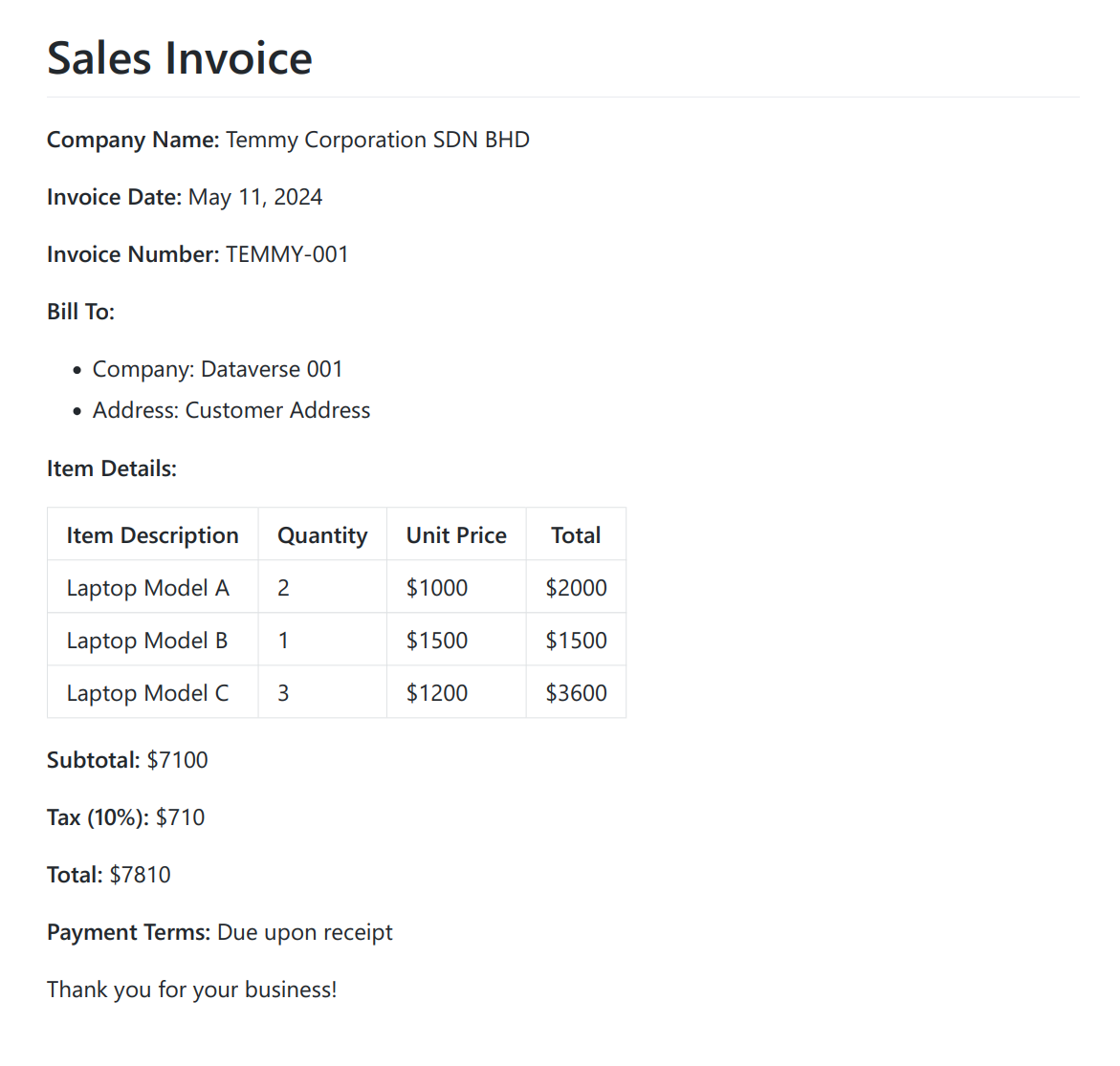
Sample Vendor Invoice
Based on the above information, we need to prepare Tables to store the information:
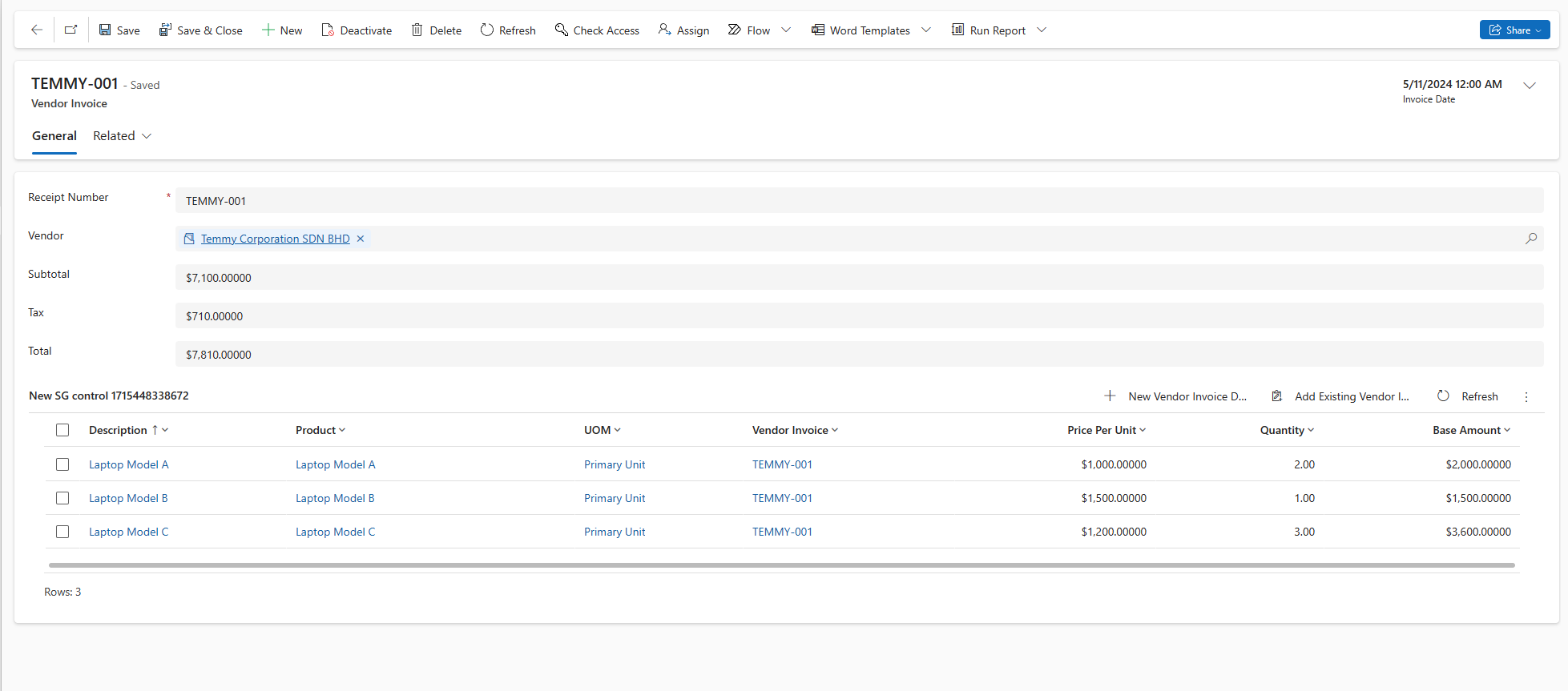
Vendor Invoice and Vendor Invoice Detail Tables
Next, I created the below Power Automate Flow:
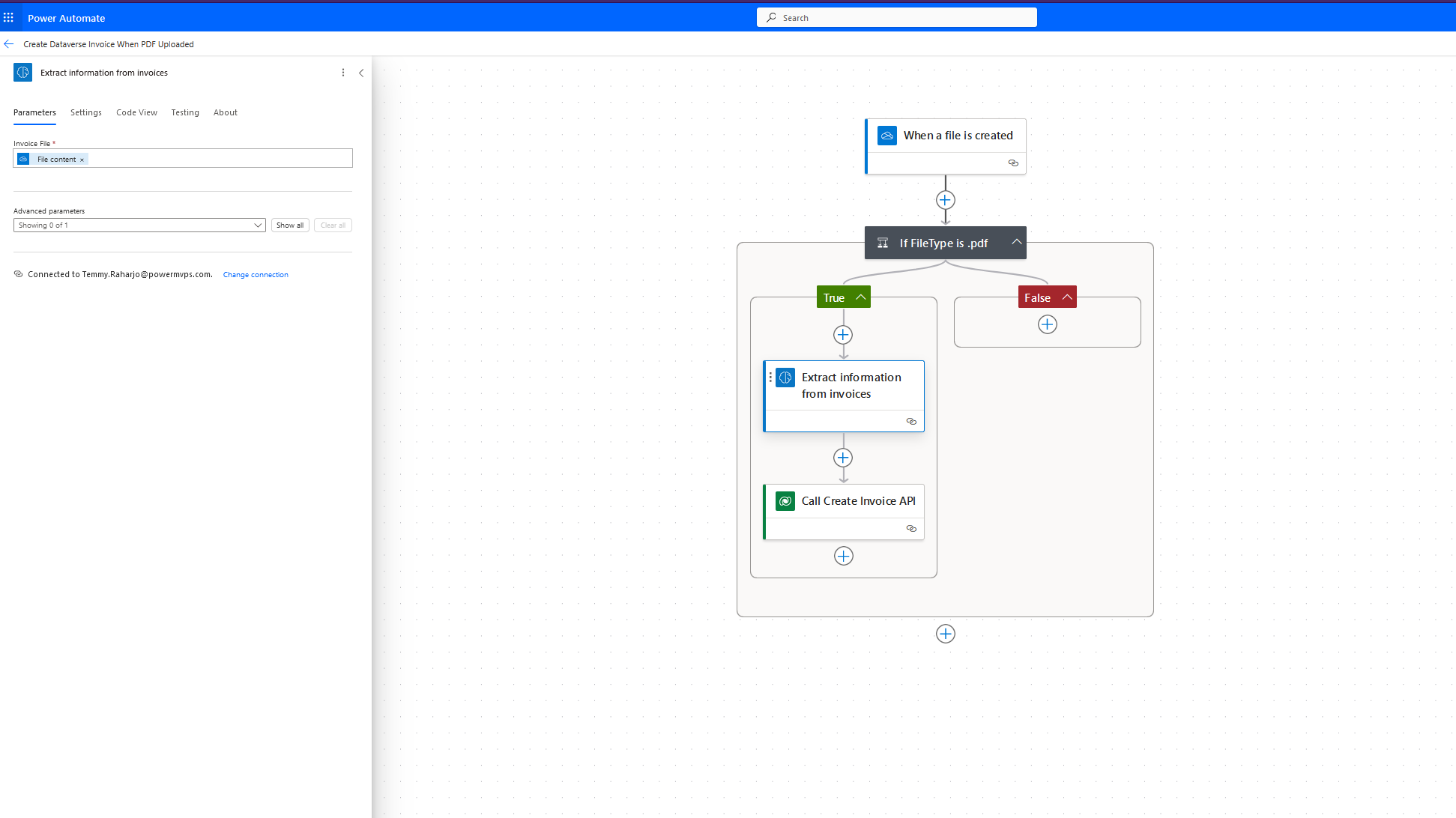
The Flow
- For the trigger, I'm using OneDrive When a file is created.
- Filter only the document with type pdf that will be processed.
- On True conditions, we will use Extract Information from invoices action. Before I came up with the full working flow above, I dumped the output of this action (the output may differ based on the document format that you uploaded):
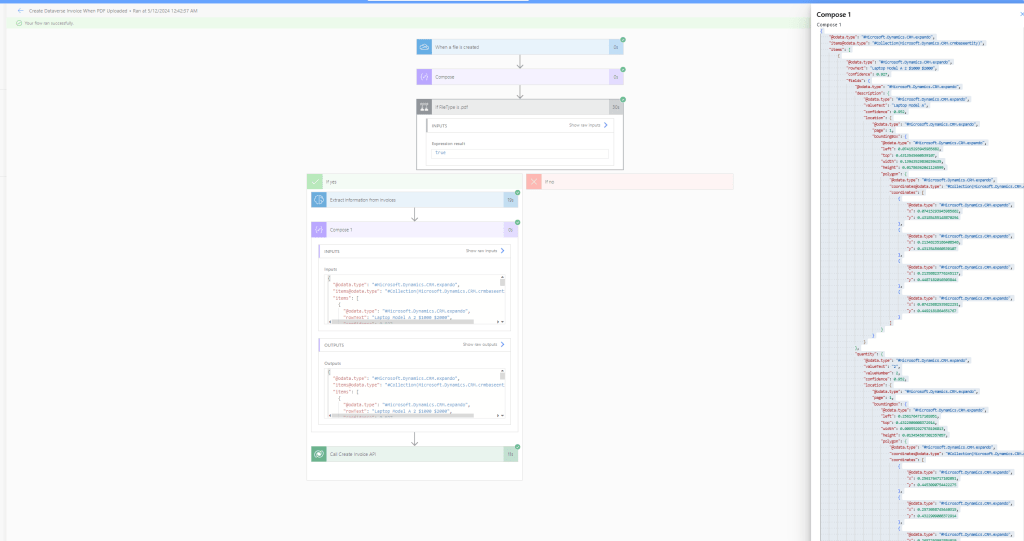
Extract Information from invoices output
The reason I'm using Dataverse Custom API is because that's the simplified way to do it in my opinion (I believe, we also can do it fully via Power Automate. But, again, I'm a lazy "Power Automate" Developer. If we can make the Low Code simpler, why needs to bother with it 🤣). Because of this decision, once I got the JSON output, I inspected the necessary information I needed (to simplify the model). Then, I'm using https://json2csharp.com/ and paste the JSON to get the C# Model I needed:
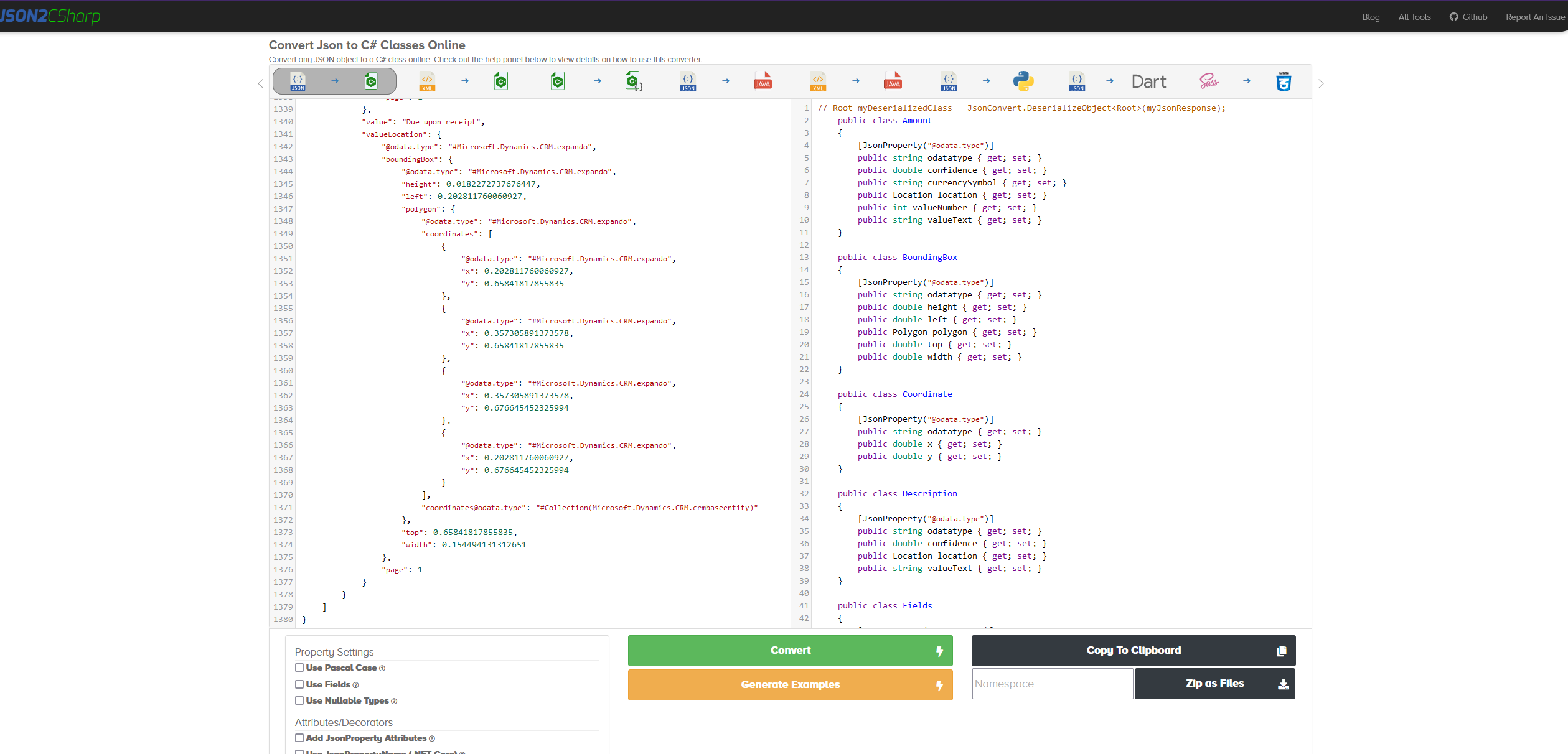
json2csharp.com
Next, I created the below plugin code:
using Microsoft.Crm.Sdk.Messages;
using Microsoft.Xrm.Sdk;
using Microsoft.Xrm.Sdk.Extensions;
using Microsoft.Xrm.Sdk.Query;
using Newtonsoft.Json;
using System;
using System.Collections.Generic;
using System.Linq;

namespace BlogPackage
{
    public class CreateInvoice : PluginBase
    {
        public const string InputKey = "Input";

        public CreateInvoice() : base(typeof(CreateInvoice))
        {
        }

        protected override void ExecuteDataversePlugin(ILocalPluginContext localPluginContext)
        {
            var json = localPluginContext.PluginExecutionContext.InputParameterOrDefault<string>(InputKey);
            var root = JsonConvert.DeserializeObject<Root>(json);

            var invoice = new Entity("ins_vendorinvoice");
            invoice["ins_receiptnumber"] = GetValue(root.keyValuePairs, "invoice number");
            invoice["ins_invoicedate"] = DateTime.Parse(GetValue(root.keyValuePairs, "invoice date"));
            invoice["ins_vendorid"] = UpsertAccount(localPluginContext.InitiatingUserService, GetValue(root.keyValuePairs, "company name"));
            var subtotal = decimal.Parse(GetValue(root.keyValuePairs, "subtotal").Replace("$", ""));
            var tax = decimal.Parse(GetValue(root.keyValuePairs, "tax").Replace("$", ""));
            invoice["ins_subtotal"] = new Money(subtotal);
            invoice["ins_tax"] = new Money(tax);
            invoice["ins_total"] = new Money(subtotal + tax);
            invoice.Id = localPluginContext.InitiatingUserService.Create(invoice);

            foreach (var item in root.items)
            {
                var detail = new Entity("ins_vendorinvoicedetail");
                var description = item.fields.description.valueText;
                detail["ins_description"] = description;
                detail["ins_vendorinvoiceid"] = invoice.ToEntityReference();
                detail["ins_priceperunit"] = new Money(item.fields.unitPrice.valueNumber);
                detail["ins_quantity"] = item.fields.quantity.valueNumber;
                detail["ins_baseamount"] = new Money(item.fields.amount.valueNumber);
                var product = UpsertProduct(localPluginContext.InitiatingUserService, description);
                detail["ins_productid"] = product.ToEntityReference();
                detail["ins_uomid"] = product.GetAttributeValue<EntityReference>("defaultuomid");
                localPluginContext.InitiatingUserService.Create(detail);
            }
        }

        private EntityReference UpsertAccount(IOrganizationService service, string valueText)
        {
            var query = new QueryExpression("account")
            {
                ColumnSet = new ColumnSet(false),
                TopCount = 1
            };
            query.Criteria.AddCondition("name", ConditionOperator.Equal, valueText);

            var result = service.RetrieveMultiple(query);

            if (result.Entities.Any()) return result.Entities.First().ToEntityReference();

            var account = new Entity("account")
            {
                ["name"] = valueText
            };
            account.Id = service.Create(account);

            return account.ToEntityReference();
        }

        private string GetValue(List<KeyValuePair> keyValuePairs, string key)
        {
            var valuePair = keyValuePairs.FirstOrDefault(e => e.key.ToLower().Contains(key));
            if (valuePair == null) return null;
            return valuePair.value;
        }

        private Entity UpsertProduct(IOrganizationService service, string valueText)
        {
            var query = new QueryExpression("product")
            {
                ColumnSet = new ColumnSet("defaultuomid"),
                TopCount = 1
            };
            query.Criteria.AddCondition("name", ConditionOperator.Equal, valueText);

            var result = service.RetrieveMultiple(query);

            if (result.Entities.Any()) return result.Entities.First();

            var product = new Entity("product")
            {
                ["name"] = valueText,
                ["productnumber"] = valueText,
                ["quantitydecimal"] = 2,
                // Please change this below logic with proper setup
                ["defaultuomscheduleid"] = new EntityReference("uomschedule", new Guid("29ed1930-6ebb-4087-bce6-aff1d0379a12")),
                ["defaultuomid"] = new EntityReference("uom", new Guid("0a7babb2-7fd0-4145-b055-3061c6cf34f2"))
            };
            product.Id = service.Create(product);

            // Product need to be publish
            var req = new PublishProductHierarchyRequest
            {
                Target = product.ToEntityReference()
            };
            service.Execute(req);

            return product;
        }

        public class FieldDetail
        {
            public double confidence { get; set; }
            public string currencySymbol { get; set; }
            public decimal valueNumber { get; set; }
            public string valueText { get; set; }
        }

        public class Fields
        {
            public FieldDetail amount { get; set; }
            public FieldDetail description { get; set; }
            public FieldDetail quantity { get; set; }
            public FieldDetail unitPrice { get; set; }
        }

        public class Item
        {
            public double confidence { get; set; }
            public Fields fields { get; set; }
            public string rowText { get; set; }
        }

        public class KeyValuePair
        {
            public double confidence { get; set; }
            public string key { get; set; }
            public string value { get; set; }
        }

        public class Root
        {
            public List<Item> items { get; set; }
            public List<KeyValuePair> keyValuePairs { get; set; }
        }
    }
}
Again, if you see from the above code. I removed some of the unnecessary attributes in the generated models. The logic to create Vendor Invoice and Vendor Invoice Details are also straightforward. We just need to map the JSON model with our Dataverse Table data and ensure the Accountand Productsupplied exist in the system. Hence, we have logic for Accountand Productto retrieve based on the name or create if not exist. You also can add the logic to determine the information based on confidence. But, in the code above, I'm just processing all the values and ignoring this confidence information.
Next, I created Dataverse Custom API using Custom API Manager by David Rivard:
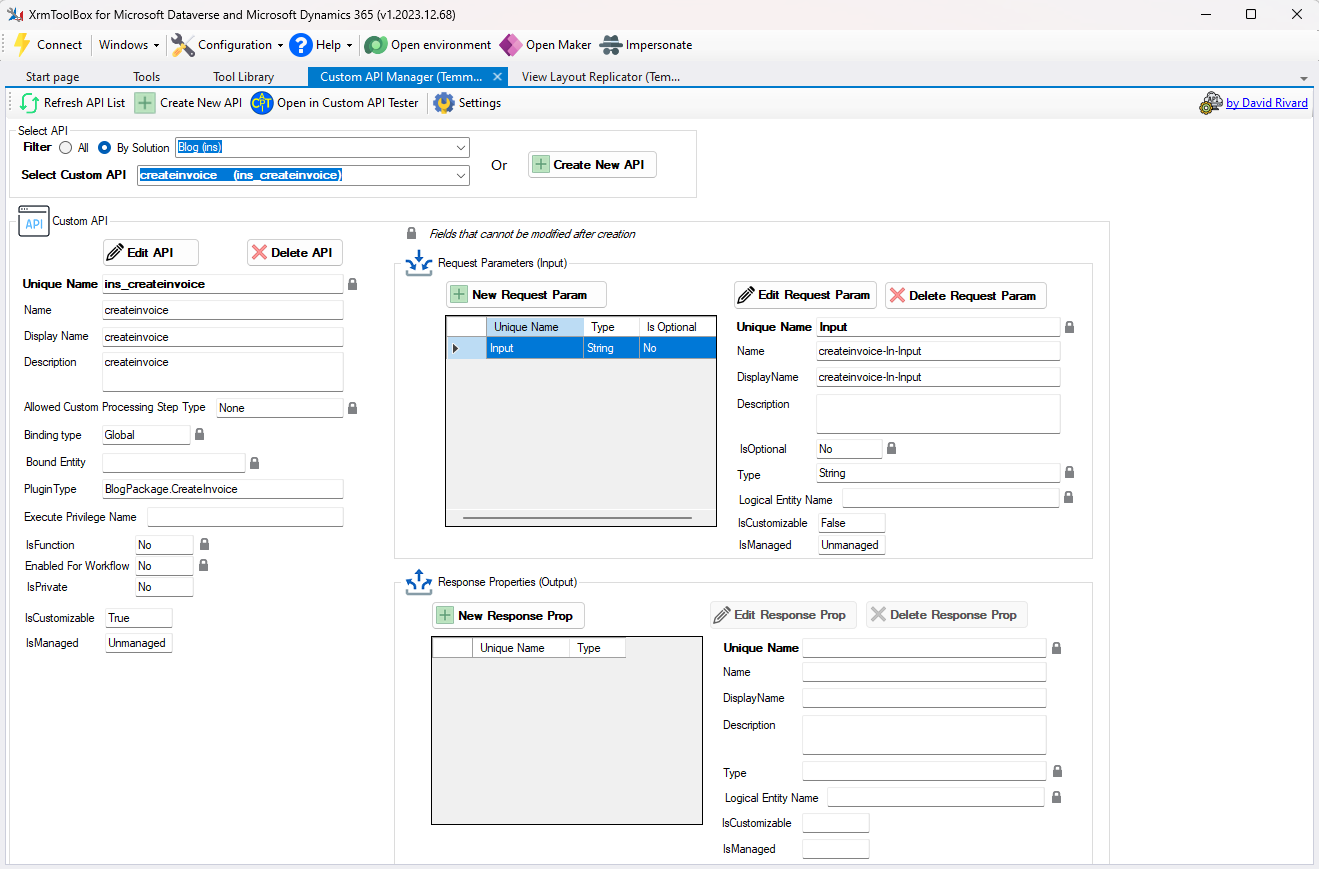
Create Custom API
- Back to the Flow, the last part is to call the Custom API and we're done!
Demo:
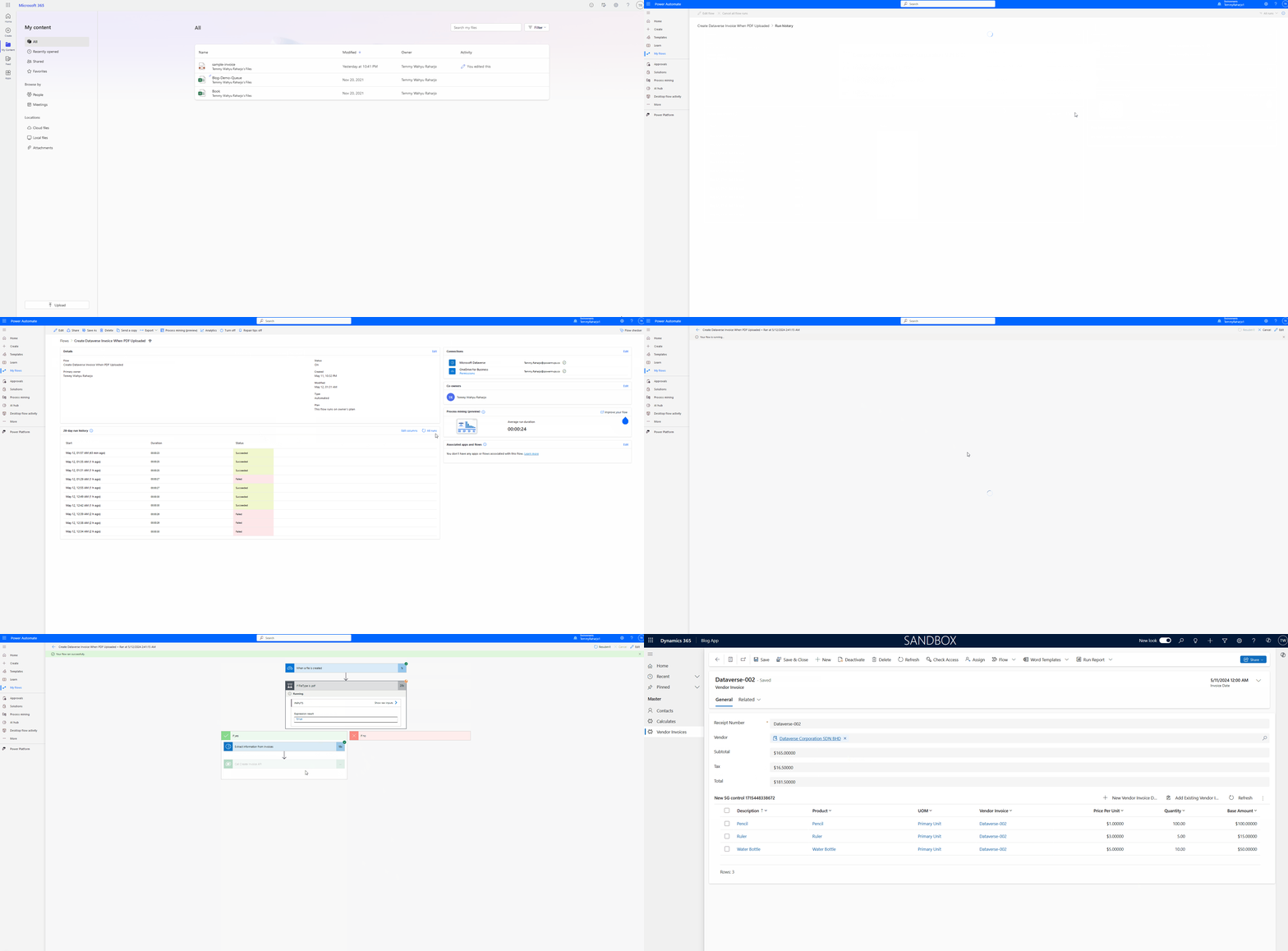
Demo time
Happy Power Automate + CRM-ing!
Leave a comment
Your comment is sent privately to the author and isn't published on the site.