Dynamics CRM Entity Relationship Behavior Explained

Let's talk about Dynamics CRM Entity Relationship behavior! There are several behaviors in Dynamics CRM that we can apply to fit our requirements. With this blog post, I hope we can learn together about those options.
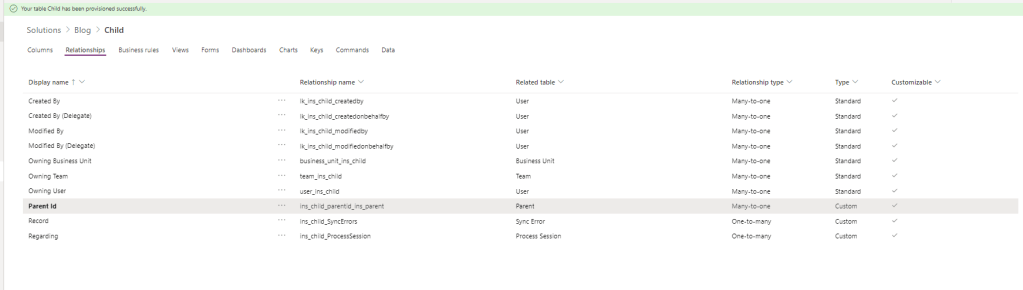 Creating a lookup will automatically create a relationship
But first, we need to understand the entity relationship. When we link (create a lookup) from one entity to another entity, by default CRM will create an entity-relationship (1-to-N, N-to-1, or N-to-N). We can specify from simple behavior how the changes on the parent will affect the children such as referential, parental, and some advanced behaviors to handling: deletion, assigning, sharing-unsharing, and reparent.
Referential Behavior
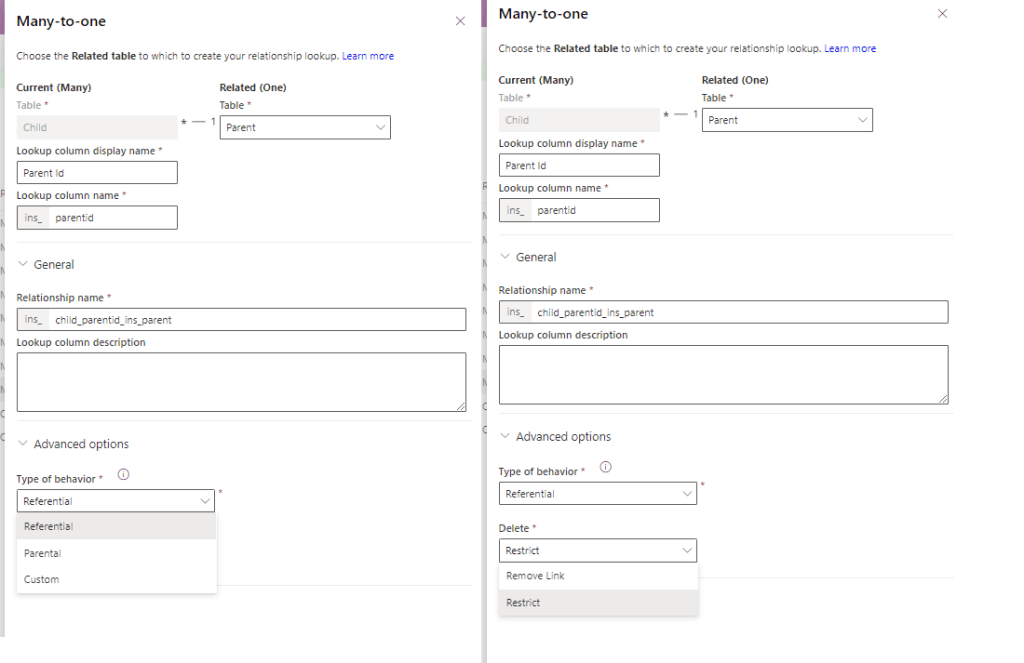 On Referential, we can set Delete behavior as Remove Link/Restrict
By default, when we create a lookup, CRM will set the behavior as Type of behavior: Referential and Delete: Remove Link. When the deletion happens to the parent, the children will not be deleted and only will set the lookup as empty (null).
 When Parent 1 is deleted, the children's lookup will be set as null
When we set the behavior as Type of behavior: Referential and Delete: Restrict. When the deletion happens to the parent and the record has children, it will throw an error "The record cannot be deleted because it is associated with another record.".
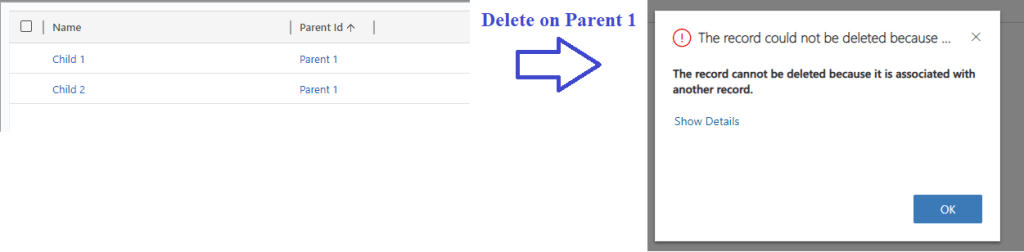 When set as restrict delete, a parent can't be deleted if still has associated record(s).
Parental Behavior
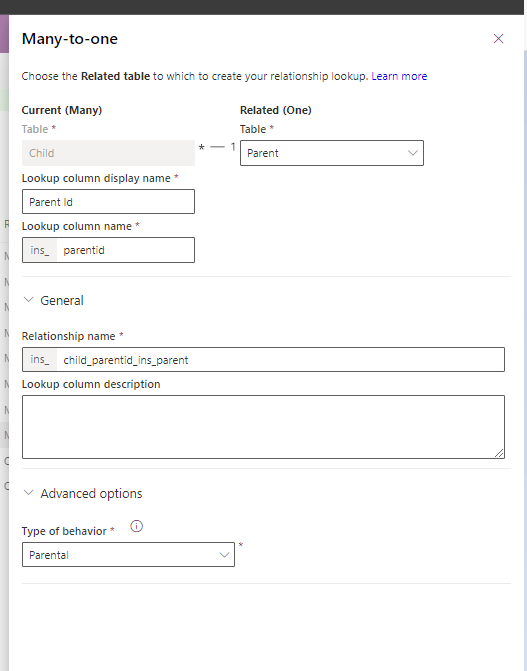 Set the behavior parental.
When we set the behavior as Type of behavior: Parental and when The parent record is deleted, it will delete the Children's records.
Custom Behavior
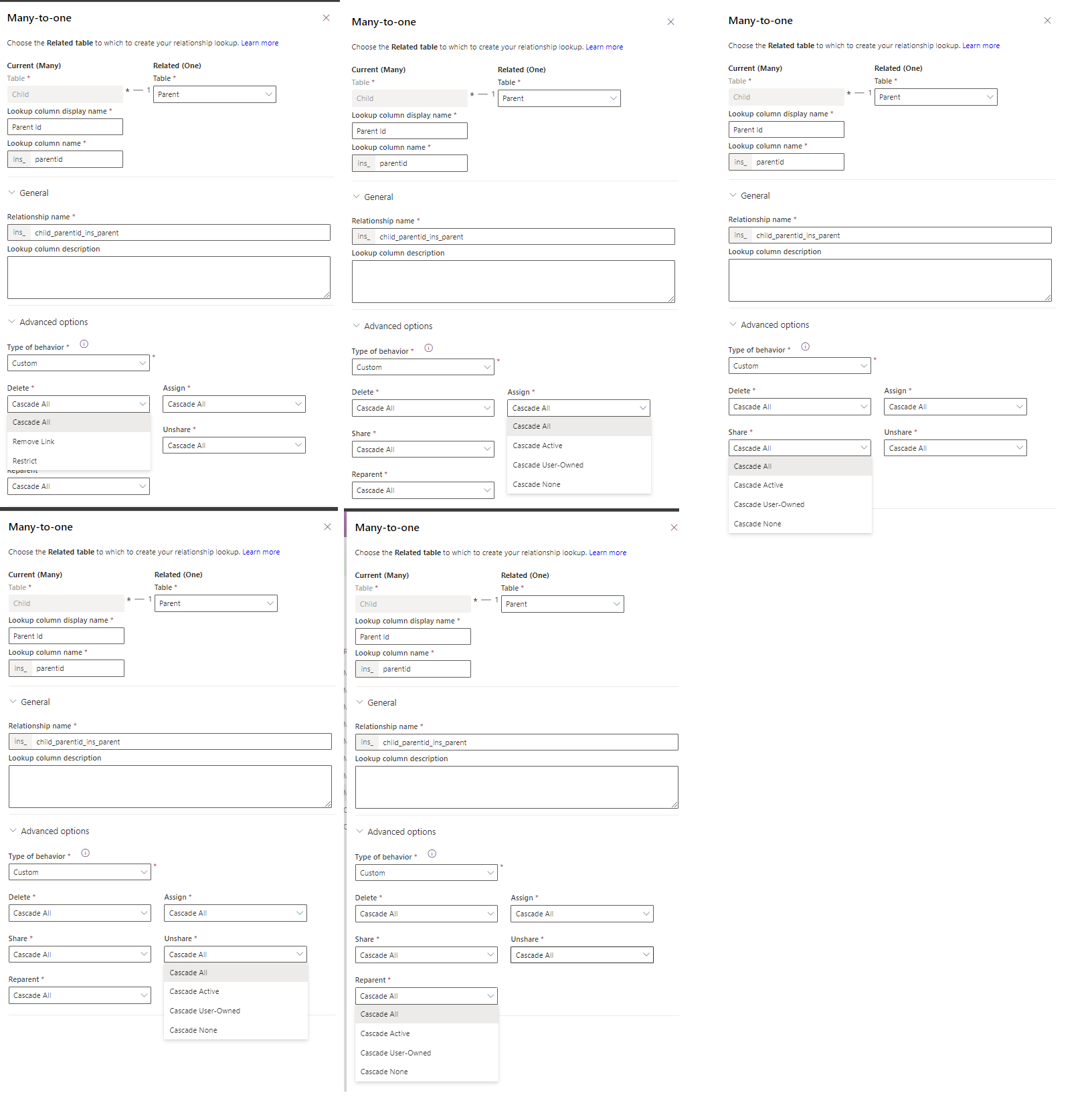 Custom Behavior UI
In the custom behavior, we can specify specific behavior in 5 actions:
1) Delete
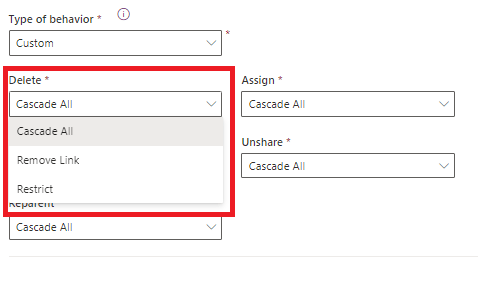 Delete options
- Cascade All > When the parent record is deleted, all the children will be deleted as well.
- Remove Link > When the parent record is deleted, all the children's lookup will be set as null.
- Restrict > The deletion of the parent will be blocked if the record has a child record.
2) Assign
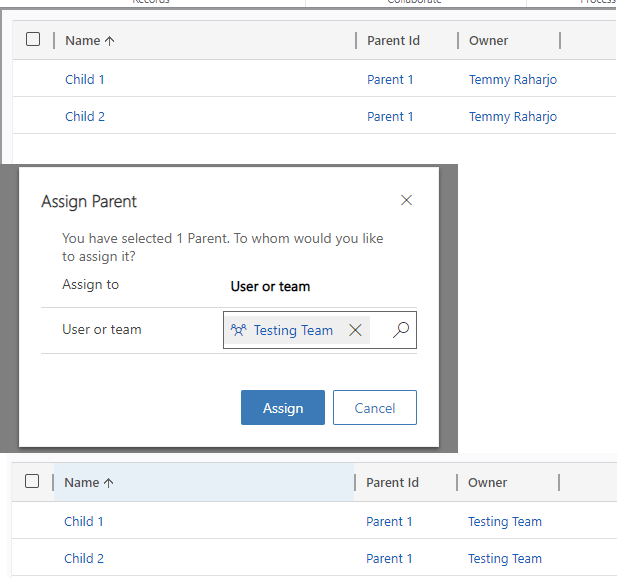 Assign action. Remember the target user/team must have the same/higher security role to be able to use this action.
An action to change the ownership of the record to another user/team. You can learn more about this action in the AssignRequestmessage. Meaning in this action, when the parent record is assigned to another user/team, the children's records will be assigned also.
- Cascade All > When the parent record is assigned to another user/team, all the children will be assigned also.
- Cascade Active > Only the children's records that the status is active will be assigned.
- Cascade User-Owned > Only the children records owned by the user will be assigned.
- Cascade None > No children will be assigned if the parent is assigned to another user/team.
3) Share/Unshare
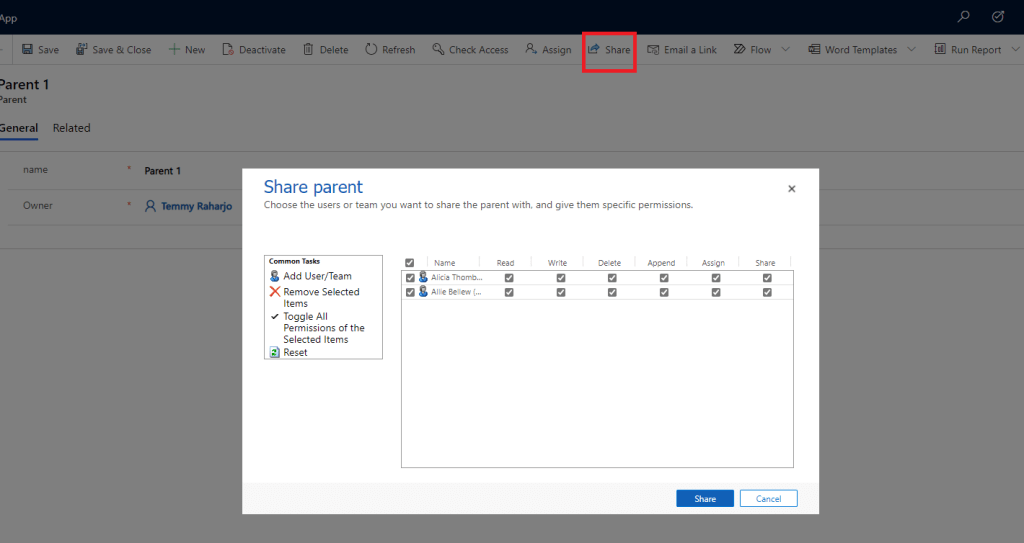 Share (tick) or Unshare (untick) the record to another user/team
An action to give access to the record to another user/team. You can learn more about this action in this documentation if you want to do it programmatically. Share action will give them access to the record using the GrantAccessRequestmessage. While to unshare, you can use the RevokeAccessRequestmessage.
- Cascade All > When the parent record is shared with another user/team, all the children will be shared also.
- Cascade Active > Only the children's records that the status is active will be shared.
- Cascade User-Owned > Only the children records owned by the user will be shared.
- Cascade None > No children will be shared if the parent is shared with another user/team.
4) Reparent
An action when we set a lookup (when on create or update message). There is a blog post from the crmtipoftheday that you can check to learn more about this.
- Cascade All > When the value of the lookup record is switched with another record, all the children can be accessible.
- Cascade Active > Only the children's records that the status is active will be accessible.
- Cascade User-Owned > Only the children records owned by the user will be accessible.
- Cascade None > No children will be accessible if the reparent occurred.
Conclusion?
You must at least understand about what the behavior that we can apply when we create a lookup. Not just relying on the default behavior, we can apply this knowledge to achieve simplicity in our application depending on your requirement of course!
Leave a comment
Your comment is sent privately to the author and isn't published on the site.