dynamics-crm , powerplatform , tips
Dataverse: Get All Error Rows from Imported CSV

Quick tips for today if you ever import CSV with huge records to Dataverse. By default, once the System processes the CSV and there are failed records, you can only download 5000 records as the system limits the total exported rows.
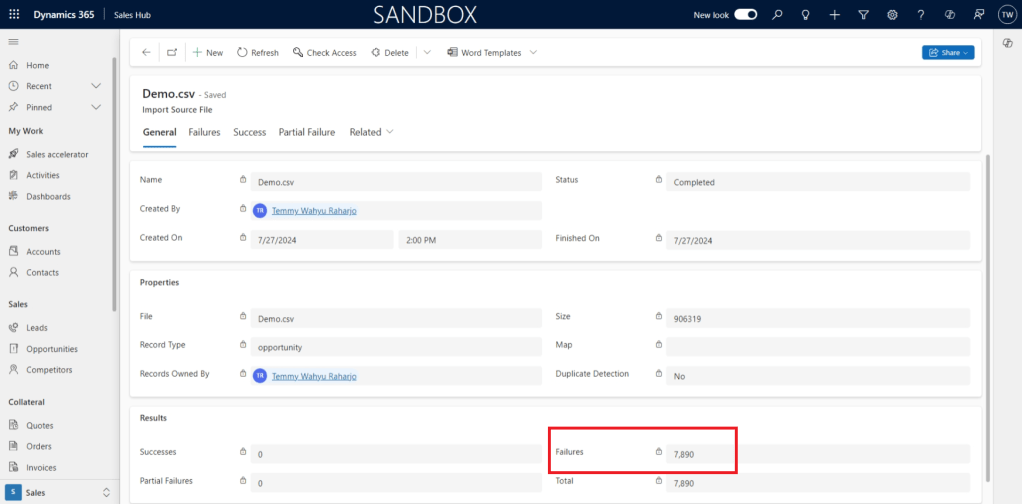
Failures of more than 5000
If you go to the tab "Failures" > click "Export Error Rows", the system only allowed 5k records to be exported:
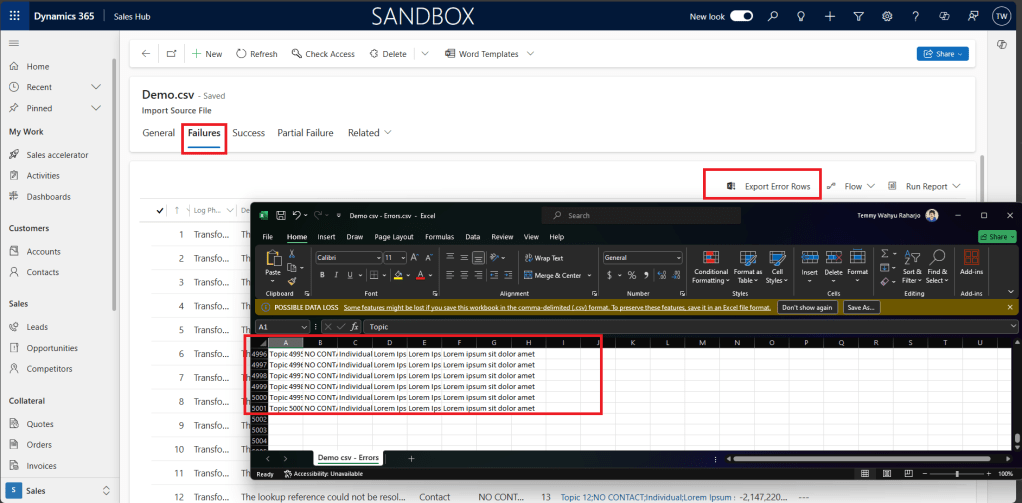
The system only allowed 5k records to be exported
If you need to export the full failed records, SQL4CDSis to the rescue!
First, you need to know the importfileid which is shown in the URL:
https://yourcrm.crm.dynamics.com/main.aspx?appid=165fa9e4-6b59-ed11-9562-000d3a19245c&newWindow=true&pagetype=entityrecord&etn=importfile&id=def83683-dd4b-ef11-a317-00224820352d
Get the ID and go to your SQL4CDSwith the connection to your environment. Then, you need to execute the below query:
SELECT data, b.columnvalue
FROM importdata a JOIN importlog b ON a.importdataid=b.importdataid WHERE a.importfileid='def83683-dd4b-ef11-a317-00224820352d' AND a.haserror=1
SQL4CDSExecute Result:
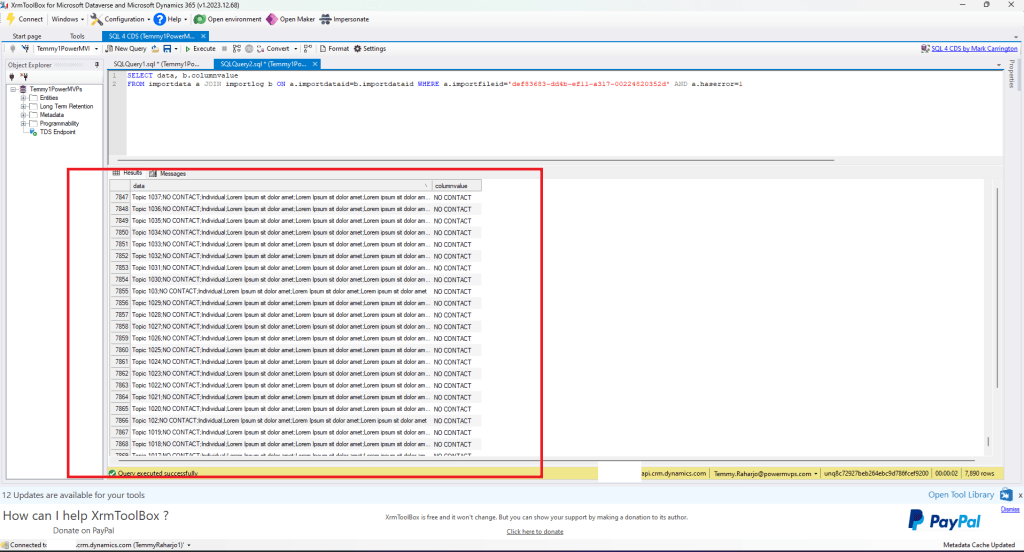
SQL4CDScan show all the failed records
As you can see in the above screenshot, the value causing the error is "NO Contact". Then, in the first column are the CSV rows data which can be exported if you ever need to fix it and do the reimport for those failed records.
To export the failed records:
- Open new Notepad
- Copy and paste the Header columns
- Go to SQL4CDS> Select all rows for data
- Right-click in the selection > Copy
- Go back to the Notepad > Enter > Paste the data rows
- Save and you get the Failed Rows CSV
Happy CRM-ing!
Leave a comment
Your comment is sent privately to the author and isn't published on the site.