dynamics-crm , powerplatform , tips
Dataverse: Duplicate Detection Rules vs Keys

There are several ways to make your Dataverse data as clean as possible. Out of the box, you can create alternate keys or you can implement Duplicate Detection Rules. Or you can implement Custom Validation on the Plugin to achieve more dynamic conditions (you can write any validation logic that you want). Today we will learn the out-of-the-box features (alternate keys vs duplicate detection rules) and compare them!
Duplicate Detection Rules
The oldest implementation that we can use is Duplicate Detection Rules (if I'm not mistaken 😁). To enable this feature there are several steps that you need to take:
Go to Settings> Data Management > Duplicate Detection Settings.
Ensure that you check Enable duplicate detection and the sub-selections like below:
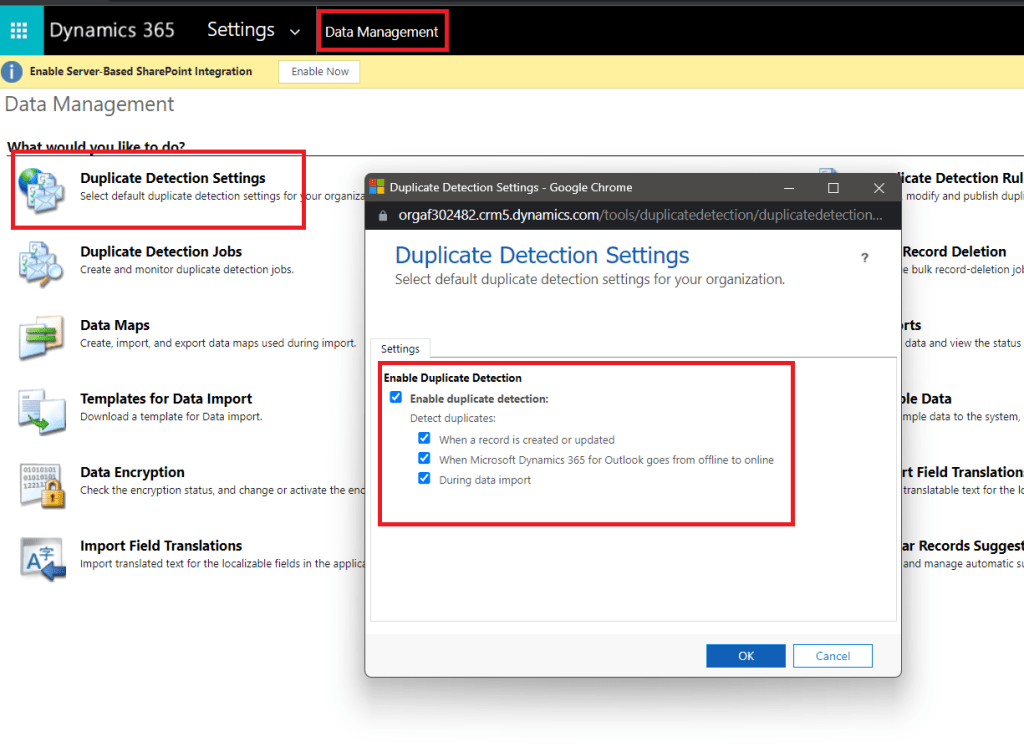 Enable Duplicate Detection Dialog
There are three triggers of Duplicate Detection Rules that you can enable:
- When a record is created or updated
- When Microsoft Dynamics 365 for Outlook goes from offline to online
- During data import
Then for the individual table, you need to ensure that Duplicate Detection is checked:
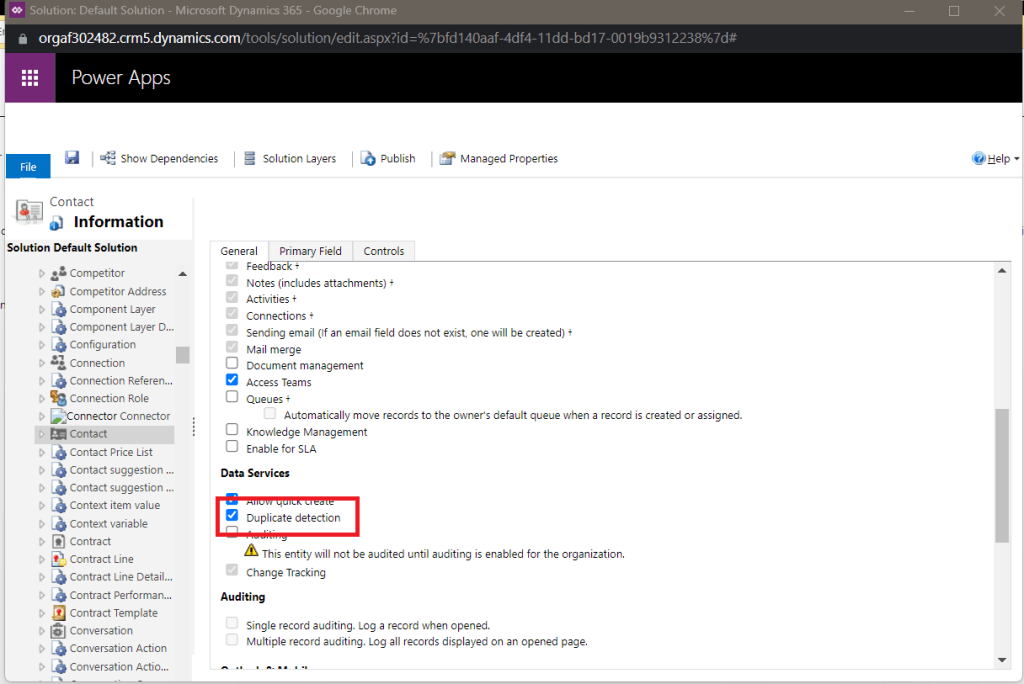 Check Duplicate detection in table level
The last part is to create the Duplicate Detection Rule from Settings> Data Management > Duplicate Detection Rules. For sample, I show the existing rule from the Contacttable (if you create by yourself, don't forget to Publishit):
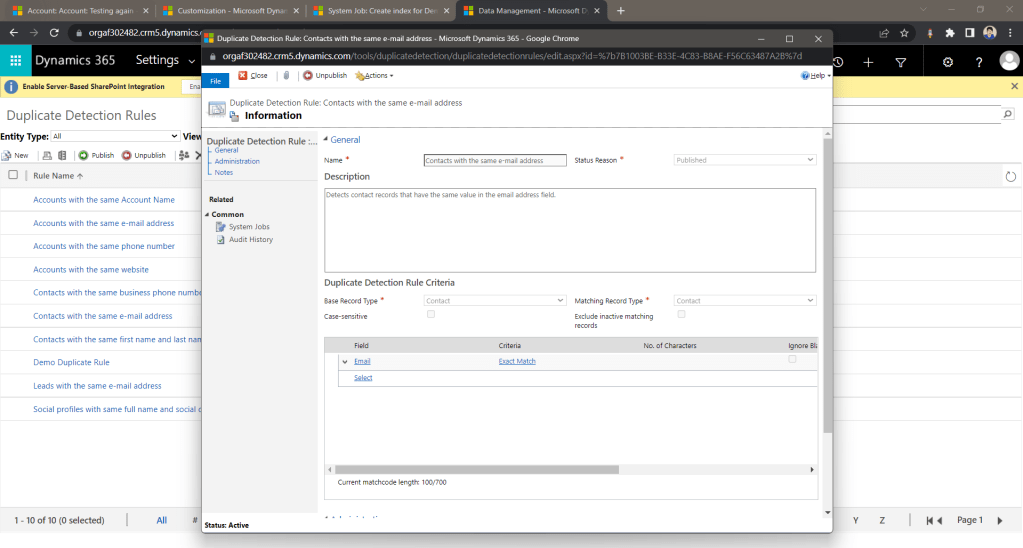 Duplicate Detection Rules dialog
*you also have an option to exclude those records with the state inactive
This is a sample of what it will look like if we save duplicate data from UI:
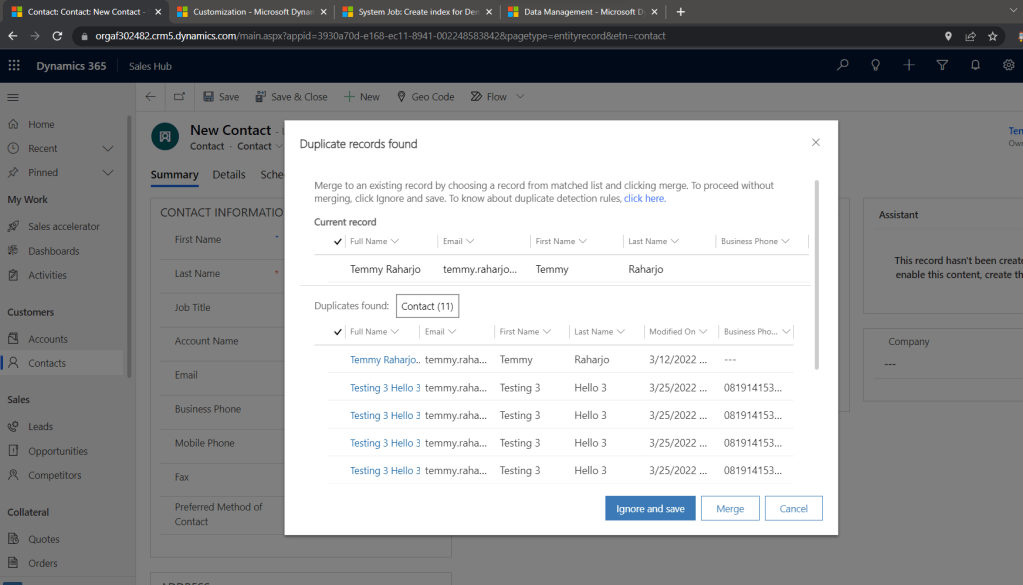 UI Duplicate Detection Rule
From the code perspective, you can set the system to throw an error if it detects duplicate data using the below code:
using System;
using System.Web.Configuration;
using Microsoft.Xrm.Sdk;
using Microsoft.Xrm.Sdk.Messages;
using Microsoft.Xrm.Tooling.Connector;

namespace CrmCheck
{
    class Program
    {
        static void Main(string[] args)
        {
            CrmServiceClient.MaxConnectionTimeout = TimeSpan.FromHours(3);
            var connectionString = WebConfigurationManager.AppSettings["connectionString"];
            var client = new CrmServiceClient(connectionString);

            var contact = new Entity("contact")
            {
                ["firstname"] = "Testing 3",
                ["lastname"] = "Hello 3",
                ["telephone1"] = "081914153933",
                ["telephone2"] = "081914153932",
                ["mobilephone"] = "081914153931",
                ["emailaddress1"] = "temmy.raharjo@gmail.com"
            };

            var createRequest = new CreateRequest { Target = contact };
            // To Trigger Duplicate Detection Rules, you need to pass 'SuppressDuplicateDetection' parameter
            createRequest["SuppressDuplicateDetection"] = false;
            var response = (CreateResponse)client.Execute(createRequest);
        }
    }
}
If you trigger the above code and you input the same value, you will get the below error:
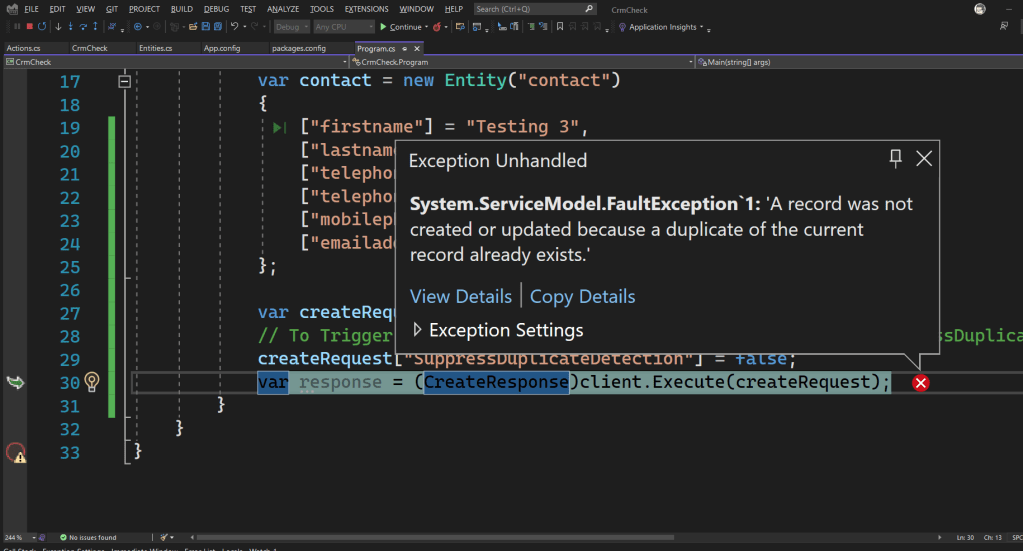 Error Duplicate Detection Rule from code
Alternate Keys
The next alternative is to make alternate keys to define the uniqueness of the table. This method is the same as creating unique-index(es) from the database perspective. Hence this method will be more strict compared Duplicate Detection Rules. To make the alternate key, you just need to go to your table definition > Keys > click the New button and the below dialog will be displayed:
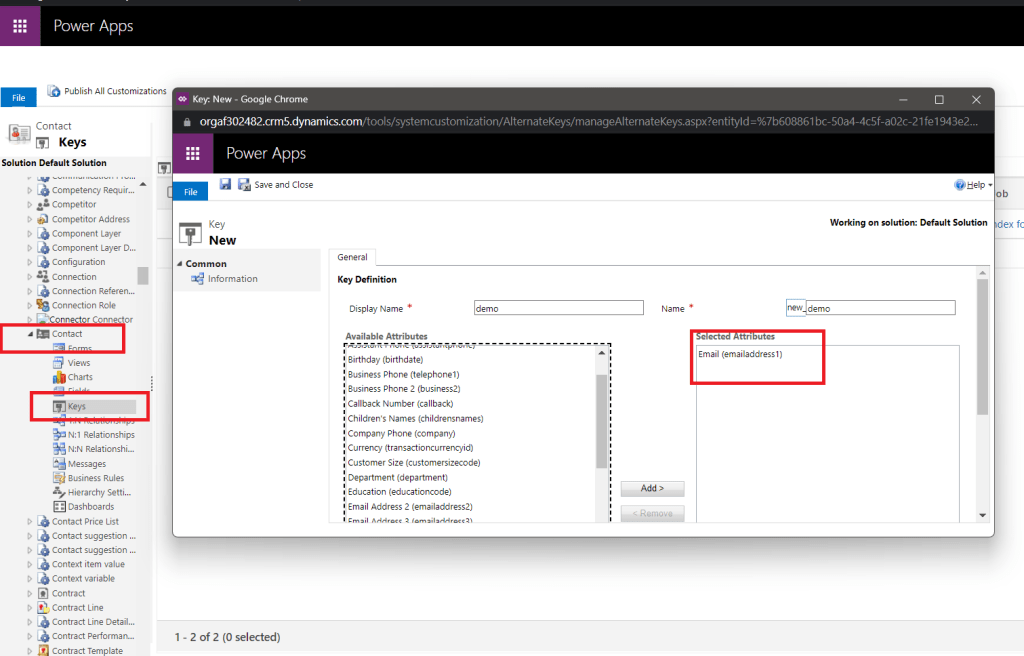 Create alternate key
You just need to select the columns that you want to define the uniqueness of the record > click Save and the System will automatically create the indexes for you. But if the system detects there is duplicate data in the table, the creation will fail and you need to delete data first:
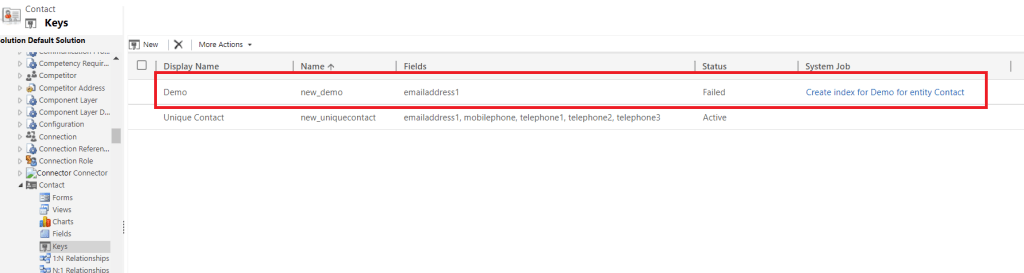 Error when creating alternate key
Once you deleted the duplicate data, you can click on the failed Keys > More Actions> Reactive Keyin order to make the index again. If you still can't make the index created (after clicking the Reactive Key), you can delete and re-create the Keys again.
Even with the above code and commenting createRequest["SuppressDuplicateDetection"] = false code, the System will still throw the error:
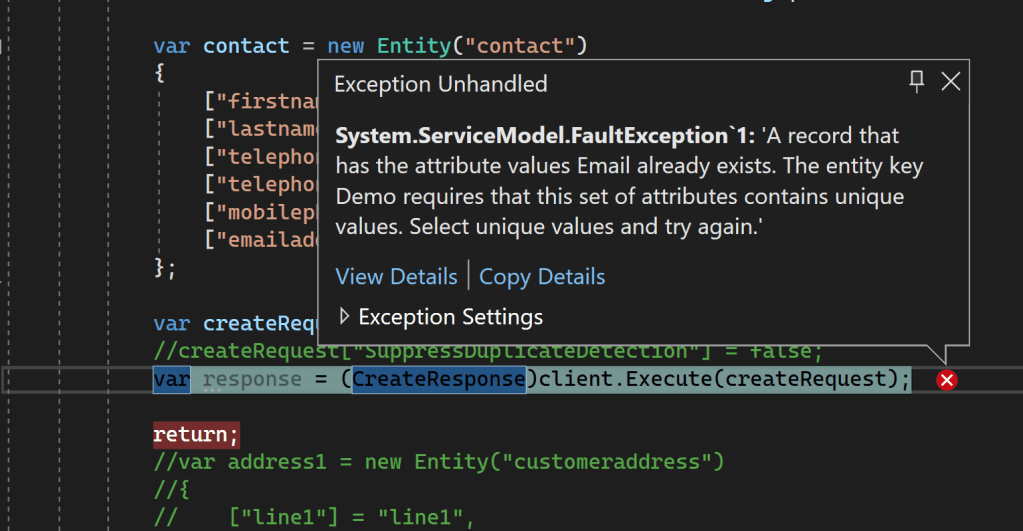 Created from the code will still throw an error
Summary
Alternate keys can be used if you want to have a strict way to ensure data correctness (same as SQL Indexes). While the Duplicate Detection Rule gives more flexibility + features (you can Merge records, enable/disable the duplicate from the code, if the status of the record is inactive then you still can make the data, etc).
Bonus Link
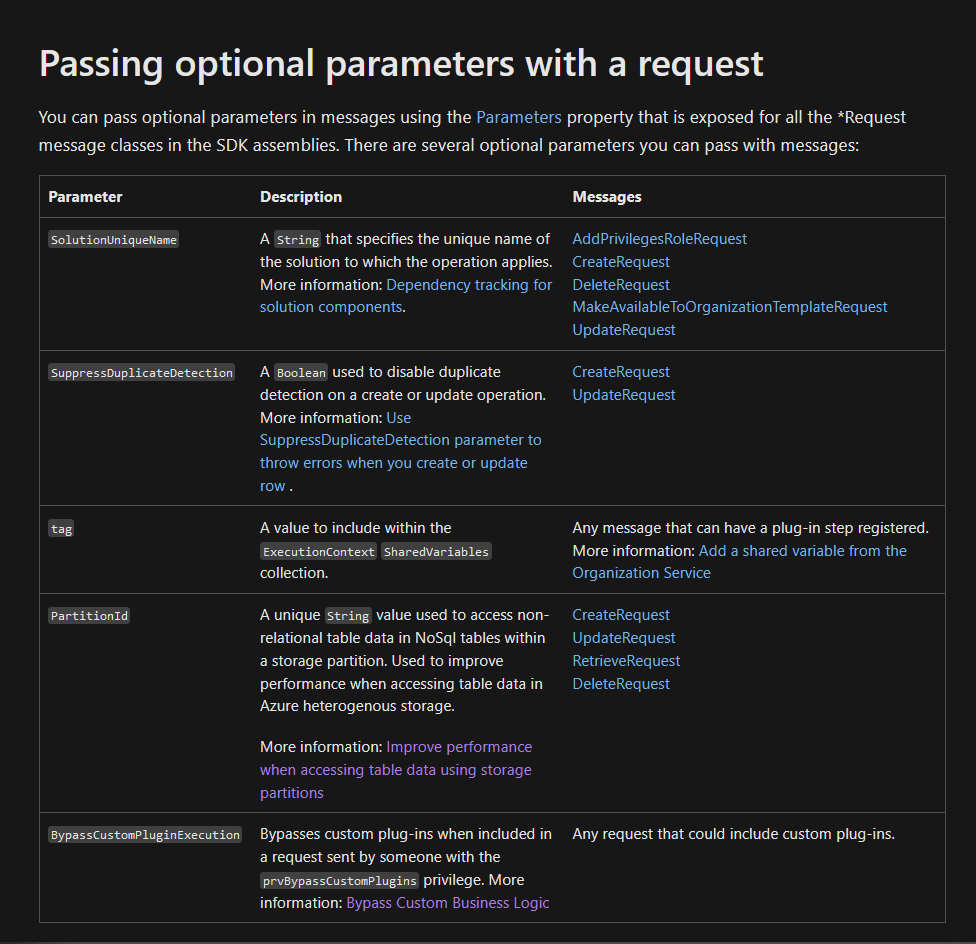 Passing optional parameters with a request
Happy CRM-ing!
Leave a comment
Your comment is sent privately to the author and isn't published on the site.