AI , dynamics-crm , powerplatform , tips
Dataverse: AIReply in action

Today, we will learn how to use AIReply in action. For those who don't know AIReplyis one of Dataverse AI functions that focus on replying to user answers similar to what GPT has. With this uniqueness, we can ask AI to cut steps in feedback creation. In this demonstration, the user or customer will provide the feedback text only > AI will help to translate the text to English (if the user providing a different language) > set the Sentiment (Happy, Neutral, or Sad), set the Escalation (1-10), and also set the Title.
Metadata
First, I created a table of Case Categories with Category Name (Primary Field). Usually, in the organization, one feedback category will be handled by 1 team to ensure customer satisfaction:
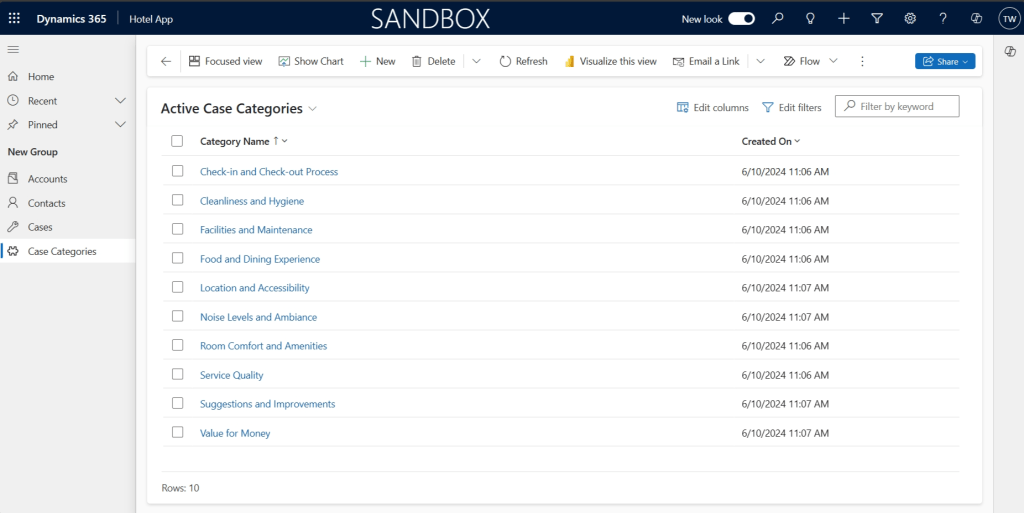
Case Categories
Then, I created a Many-to-Many relationship between the Case Category and Case table:
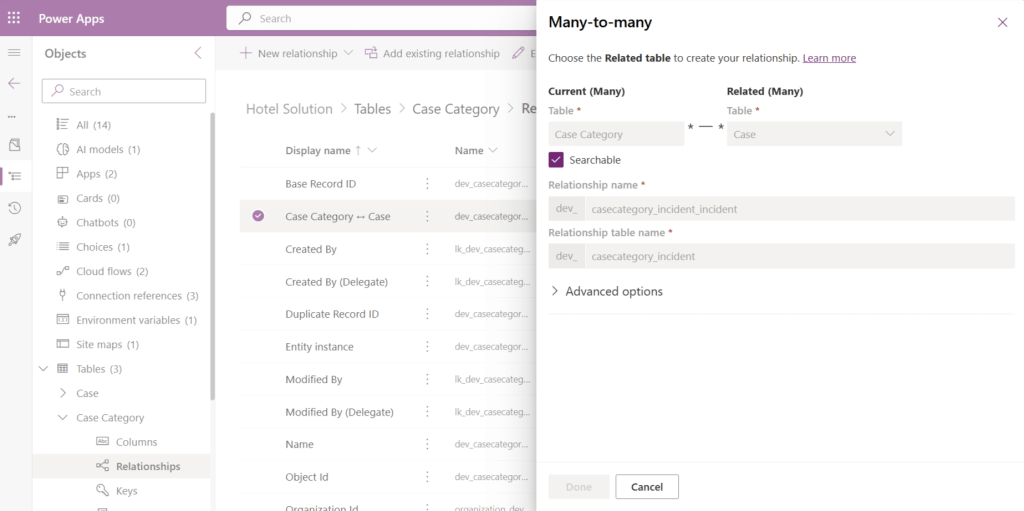
The many-to-many relationship between Case Category and Case table
Then, I also created several attributes that will be used for the demonstration:
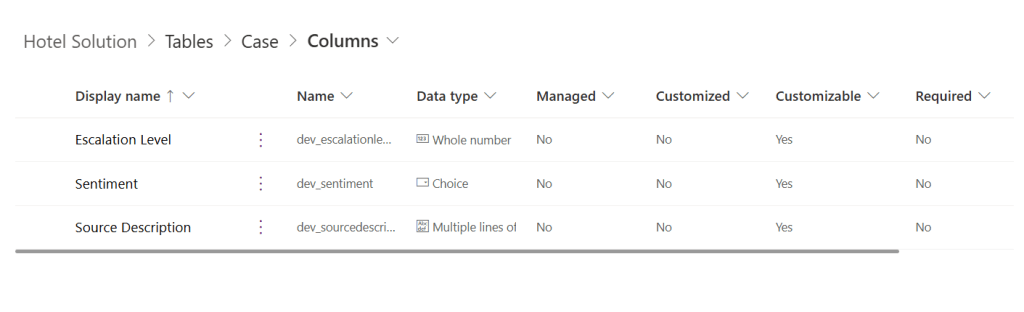
Case Customizations
Again, the Sentiment will be Option Set with choices of Happy, Neutral, or Sad.
I created this Environment Variable:
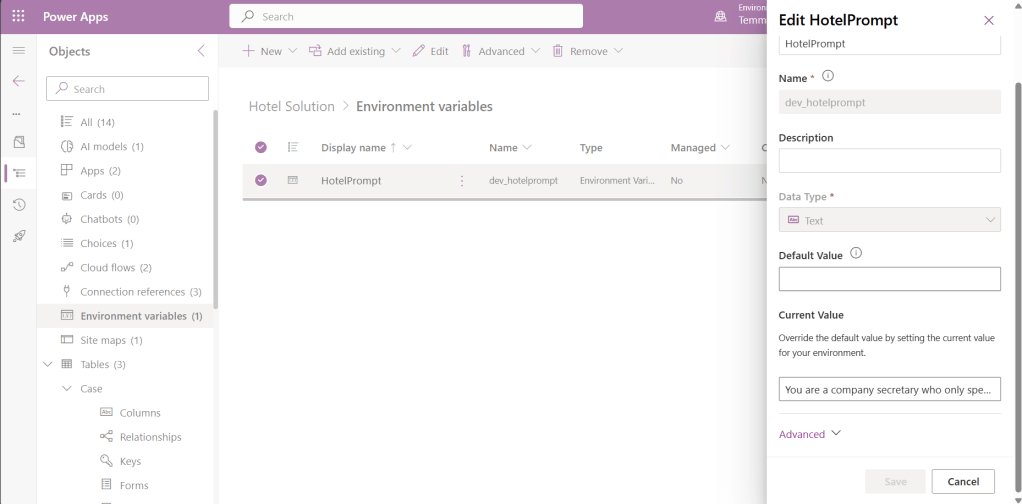
dev_hotelprompt Environment Variable
Here is the prompt that I used:
You are a company secretary who only speaks in JSON. Do not generate output that isn’t in properly formatted JSON. The company’s name is "Nyaman Hotel".  The company records Feedback. Your job is to classify the case based on categories which are "{0}".
Based on those categories, please suggest the sentiment ("Happy", "Sad", "Neutral") and set the EscalationLevel from 1 to 10 with the value of 10 if you think we need to address the feedback as soon as possible.   Results should be in the format: {"Title": "[short title in English]", "TranslatedFeedback": "[Translated feedback in English]", "Categories": ["category 1", "category 2"], "EscalationLevel": [escalation], "Sentiment": [sentiment]} If no conversation took place, return an empty string.
Do not make stuff up.  Here is the feedback:  "{1}"
Plugin
Here is the code for the Plugin:
using Microsoft.Xrm.Sdk;
using Microsoft.Xrm.Sdk.Extensions;
using Microsoft.Xrm.Sdk.Query;
using System;
using System.Linq;
using System.Text.Json;

namespace AIPlugins
{
    public class PostIncidentCreate : PluginBase
    {
        public PostIncidentCreate()
            : base(typeof(PostIncidentCreate))
        {
        }

        protected override void ExecuteDataversePlugin(ILocalPluginContext localPluginContext)
        {
            if (localPluginContext == null)
            {
                throw new ArgumentNullException(nameof(localPluginContext));
            }

            var context = localPluginContext.PluginExecutionContext;

            var target = localPluginContext.PluginExecutionContext.InputParameterOrDefault<Entity>("Target");
            var service = localPluginContext.InitiatingUserService;

            var description = target.GetAttributeValue<string>("dev_sourcedescription");
            if (string.IsNullOrEmpty(description)) return;

            var feedbackCategories = GetFeedbackCategory(service);
            var feedbackCategoriesText = string.Join(", ", feedbackCategories.Select(e => e.GetAttributeValue<string>("dev_categoryname")));

            var promptText = GetEnvironmentVariableValue<string>(service, "dev_hotelprompt")
                .Replace("{0}", feedbackCategoriesText)
                .Replace("{1}", description);
            var jsonResult = GetAIModel(service, promptText);

            var categoryRefs = feedbackCategories
                .Where(e => jsonResult.Categories.Any(c => c == e.GetAttributeValue<string>("dev_categoryname")))
                .Select(e => e.ToEntityReference())
                .ToArray();

            // Associate feedback with categories
            service.Associate("incident", target.Id,
                new Relationship("dev_casecategory_incident_incident"),
                new EntityReferenceCollection(categoryRefs));

            var updated = new Entity(target.LogicalName, target.Id);
            updated["title"] = jsonResult.Title;
            updated["description"] = jsonResult.TranslatedFeedback;
            updated["dev_escalationlevel"] = jsonResult.EscalationLevel;
            updated["dev_sentiment"] = new OptionSetValue(jsonResult.Sentiment == "Sad" ? 3 : jsonResult.Sentiment == "Happy" ? 1 : 2);
            service.Update(updated);
        }

        private static AIModelResponse GetAIModel(IOrganizationService service, string promptText)
        {
            var req = new OrganizationRequest("AIReply")
            {
                ["Text"] = promptText
            };
            var result = service.Execute(req);
            var jsonResult = JsonSerializer.Deserialize<AIModelResponse>(result["PreparedResponse"].ToString());
            return jsonResult;
        }

        private TData GetEnvironmentVariableValue<TData>(IOrganizationService service, string environmentVariableName)
        {
            var query = new QueryExpression("environmentvariabledefinition")
            {
                ColumnSet = new ColumnSet("defaultvalue", "schemaname"),
                TopCount = 1
            };
            query.Criteria.AddCondition("schemaname", ConditionOperator.Equal, environmentVariableName);

            var childLink =
                query.AddLink("environmentvariablevalue", "environmentvariabledefinitionid", "environmentvariabledefinitionid");
            childLink.EntityAlias = "ev";
            childLink.Columns = new ColumnSet("schemaname", "value");

            var result = service.RetrieveMultiple(query);
            var row = result.Entities.FirstOrDefault() ?? new Entity();

            return row.GetAttributeValue<AliasedValue>("ev.value") != null ?
                (TData)row.GetAttributeValue<AliasedValue>("ev.value").Value : row.GetAttributeValue<TData>("defaultvalue");
        }

        Entity[] GetFeedbackCategory(IOrganizationService service)
        {
            var query = new QueryExpression("dev_casecategory")
            {
                ColumnSet = new ColumnSet("dev_categoryname"),
            };
            query.Criteria.AddCondition("statecode", ConditionOperator.Equal, 0);

            var result = service.RetrieveMultiple(query);

            return result.Entities.ToArray();
        }

        public class AIModelResponse
        {
            public string Title { get; set; }
            public string TranslatedFeedback { get; set; }
            public string[] Categories { get; set; }
            public int EscalationLevel { get; set; }
            public string Sentiment { get; set; }
        }
    }
}
On the above code, we will retrieve dev_casecategory get dev_categoryname, and join it with "," as we will use it in the prompt. Then, we will replace the "{0}" with feedbackCategoriesText and "{1}" with the dev_sourcedescription. Once the prompt is ready, we will execute the AIReply.
As the AI will return a JSON string value, we will map the value back to our Case. Below is the sample result and I'm using Custom API Tester by Jonas Rapp:
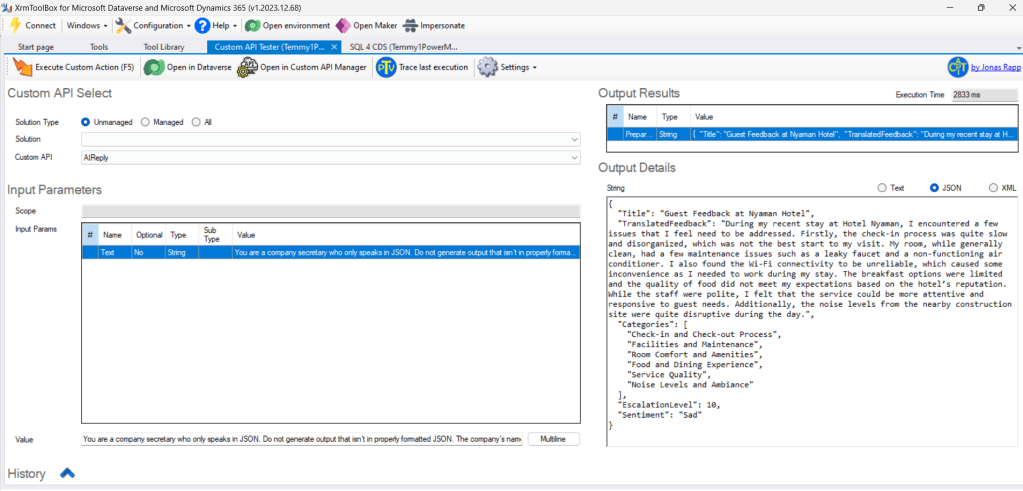
Sample AIReply response using the prompt
And, as you can see in lines 40-48 we are mapping the Categories string and associating the Case Category Ids back to the Case (to fill the Many-to-Many relationship).
On lines 50 - 55, we just updated the other attributes and saved the Case.
Here is the demo for it:
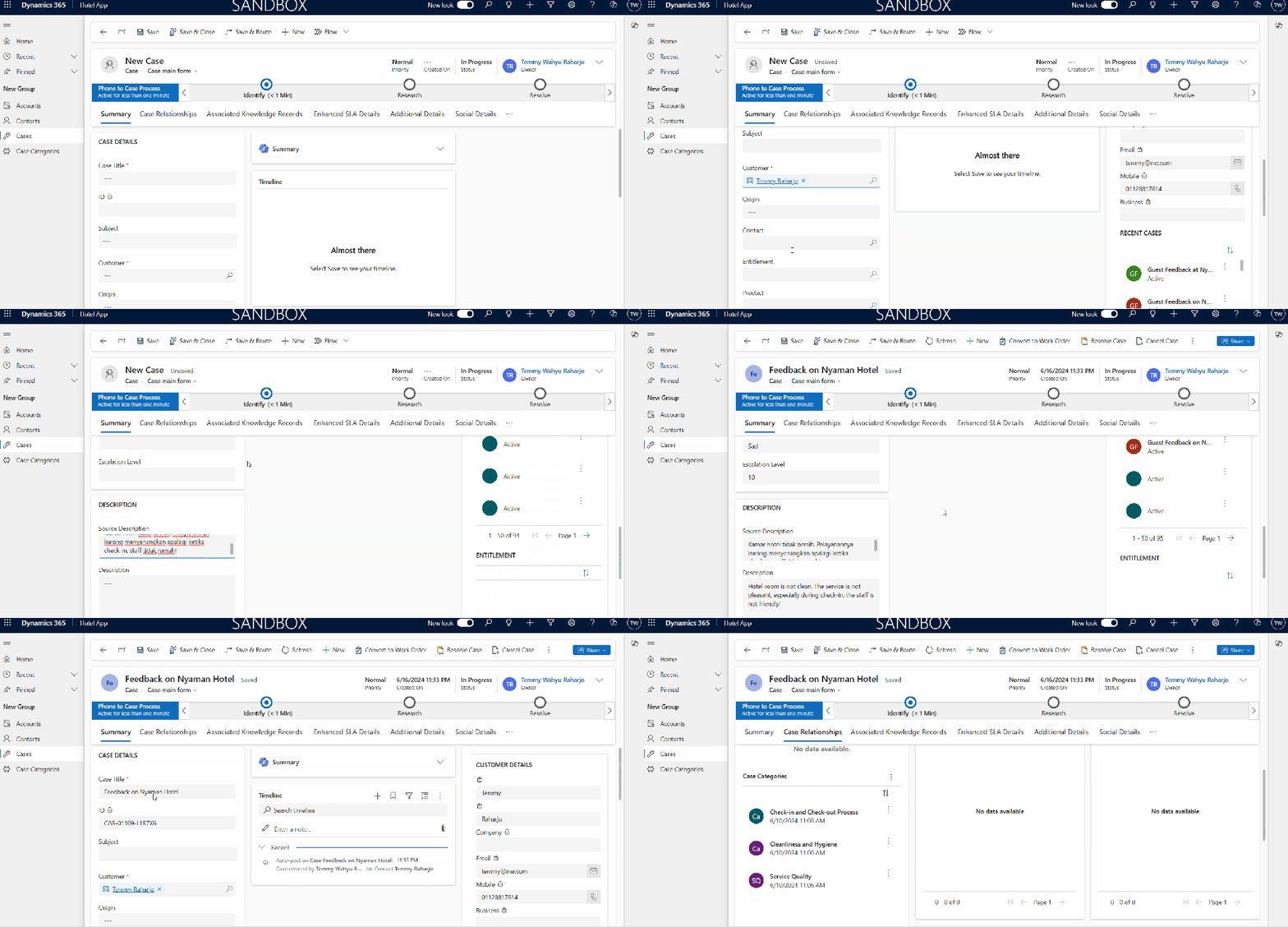
Demo AIReply
Happy CRM-ing!
Leave a comment
Your comment is sent privately to the author and isn't published on the site.