.NET , AI , C# , dynamics-crm
Build a Dataverse Plugin and use AIClassify to simplify business process

For those who don't know, now we can call AI functions within Dataverse which helps to simplify lots of business processes. One of the scenarios that we will learn today is regarding Case/Feedback/Incident creation where users can just put minimal information such as "Title", "Description", and **** "Customer" and let the AI help us to set the correct "Subject" to route the case to the specific department (this is another process which not being demonstrated in this blog post). For example, we have "Problem", "Billing", "How To", and "Licensing". Then, if none of the categories are found, we can route the Case to "Default Case" which the team in this Department helps to clarify/route the Case to the correct Team.
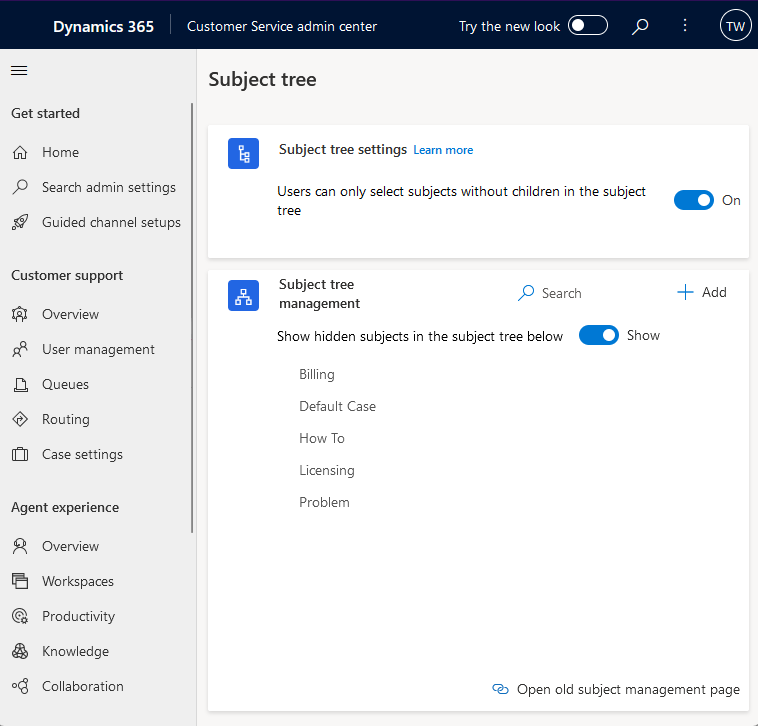
Subject tree setup
Again, to know what's the information that we need to pass to the AIClassify, I'm using Dataverse Rest Builder by Guido Preite:
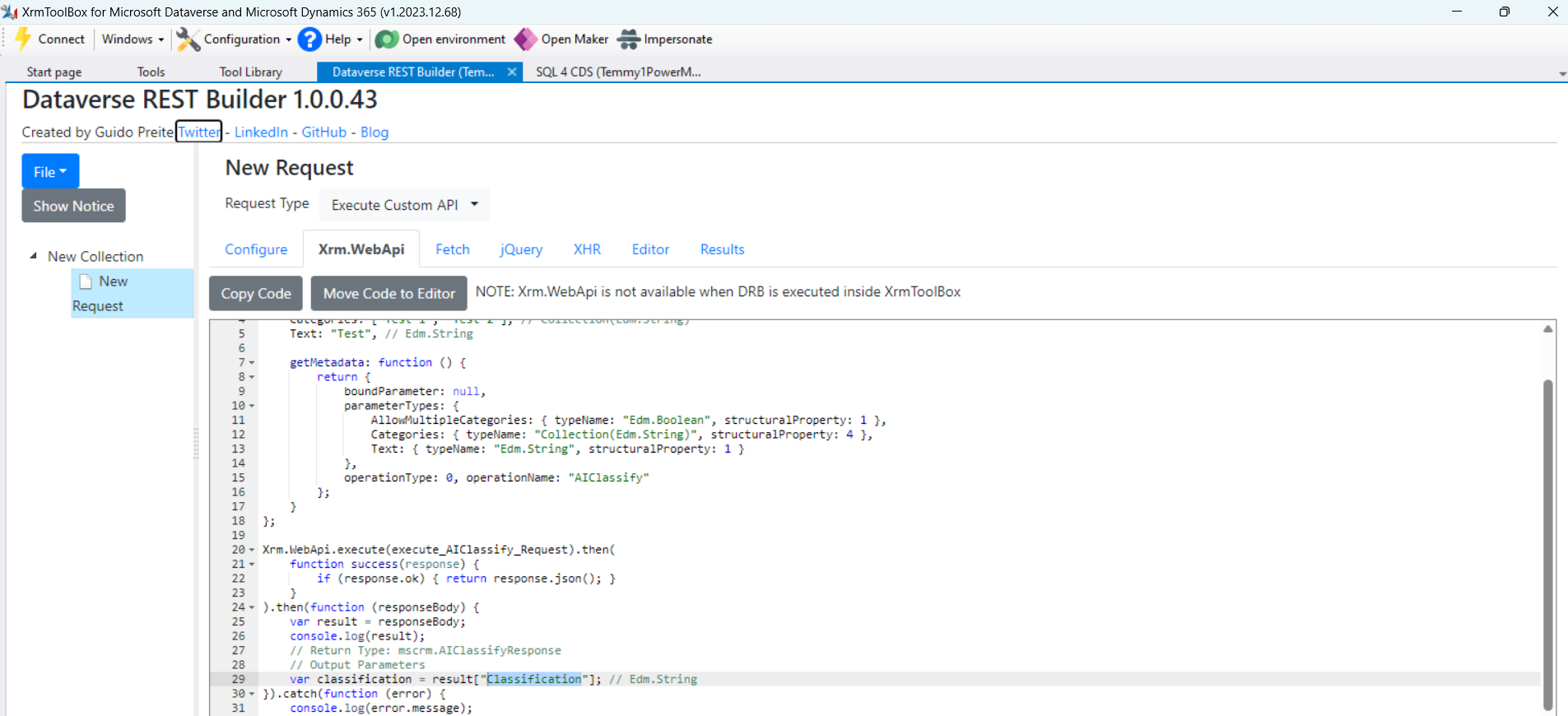
AIClassifyAPI definition
From the above information, we have 3 parameters for the input:
- AllowMultipleCategories with type boolean
- Categories with the type of array of string
- Text with type string
For the response, we have "Classification" with the type string.
Once, we know the above information, I created the below Plugin:
using Microsoft.Xrm.Sdk;
using Microsoft.Xrm.Sdk.Extensions;
using Microsoft.Xrm.Sdk.Query;
using System.Linq;

namespace BlogPackage
{
    public class PreIncidentCreate : PluginBase
    {
        public PreIncidentCreate() : base(typeof(PreIncidentCreate))
        {
        }

        protected override void ExecuteDataversePlugin(ILocalPluginContext localPluginContext)
        {
            var target = localPluginContext.PluginExecutionContext.InputParameterOrDefault<Entity>("Target");

            var incidentTypes = GetIncidentType(localPluginContext.PluginUserService);
            if (!incidentTypes.Any()) return;

            var title = target.GetAttributeValue<string>("title");
            var description = target.GetAttributeValue<string>("description");

            var classifyText = string.IsNullOrEmpty(description) ? title : description;

            var classifyResult = ClassifyCase(localPluginContext.InitiatingUserService, classifyText, incidentTypes.Select(e => e.GetAttributeValue<string>("title")).ToArray());

            if (string.IsNullOrEmpty(classifyResult)) return;

            var generalType = incidentTypes.FirstOrDefault(e => e.GetAttributeValue<string>("title") == "Default Case");
            var selectedType = incidentTypes.FirstOrDefault(e => e.GetAttributeValue<string>("title") == classifyResult);
            target["subjectid"] = selectedType?.ToEntityReference() ?? generalType?.ToEntityReference();
        }

        private string ClassifyCase(IOrganizationService initiatingUserService, string classifyText, string[] titles)
        {
            var request = new OrganizationRequest("AIClassify")
            {
                ["AllowMultipleCategories"] = false,
                ["Categories"] = titles,
                ["Text"] = classifyText
            };

            var result = initiatingUserService.Execute(request);

            return result["Classification"].ToString();
        }

        private Entity[] GetIncidentType(IOrganizationService service)
        {
            var query = new QueryExpression("subject")
            {
                ColumnSet = new ColumnSet("title")
            };
            var result = service.RetrieveMultiple(query);
            return result.Entities.ToArray();
        }
    }
}
The logic is pretty simple. First, we need to get all the Subjects for the classification. Then, we need to get the Title and Description of the Case. In my logic above, we need to determine the classification based on the Description as the Description will contain more information. But, if the Description is empty, we can use the Title to classify it. Last, we only need to call the AIClassifyaction and set the Subject. If the AI can't help us, we will route it to the "Default Case" Subject.
Once you are done, you can register the assembly and add the plugin step on Pre-Create of the Case:
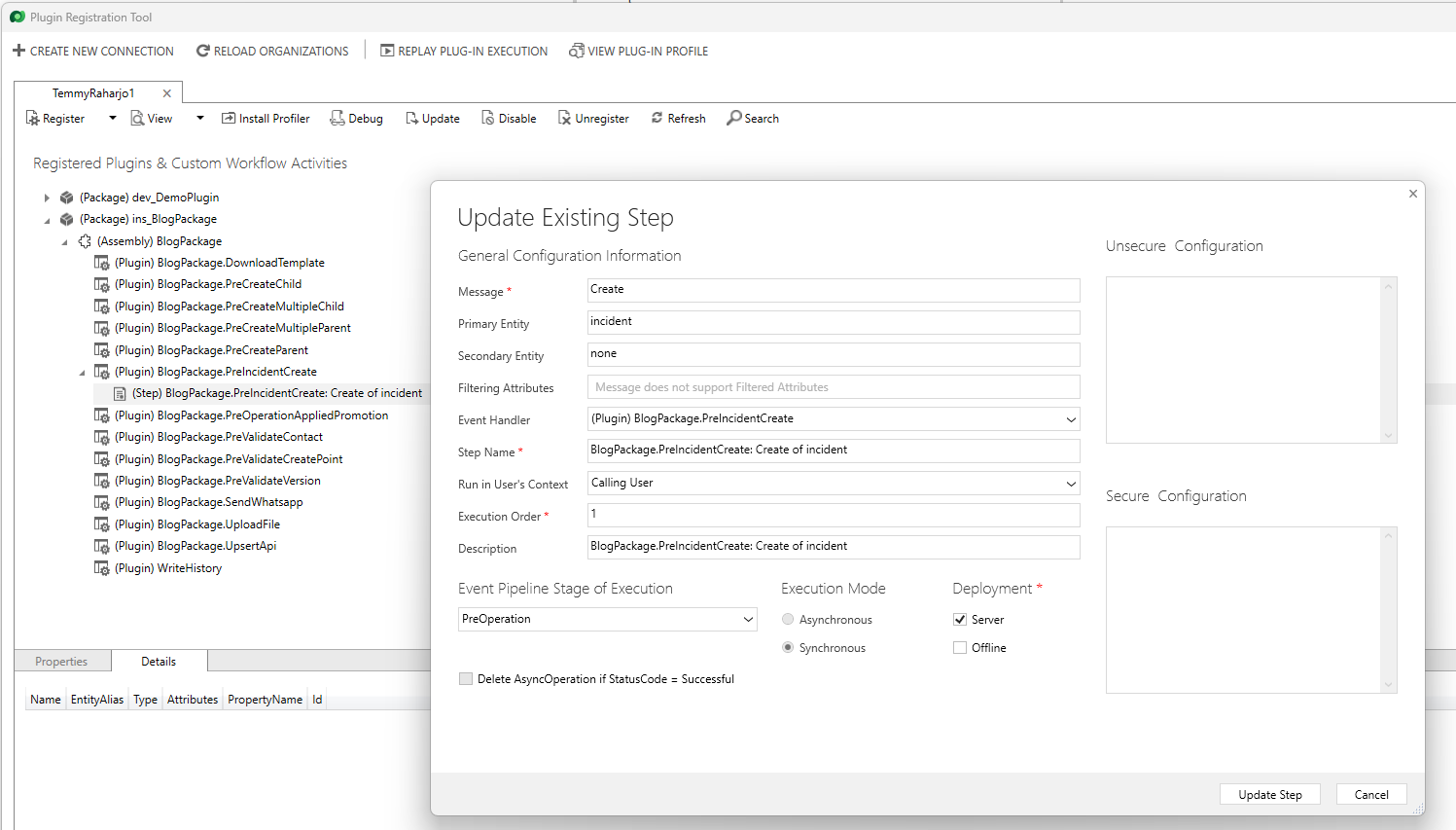
PreCreateCase Plugin Step
FYI, this plugin could be changed to Post-Operation Async as the process was longer than expected. But, again, it is up to you where you want to register it.
At last, here is a demo of it:
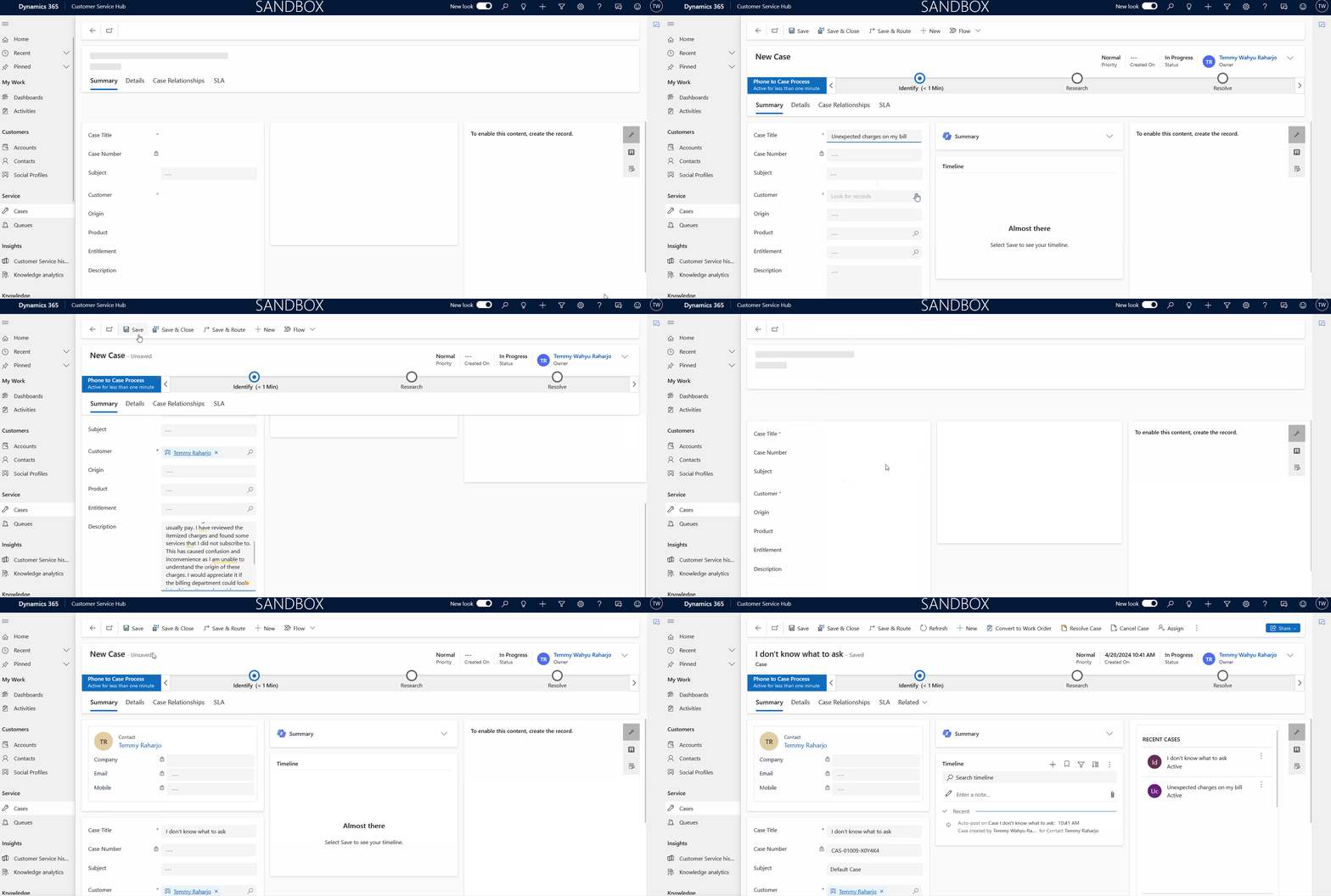
Demo
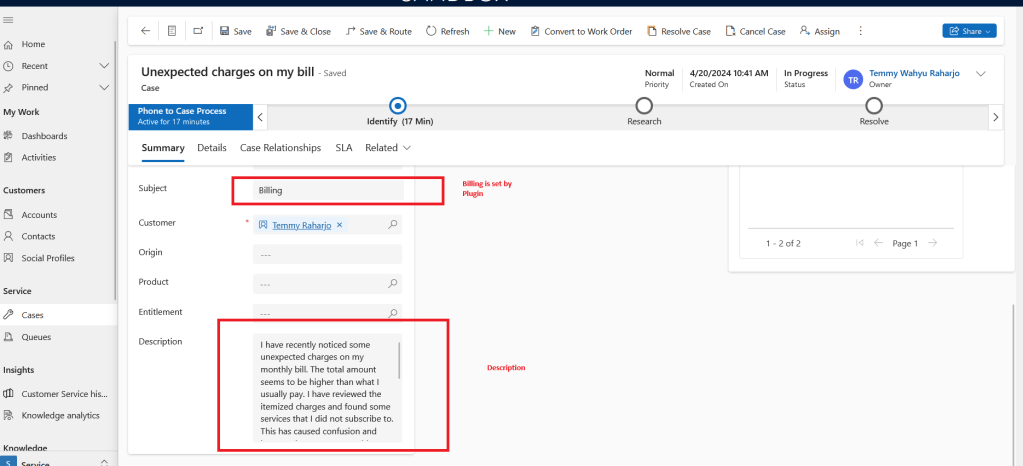
Billing is set by Plugin
Hope you learn something and Happy CRM-ing!
Leave a comment
Your comment is sent privately to the author and isn't published on the site.