C# , dynamics-crm , powerplatform
How to use OnExternalUpdated for Dataverse Virtual Entity

When we have already set up a Virtual Table/Entity in the Dataverse, sometimes there is a scenario when a data is being updated in the source system, it also needs to trigger the Dataverse Event (that contains our custom business logic). Today, we will learn how to enable Virtual Tables to support Dataverse events. In the documentation, we can see three Events that we can use: OnExternalCreated, OnExternalUpdated, and OnExternalDeleted.
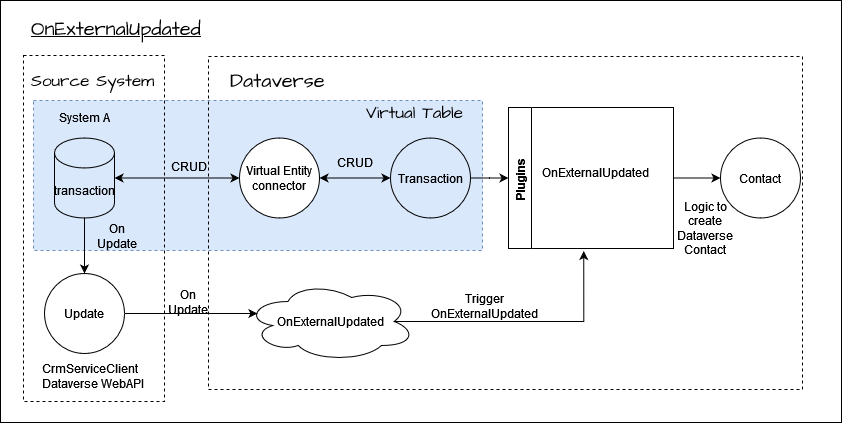 Diagram how to use OnExternalUpdated
In the above diagram, you can see that when Transactiondata is updated in External System, It needs to call Dataverse business logic (create Contact in Dataverse). So the point here is in Dataverse, we can't trigger those plugin steps PreValidationUpdate- PostOperationUpdatefor the Transactiontable (if any). Because of the update from the source system itself and already handled by the Virtual Table Connector. But we can create an event for the Transactiontable, to be called from the source system to ensure our custom business logic runs (if any).
Create Virtual Entity Metadata
If you already have a Virtual Table setup (if not yet, you can follow this link), go to make.powerapps.com > Solutions > select the solution that you want to use > New > More > Other > select Virtual Entity Metadata.
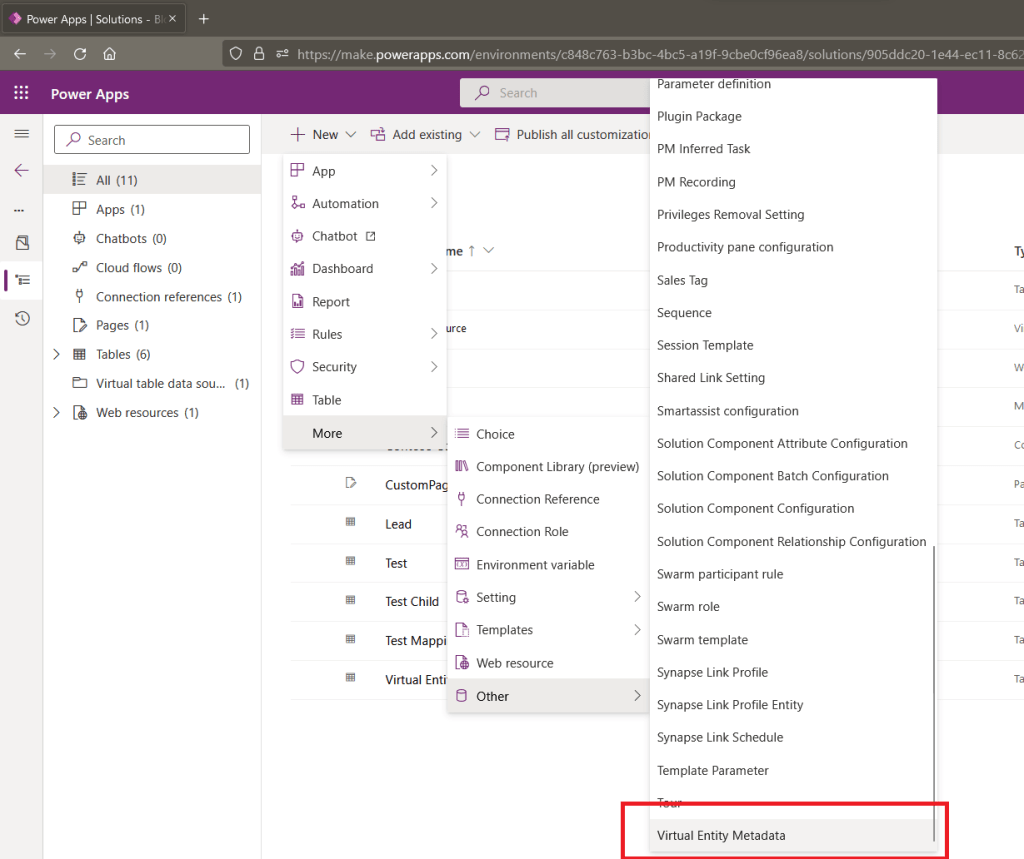 Create Virtual Entity Metadata
Once the page loaded, you can fill in the name > Select the Virtual Table that you have > set which Events that you want to turn on (Create, Update or Delete):
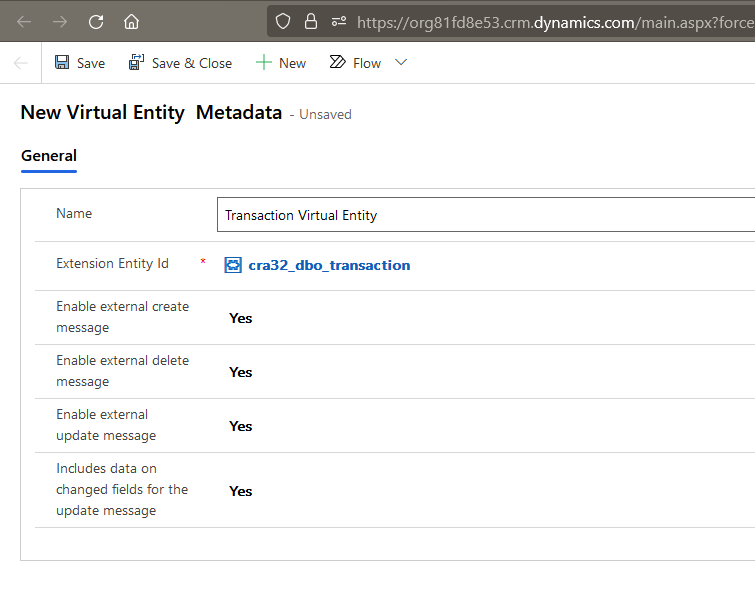 Fill in the Virtual Entity Metadata
If you have not set up this, when you want to register the plugin step (we will cover the detailed steps later), you can get the below error (Error sdkmessagefilter With Id = 5d7e1cf9-33d8-ec11-a7b5-0022481f4fb3 Does Not Exists):
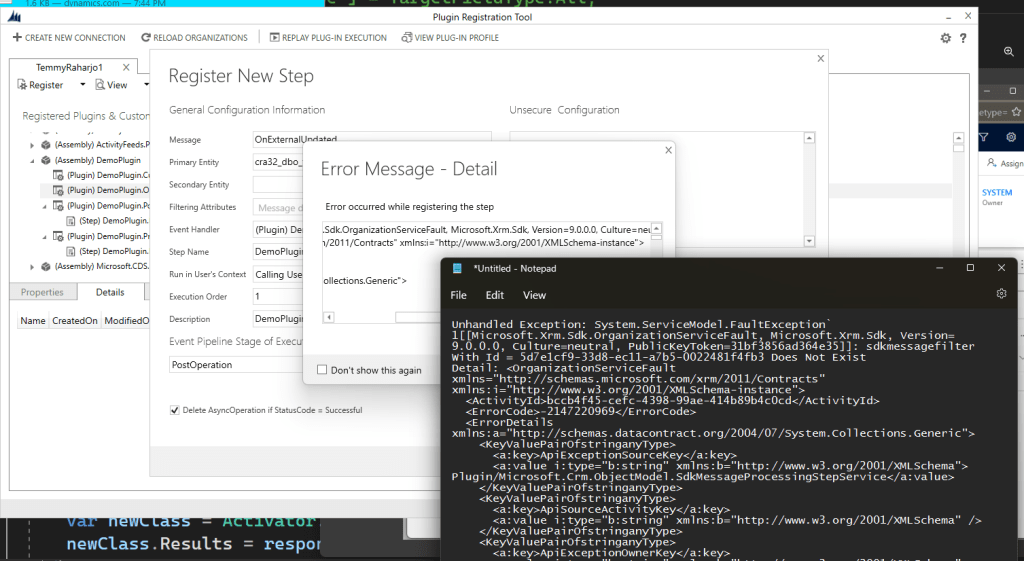 If you have not set up Virtual Entity Metadata yet, the system will block you
Once done, you can click Save and go to the next step.
Create OnExternalUpdated Plugin for Transaction
Here is the sample code that I will trigger:
using Microsoft.Xrm.Sdk;
using System;
namespace DemoPlugin
{
    public class OnExternalCreatedTransactionVirtualEntity : IPlugin
    {
        public void Execute(IServiceProvider serviceProvider)
        {
            var pluginExecutionContext = (IPluginExecutionContext)
                 serviceProvider.GetService(typeof(IPluginExecutionContext));
            var organizationServiceFactory = (IOrganizationServiceFactory)
                serviceProvider.GetService(typeof(IOrganizationServiceFactory));
            var adminService = organizationServiceFactory.CreateOrganizationService(null);
            var target = (Entity)pluginExecutionContext.InputParameters["Target"];
            var contact = new Entity("contact");
            contact["firstname"] = target.Id.ToString();
            contact["lastname"] = "External Update";
            adminService.Create(contact);
        }
    }
}
We want to create Contact once there is an update event from the source system (firstname = VirtualEntity.Id and lastname = "External Update").
Then you can build it > open the Plugin Registration Tool > update/register the Plugin Assembly > right click on the Plugin class that we are creating > register new step and follow below setup:
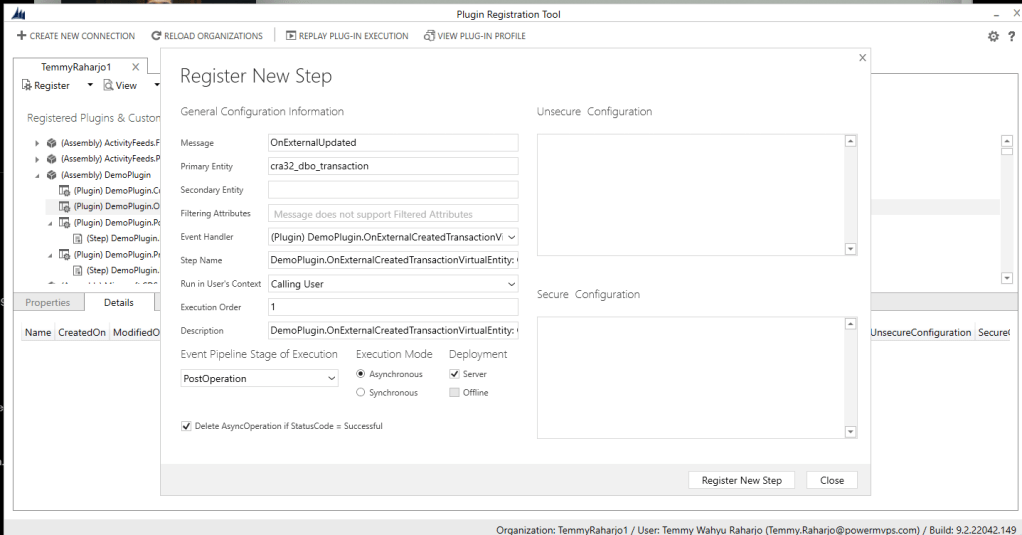 Register the plugin step
Note: For events that we can set in Virtual Entity (OnExternalCreated, OnExternalUpdated, and OnExternalDeleted), we only can register them on PostOperation - Async.
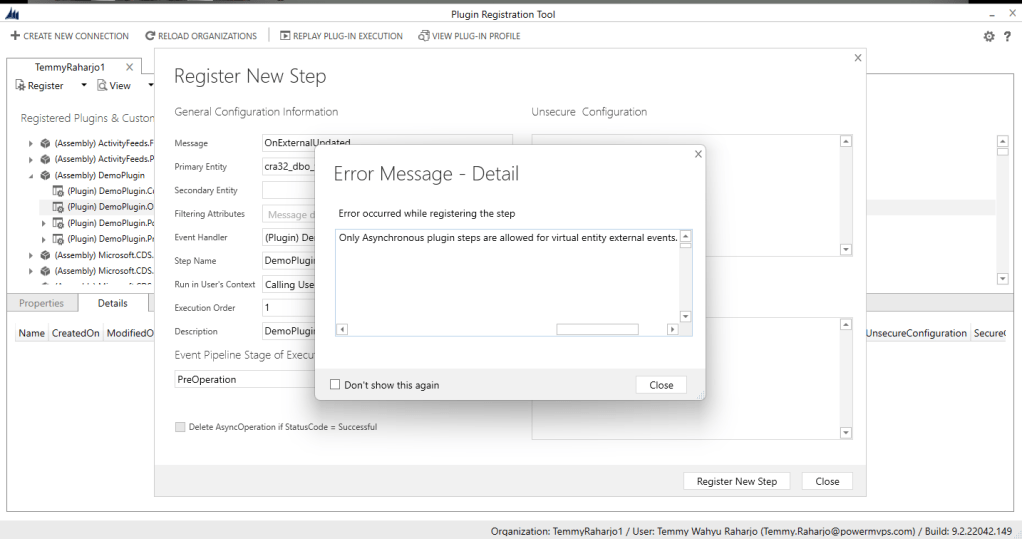 Only Asynchronous plugin steps are allowed for virtual entity external events
Triggering OnExternalUpdated using CrmServiceClient
For the demonstration, I created the below code to run the business logic that we already setup:
using System;
using System.Web.Configuration;
using Microsoft.Xrm.Sdk;
using Microsoft.Xrm.Tooling.Connector;
namespace CrmCheck
{
    class Program
    {
        static void Main(string[] args)
        {
            CrmServiceClient.MaxConnectionTimeout = TimeSpan.FromHours(3);
            var connectionString = WebConfigurationManager.AppSettings["connectionString"];
            var client = new CrmServiceClient(connectionString);
            var update = new Entity("cra32_dbo_transaction",
                new Guid("3abebd6e-5db5-4d13-8417-3518667c5fdc"));
            update["cra32_name"] = "Update External";
            var request = new OrganizationRequest("OnExternalUpdated");
            request["Target"] = update;
            client.Execute(request);
            Console.ReadKey();
        }
    }
}
Once it is running, you can see the result:
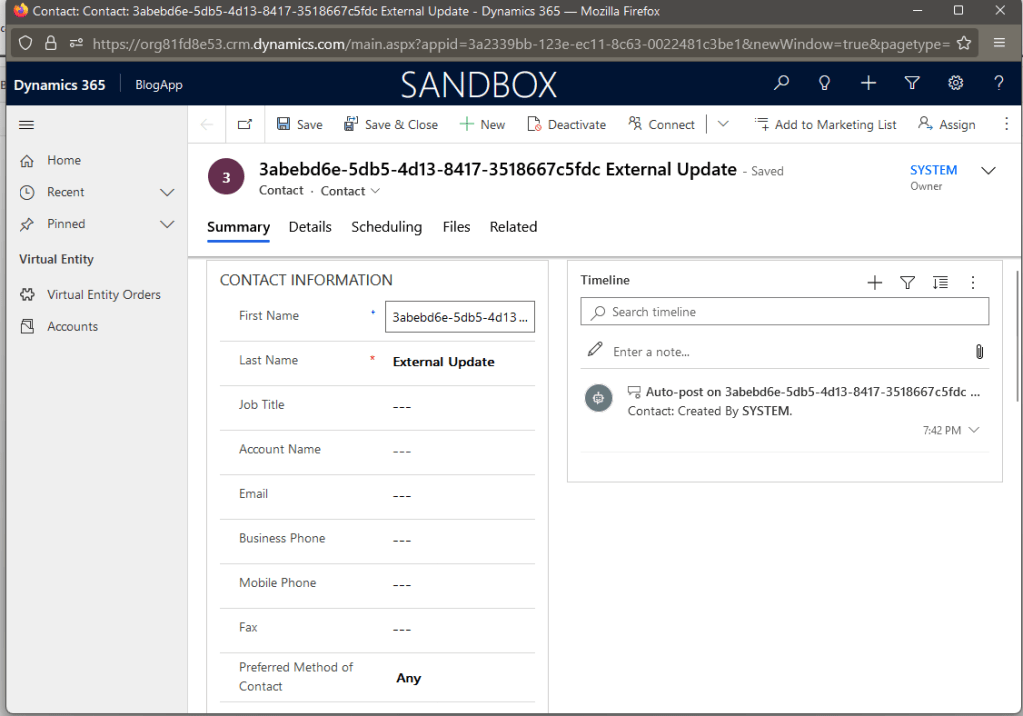 Contact Created
Happy CRM-ing!
Leave a comment
Your comment is sent privately to the author and isn't published on the site.