C# , dynamics-crm , powerplatform , tips
How to test service protection API limits in Dataverse

When I read this documentation about Service protection API limits, I was curious about the easiest way to get the error to validate the code in the documentation and enhance it. I read the documentation and found out about Dataverse search, which has a stricter policy (one request per second) which means it is easier to test. Service protection API limits are a policy to ensure the best performance and availability of the endpoints (which can vary for each Dataverse environment). And also to make sure that the API is not being bombed by unusual requests. It means also that the policies are generic across the Dataverse (except there is a difference in policies applied for the API/search vs the API/data endpoints). Without further ado, let's dig into how I tested it.
Enable Dataverse Search
You can follow the implementation of the details in this documentation. For this demonstration, I'm using the Contact table that is not required to add more index to make it works. So you just need to go to https://admin.powerplatform.microsoft.com > go to the Environmentsblade > select the Environment that you want to enable on > Settings> Product> Features> on the Searchsection, check Dataverse search and you are ready to go!
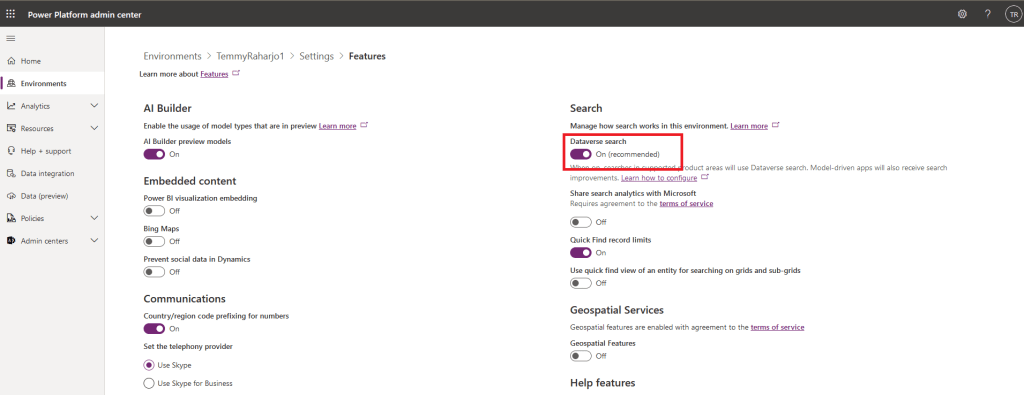 Enable Dataverse search
Test Dataverse search API
For the demo, we will invoke using Web API. Before we can execute the API, we need to get the access token. So for simplicity, you can follow up on this documentation to set your Postman(later, you just need to copy the code generated by the Postman and paste it to the console app).
Below is my sample of Variablesthat I set up in my Postman:
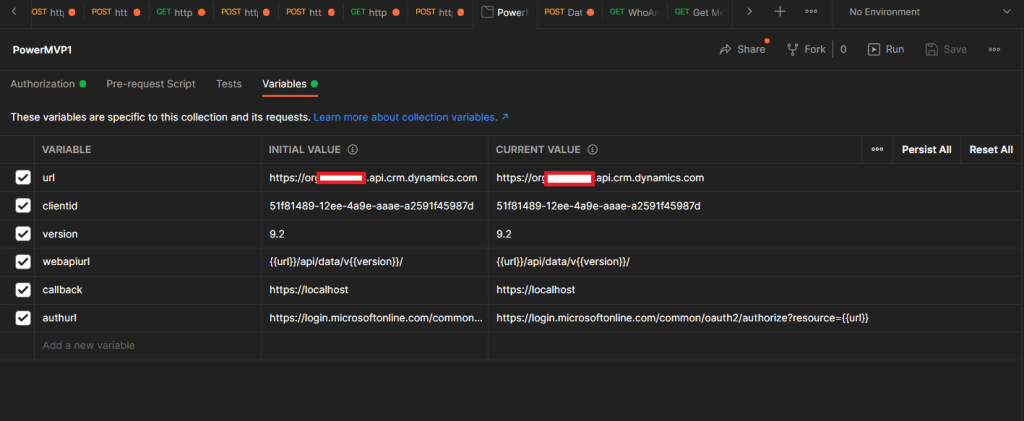 Postman Variables
Then in the Authorizationpart, this is how I can get the access token:
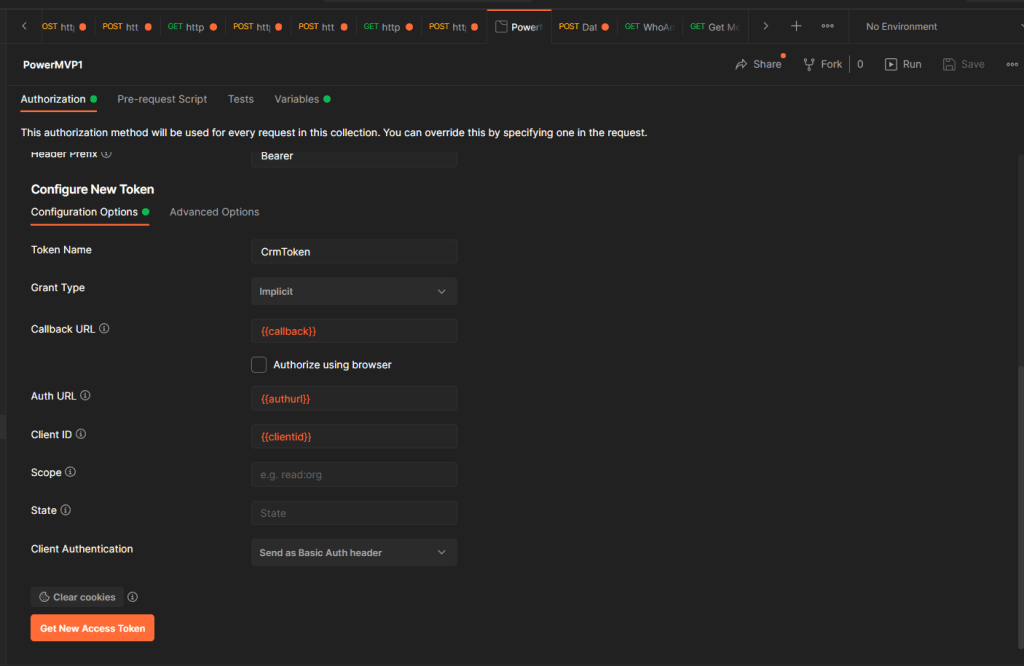 Postman Authorization
Once you click the Get New Access Token button, you will be redirected to the login page CRM (if not yet login before)/system will get the access token.
Then for executing the Dataverse search API, you need to set it like the below picture (don't worry, later I will give the detailed request):
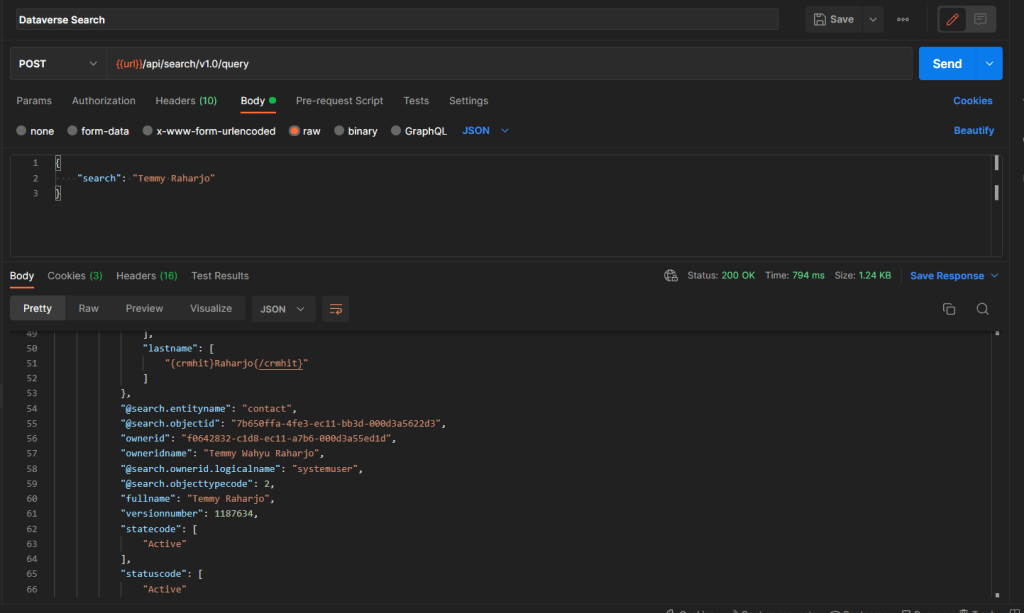 Request + Response from Postman
*On the Authorizationpart, you need to set the Typeto Inherit auth from parent to use the access token you get earlier.
C# Code
API/Searchhas a limitation of one execution for one second. So to test the service protection API limits, we only need to call multiple times in one second. In C# code we only need to call it like below:
using System;
using RestSharp;

namespace CrmCheck
{
    class Program
    {
        static async void TestRun()
        {
            var client = new RestClient("https://crm_org_url.api.crm.dynamics.com/api/search/v1.0/query");
            var request = new RestRequest
            {
                Method = Method.Post
            };
            request.AddHeader("Authorization", "Bearer your_bearer_token");
            request.AddHeader("Content-Type", "application/json");
            var body = @"{ ""search"": ""Temmy Raharjo""}";
            request.AddParameter("application/json", body, ParameterType.RequestBody);
            var response = await client.ExecuteAsync(request);

            if (!response.IsSuccessful)
            {
                Console.WriteLine(response.Content);
            }
        }

        static void Main(string[] args)
        {
            var test = 10;
            do
            {
                TestRun();
            } while (test-- > 0);

            Console.ReadKey();
        }
    }
}
In the above code, you can see that API/Search is called asynchronously ten times. If you debug the code, then most likely you will get to the line 23:
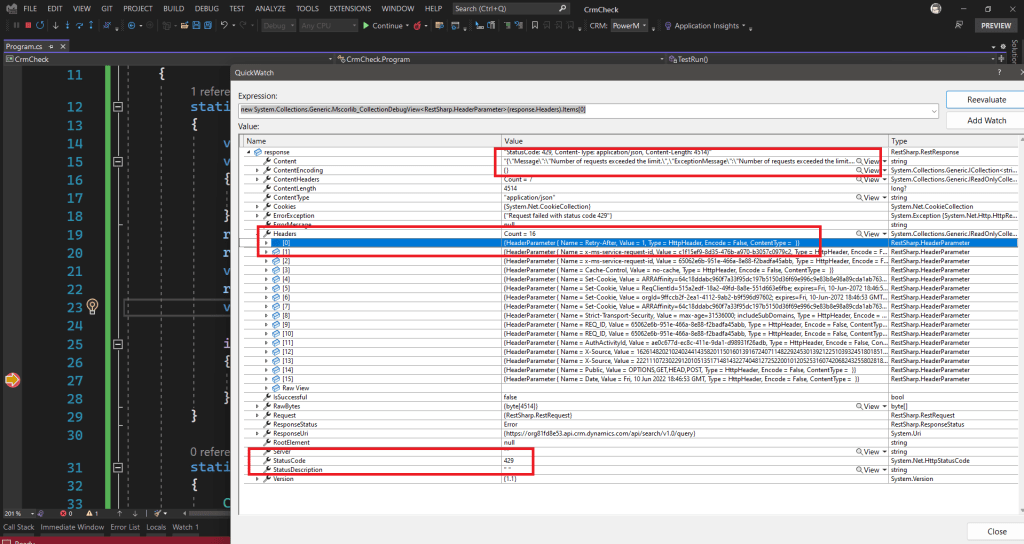 Service Protection API Limits
As you can see from the image, you will get the error with StatusCode 429. Inside the Headers property, you can find the Retry-After that stating in how many seconds you can do retry policy. Then from the Content itself, you can see the description of "Number of requests exceeded the limit.".
For the same scenario, I tried to get the same result if we are using CrmServiceClient:
using System;
using System.Web.Configuration;
using Microsoft.Xrm.Sdk;
using Microsoft.Xrm.Tooling.Connector;
using Newtonsoft.Json;

namespace CrmCheck
{
    class Program
    {
        static async void TestRun1()
        {
            CrmServiceClient.MaxConnectionTimeout = TimeSpan.FromHours(3);
            var connectionString = WebConfigurationManager.AppSettings["connectionString"];
            var client = new CrmServiceClient(connectionString);

            var request = new OrganizationRequest("searchquery");
            request["search"] = "Temmy Raharjo";

            var result = client.Execute(request);
            Console.WriteLine(JsonConvert.SerializeObject(result));
        }

        static void Main(string[] args)
        {
            TestRun1();
            Console.ReadKey();
        }
    }
}
I get a different error that I don't know yet how to resolve:
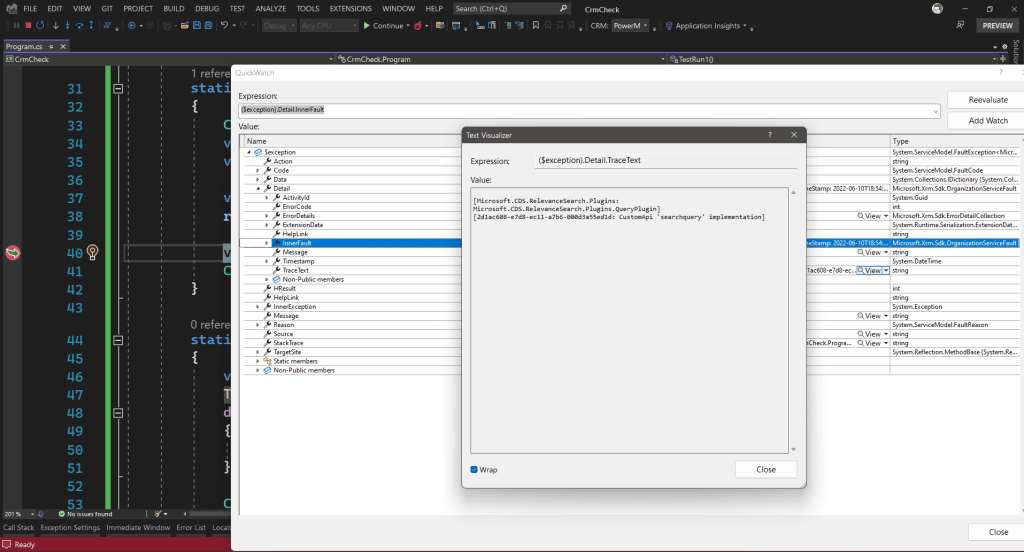 Error Microsoft.CDS.RelevanceSearch.Plugins.QueryPlugin
From the documentation itself, it stated that CrmServiceClient will automatically implement a retry policy. But because of I still couldn't find the way to test it, I can't prove this. 🤞
Happy CRM-ing!
Leave a comment
Your comment is sent privately to the author and isn't published on the site.