C# , dynamics-crm , powerplatform
Dynamics CRM: ExecuteBatch vs ExecuteMultipleRequest

When working with CrmServiceClient(creating integration custom app to CRM), I always pass this object as IOrganizationService. But when I try to inspect the difference between interface IOrganizationServicevs CrmServiceClientclass (indeed CrmServiceClientis inherited from IOrganizationService). Later on, I found the ExecuteBatchmethod on CrmServiceClientand ended up google it and found an article from Inogic that you can access here (from 2017!). Based on the blog post, we can use ExecuteBatchto run multiple requests at the same time to CRM. So today, we will be learning what's the differentiation between using ExecuteBatchvs ExecuteMultipleRequest.
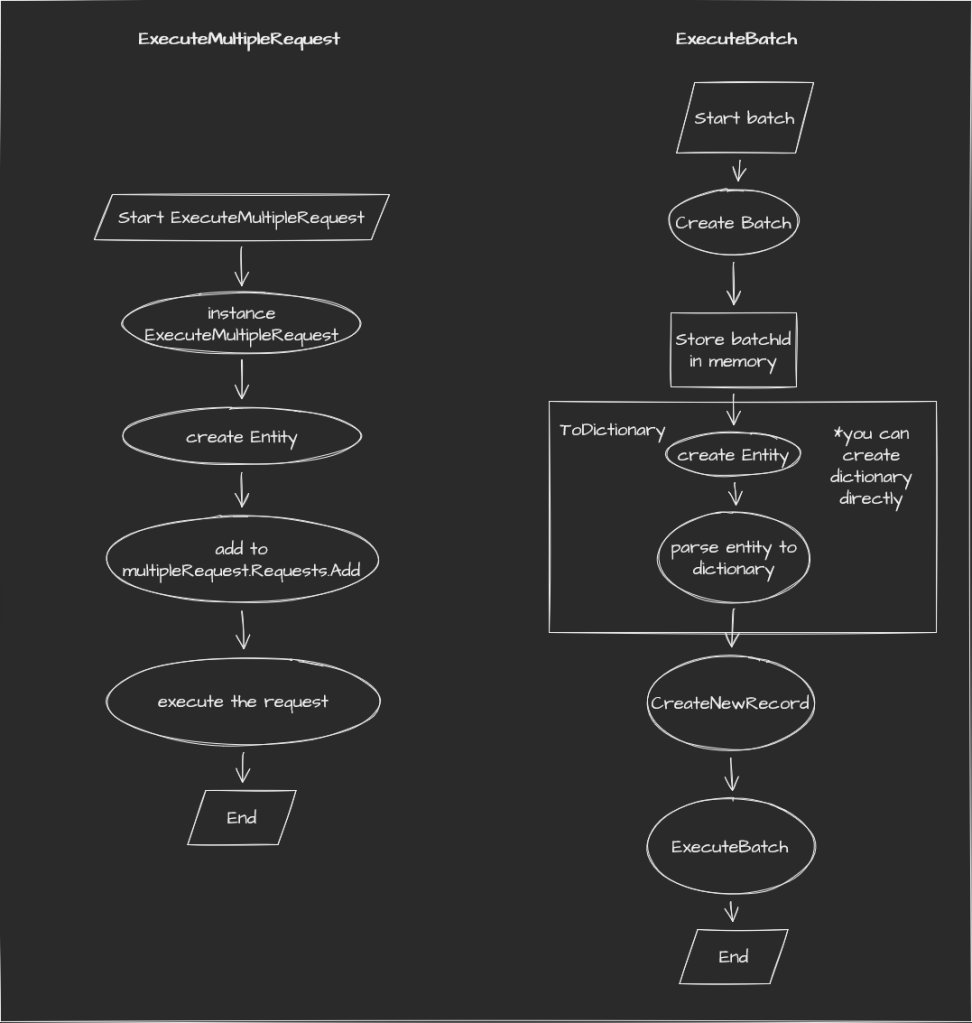 Flow Chart ExecuteMultipleRequest vs ExecuteBatch
To make you understand deeper, I created a new entity named new_test with two string attributes(new_name and new_normalstring). Then I create a simple plugin step to throw an error if new_normalstring is set in "25", "50", "60", "70", "90", and "100". In this plugin step, I registered on Create + PreOperation mode.
Here is the setup in the plugin registration tool:
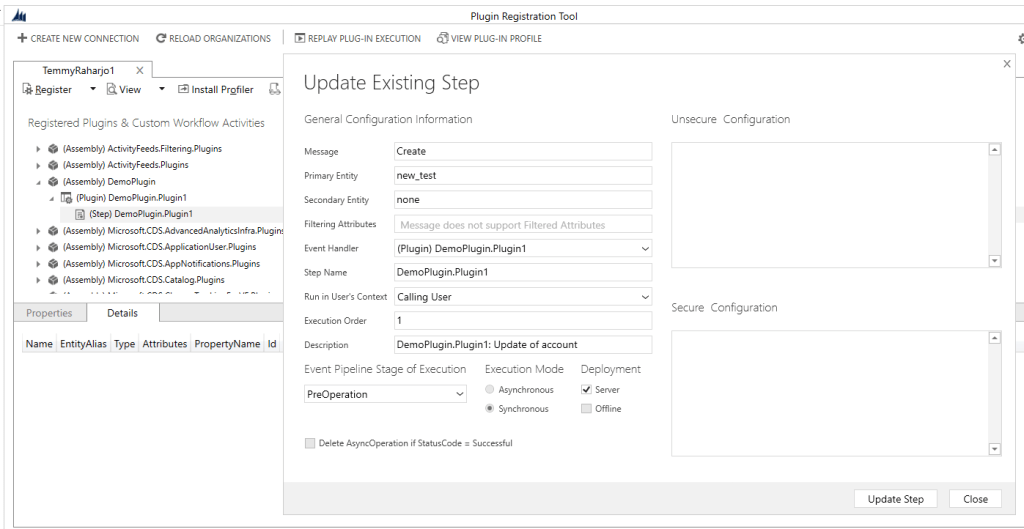 Plugin Step
ExecuteBatch
Below is the code of how we run an ExecuteBatch:
        private static void RunBatch(CrmServiceClient client)
        {
            //var batchId = new Guid("58f06806-f1b7-41de-aea9-a858f559af88");
            var batchId = client.CreateBatchOperationRequest(batchName: $"testing-{Guid.NewGuid()}", returnResults: false, continueOnError: true);

            for (int i = 0; i < 100; i++)
            {
                var record = new new_test
                {
                    new_Name = $"Batch-{batchId}-{i}",
                    new_normalstring = i.ToString()
                };

                client.CreateNewRecord(new_test.EntityLogicalName, record.ToDictionary(), batchId: batchId);
            }

            var result = client.GetBatchById(batchId);

            Console.WriteLine($"{result.BatchName}: {result.BatchItems.Count}..");

            var data = client.ExecuteBatch(batchId);

            foreach (var response in data.Responses)
            {
                Console.WriteLine($"{response.RequestIndex}: {response.Fault}..");
            }
        }
    }
As you can see from the above code, one of the things that I don't really like is we need to pass Dictionary<string, CrmDataTypeWrapper> which is not a common data type that we use a lot when developing CRM. So to suit my preference, I created the below extension to convert Entity to become Dictionary<string, CrmDataTypwWrapper> that can solve Createscenario:
    public static class EntityExtensions
    {
        public static Dictionary<string, CrmDataTypeWrapper> ToDictionary(this Entity entity)
        {
            if (entity == null) throw new ArgumentNullException(nameof(entity));

            var result = new Dictionary<string, CrmDataTypeWrapper>();
            foreach (var item in entity.Attributes)
            {
                result[item.Key] = new CrmDataTypeWrapper(item.Value, CrmFieldType.Raw);
            }

            return result;
        }
    }
And here is the result of the above code:
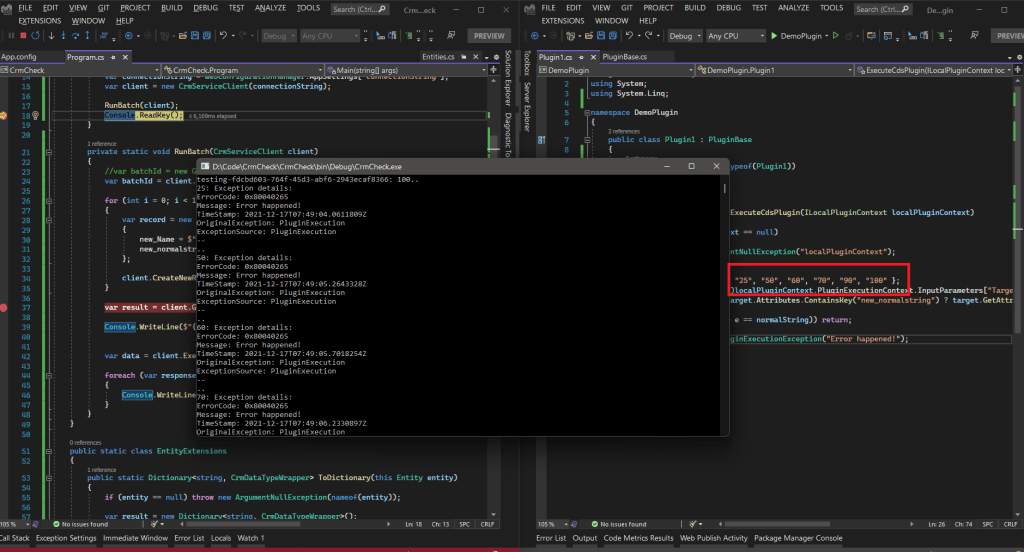 Result
For testing how the ExecuteBatchrun, I do the below testing:
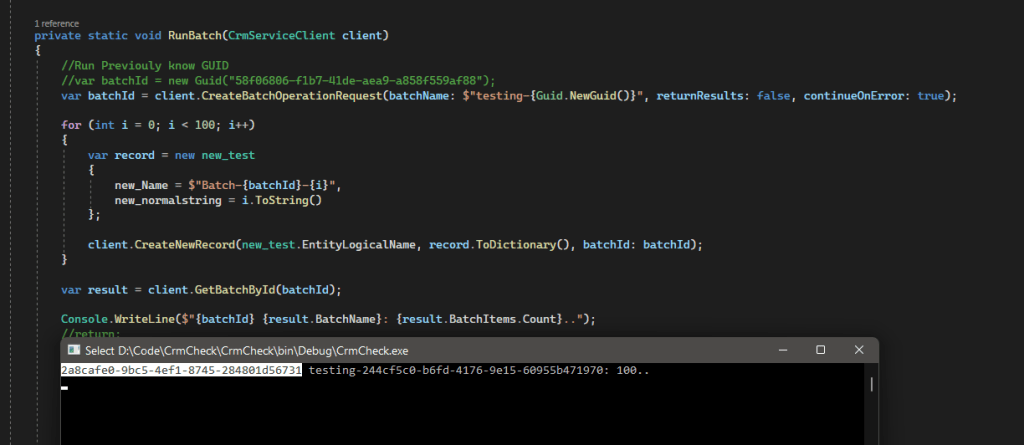 Testing running without ExecuteBatch
I executed the creation of several records but did not call ExecuteBatch. Then I copy the batchId, stop the program, then run again with the below code:
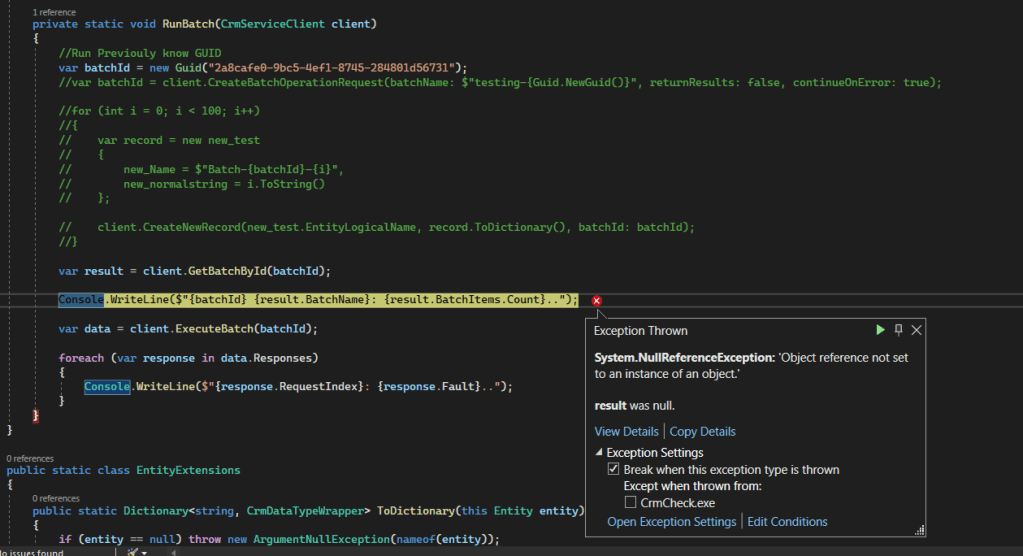 Running previously batchId, will throw an error
Meaning it proves that it will only store all the transactions in our computer memory. Only when we call ExecuteBatch, it will push to CRM.
ExecuteMultipleRequest
Below is the code of how we run an ExecuteMultipleRequest:
        private static void RunManualBatch(CrmServiceClient client)
        {
            var multipleRequest = new ExecuteMultipleRequest
            {
                Settings = new ExecuteMultipleSettings { ContinueOnError = true, ReturnResponses = false },
                Requests = new OrganizationRequestCollection()
            };

            for (int i = 0; i < 100; i++)
            {
                var record = new new_test
                {
                    new_Name = $"Batch-manual-{i}",
                    new_normalstring = i.ToString()
                };

                multipleRequest.Requests.Add(new CreateRequest { Target = record });
            }

            var data = (ExecuteMultipleResponse)client.Execute(multipleRequest);

            foreach (var response in data.Responses)
            {
                Console.WriteLine($"{response.RequestIndex}: {response.Fault}..");
            }
        }
This implementation is cleaner in my opinion and will produce the same result as the above code (ExecuteBatch).
Summary
Even I do choose the ExecuteMultipleRequestway (because it is simpler+cleaner for me). But there is a scenario where the ExecuteBatchmight be easier to be used. For example in the below picture, you can see ExecuteBatch provides the solutionIdparameter that can help us to bind the created record directly.
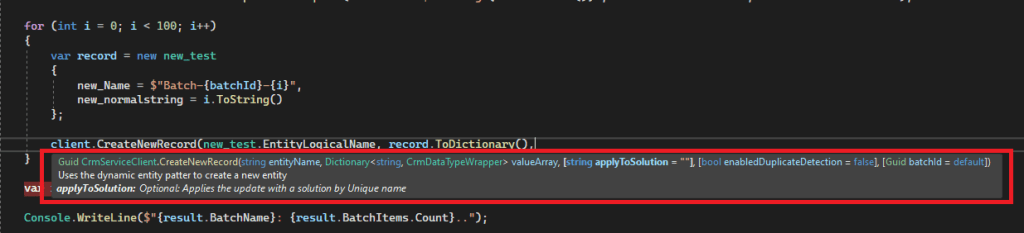 CreateNewRecord has more functions!
So, like always: happy crm-ing!
Leave a comment
Your comment is sent privately to the author and isn't published on the site.